
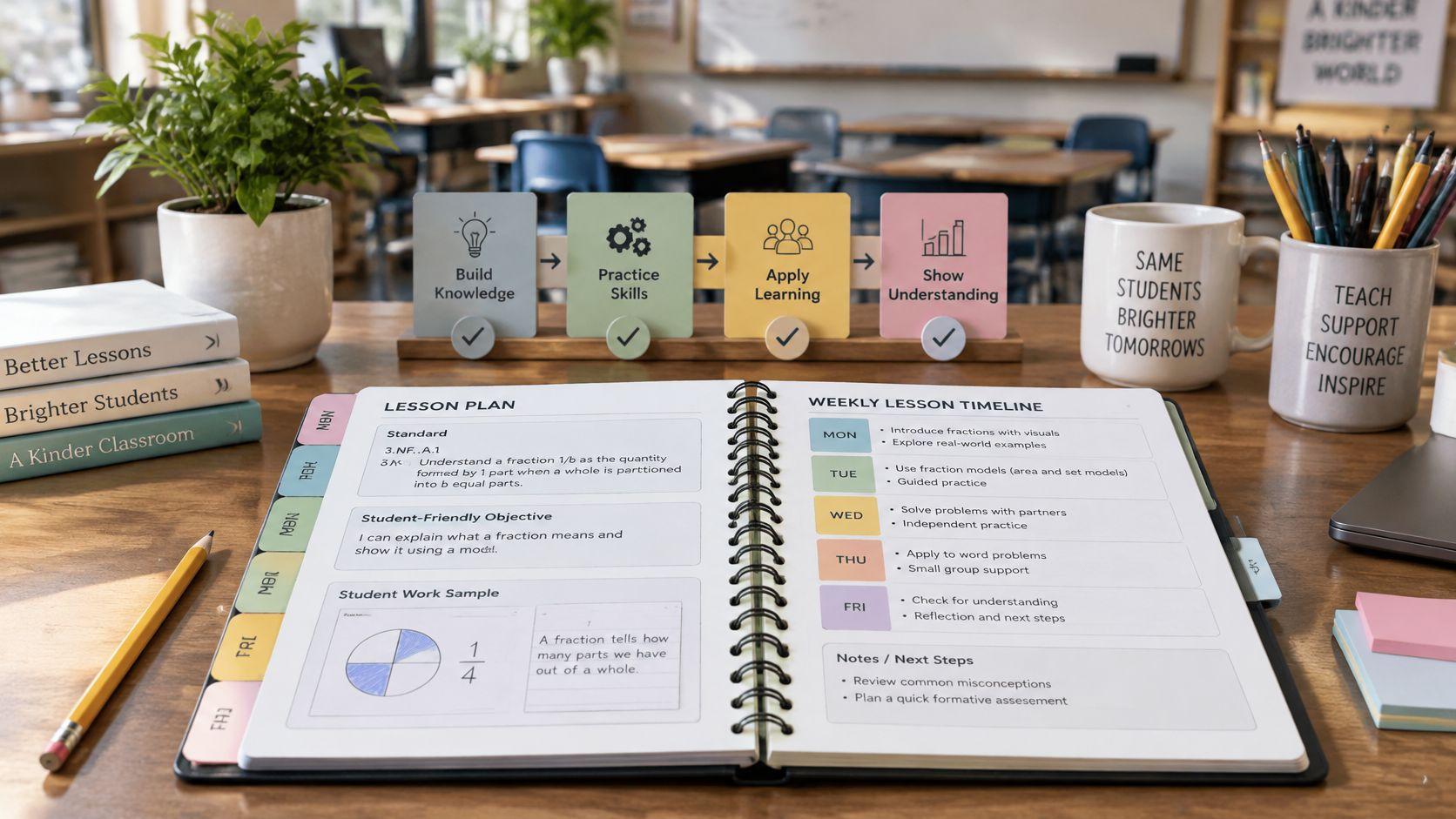
Could you name the standard your class got measurably better at last month, and put your hand on the student work that proves it? Most teachers can name what they taught. Far fewer can produce the evidence on demand, and the planning tool usually isn't the reason. The tool never asked for it.
Sorting this out comes down to one judgment: a common core lesson planner earns its place by whether each standard traces to student evidence and comes back around during the year. A standards dropdown and a tidy weekly grid don't accomplish either. This walkthrough covers what a planner has to store, how to write an objective that survives scrutiny, how to sequence revisits, and how to run a coverage check by hand when the tool can't. It also says plainly what no planner can do, which is the teaching thinking.
What a Common Core Lesson Planner Must Track
A common core lesson planner is a planbook that links each lesson to a grade-level standard code, a student-facing objective, a piece of evidence students will produce, and a position in an ordered sequence. Everything else in the tool is formatting.
The standards behind those codes came from a state-led effort that began in 2009, with education leaders from 48 states, two U.S. territories, and the District of Columbia working through the National Governors Association Center for Best Practices and the Council of Chief State School Officers. The Common Core development record shows a public draft released in March 2010 for educator and public feedback, and final standards published in June 2010 for English language arts/literacy and mathematics.
Adoption stayed voluntary. Each state acted through its own legal and administrative process, which is why implementation schedules and later revisions differ across jurisdictions. The wording a tool loads may therefore not match the version your state uses, and subsets of standards, added standards, and renamed strands are all normal. The NCES state reform table records 44 states adopting the standards, with dates running from Kentucky's February 10, 2010 decision to Oregon's October 29, 2010 adoption. A planner that hard-codes one national list will be wrong somewhere, for someone.
That reality drives the criteria worth judging a product against. The table below is the version a department can argue about in a meeting.
| Criterion | What to look for | Why it matters | Red flag |
|---|---|---|---|
| Standard identifier | Grade, subject, and exact code stored as a searchable field | Lets you audit coverage by code | Only free-text notes such as reading standards |
| Editable standards set | Standard text can be edited, replaced, or adapted | States adopted through their own processes, and revisions differ | Standards locked to one hard-coded list |
| Separate objective field | Student-friendly target stored apart from the activity | Keeps the target observable and reviewable | Objective is just the name of the activity |
| Evidence of learning | Field for the product or response students will produce | Makes alignment checkable against student work | No place to record evidence |
| Multiple touchpoints | Room to log first instruction, practice, and later review | Supports revisiting standards across the year | One checkbox marks a standard as done |
| Sequence view | Unit timeline or ordered outline of lessons | Shows whether prerequisite skills come first | Lessons sorted only by date |
| Printable outputs | Print or PDF of plans for handouts, sub plans, and coaching | Shares plans without retyping | Only a screenshot of the calendar |
Three questions that screen any product
Run these before a demo, and again before a renewal. To compare how five online planners handle standards, printing, and price side by side, see the online teacher planner comparison.
- Can you find a standard by exact code in two clicks? If locating RH.6-8.1 requires scrolling a grade-level PDF, nobody will tag lessons at 3:40 on a Friday.
- Can you edit the standard wording? Local additions, state replacements, and clarifications all need somewhere to live.
- Can you see every standard touched across a unit? Not the day view. The unit level, where gaps become visible.
A planner that only lists standards records an intention. Until a piece of student work hangs off that code, nobody knows whether the class met it.
Writing Measurable Objectives for ELA and Math Standards
The official Common Core FAQ describes the standards as shared K–12 goals in English language arts/literacy and mathematics, and states that they identify what students should learn, not how teachers must teach. That distinction sets the data model. A planner should store the standard identifier, the student-friendly objective, the instructional activity, the evidence of learning, and any differentiation notes as separate but linked fields.
Keeping those fields apart protects teacher autonomy and makes alignment auditable, since a coach can read the objective, then the evidence, and judge whether the two match. Paste standard text into the objective box and you've collapsed four decisions into one blur. The same separation works on paper: the lesson planning templates worth keeping give the standard, the objective, and the evidence their own boxes.

The six steps from code to objective
1. Copy the exact code and wording from your state's adopted version. Not from a blog, not from the textbook's correlation chart. The state document is the reference.
2. Underline the content and the verb. Content is what students know; the verb is what they do with it. Compare demands a basis for comparison. Cite demands a return to the text. Explain demands a causal chain.
3. Split multi-part standards into one observable skill per row. A standard with two verbs is two planning rows. Splitting is what makes a weekly plan honest about time.
4. Write a student-facing objective. For grade 3 standard 3.OA.A.1, an illustrative target reads: "I can explain 5 × 7 as 5 groups of 7." The student can act on that sentence. "Understand multiplication" gives nobody anything to do.
5. Add a success criterion. Name the response or product you'll accept: two annotated excerpts, a labeled array, a written justification with a stated reason.
6. Choose one evidence type. An exit ticket, a partner check, or an independent task. One, recorded in the plan before the lesson, not invented during the last four minutes.
Working rule: If the objective would still make sense after swapping in a different standard code, it isn't measuring the standard you tagged.
An ELA entry that keeps the literacy standard visible
The ELA standards document organizes K–5 and 6–12 content into Reading, Writing, Speaking and Listening, and Language, with literacy standards for history/social studies, science, and technical subjects focused on Reading and Writing. Each strand connects to College and Career Readiness Anchor Standards that stay consistent across grades, while grade-specific standards supply the detail. The grades 6–12 literacy standards supplement content standards in those subjects; they don't replace them.
That means a history lesson carries two targets, not one. Illustrative entry:
- Code: RH.6-8.1
- Objective: Students can cite specific textual evidence to support analysis of a primary source.
- Task: Annotate two primary-source excerpts, then write a three-sentence claim supported by two quotations.
- Evidence: The claim plus the two quotations, collected at the door.
The content objective handles the history. The literacy target asks students to do what historians do with documents, which is the point of the supplement.
A math entry that carries a practice standard
Copying a content standard is only half the job, because the mathematics standards include eight Standards for Mathematical Practice describing how students engage with content: making sense of problems, reasoning abstractly and quantitatively, constructing arguments, modeling, using tools strategically, attending to precision, looking for structure, and expressing regularity in repeated reasoning. Grade-level standards are arranged into domains, with related standards grouped into clusters.
Pair one content target with one practice target. Illustrative entry for grade 5:
- Code: 5.NF.A.1 with MP.3
- Objective: Students can add fractions with unlike denominators and defend why the answer is reasonable.
- Task: Solve two fraction problems on paper, show a common-denominator strategy, and write a short defense of the result.
- Evidence: The worked problems plus the written defense.
Assess both the calculation and the explanation. The standards treat conceptual understanding and procedural skill as equally important, and a sufficiently rich task can surface both in one pass. A worksheet of twenty bare computations measures one of them.
The test that ends the argument
Hand the objective and the evidence to a colleague who doesn't teach your grade. If that colleague can say what students will do and what counts as success, the entry is finished. If they have to ask what the lesson was about, the evidence field is doing the objective's job.
Copy this four-field template into whatever tool you use, and label the fields the same way every time:
Code: 5.NF.A.1 + MP.3 Objective: Students can add fractions with unlike denominators and defend why the answer is reasonable. Task: Two problems, strategy shown on paper, short written defense. Evidence: Worked problems and defense, collected as an exit ticket.
One caution that saves trouble later. Differentiation notes belong in their own field and should change access, not the verb. A student who receives a graphic organizer is still citing evidence. A student who receives a simpler question about naming the main idea is not working on the same standard, and the plan should say so.
Sequencing Lessons So Standards Get Revisited
A single checkmark is the most common failure in standards tracking. It records that a lesson happened. It says nothing about whether students can use the standard six weeks later, which is the only question that matters in May.
The What Works Clearinghouse practice guide on organizing instruction and study rates the evidence for that practice as moderate and names spacing important content over time as an overarching planning principle. Related guidance recommends combining review, guided practice, worked examples, and new problems rather than running any one format all week. The mechanism is straightforward: distributed retrieval and varied practice reduce reliance on short-term memory, so students can apply the skill in an unfamiliar task instead of only in the format they rehearsed.
A tracker earns its keep when it holds separate fields for first instruction, guided practice, independent evidence, and later review. The stages below show what that looks like for one standard across a unit. The examples are illustrative.
| Stage | When it happens | Evidence to record | Illustrative example |
|---|---|---|---|
| First instruction | Initial lesson on the standard | Exit ticket response | Students show 5 × 7 as five groups of seven on a diagram |
| Guided practice | Lessons two and three | Teacher observation note | Partner pairs build arrays with counters |
| Spaced retrieval | A later lesson in the same unit | Short warm-up answer | Students write two different multiplication stories |
| Independent application | Unit assessment | Scored item | Word problem with an unknown factor |
| Later review | Next unit or cumulative quiz | Cumulative item result | Mixed review set that includes the same product |
Five stages, five pieces of evidence, one standard. That's a defensible record. It's also a schedule constraint, because each stage needs a slot where nothing else crowds it out.
When the schedule moves
Assemblies, snow days, and testing windows move lessons. Bump Forward moves the affected lesson while keeping subsequent lessons in their order, which protects sequence but not dependency. The review item that was meant to bring arrays back in week three still needs a home after the lesson it depends on shifts to week four.
The habit that prevents trouble: after any schedule change, open the unit timeline and check the review and assessment items that reference the moved standard. If a dependent item now sits before its first instruction, move it. A unit planning workflow that maps stages before the calendar fills up makes this a two-minute check rather than a rebuild.
Running a Coverage Review Across the Year
Treat the review as a procedure with steps, not a feeling of having covered things. Run it once per unit, and again at the year level, because a review saved for the final weeks finds gaps that can no longer be taught.

- Pull every lesson across all units. Use an outline or unit timeline view, not the day view. You need the whole arc in one list before you can see repeats and holes.
- Sort by standard code. Sorting groups each strand together, so three lessons on speaking and listening land next to each other instead of being scattered across October and February.
- Count touchpoints per standard. First instruction, practice, and at least one later review. Set the threshold yourself, such as three touchpoints for priority standards and two for supporting ones. That number is a local decision, not a research rule, and it should be written down so the department applies it consistently.
- Check that each standard has a recorded evidence type. No evidence field filled means the standard was mentioned, not taught.
- Check prerequisite order. If a standard depends on an earlier skill, it can't appear before that skill is introduced. Sorting by date hides this; sorting by code usually exposes it.
- Give every gap one decision. Reteach next week, add a retrieval item to a cumulative quiz, or defer with a written reason. A gap without a decision is just a note someone will reread in June and feel bad about.
For gaps that need a quick check, draft items with the standards-based quiz generator and edit them for wording, difficulty, and answer correctness before students see them. A generated item is a starting point, and the standard's verb is the test it has to pass.
What comes out of the review
One page. A column of standard codes, the number of touchpoints logged, the evidence type recorded for each, and the decision for anything short. A department head or instructional coach should be able to read that page in five minutes and know exactly what needs attention.
The same procedure scales to a whole year when the planbook can show standards across units. A standards tracking routine built on the same fields turns the review into a recurring ten-minute task instead of an annual archaeology project.
Avoiding Common Planning Mistakes and Reviewing AI Drafts
The costliest mistake is timing. A coverage review run once, at the end of the year, produces a list of gaps students can no longer be taught. Run it per unit, while there is still a week to reteach, move a review item, or record why a standard will wait.
| Problem | Likely cause | Fix |
|---|---|---|
| Standard marked as taught with no evidence | Checkbox tracking with no touchpoint log | Record evidence type and at least one later review |
| Objective copies the standard text | Standard pasted in without decomposition | Rewrite with an observable verb and a success criterion |
| AI lesson names a standard but misses its demand | Generator matched the topic, not the standard's wording | Compare the task against the standard's verb and content, then revise |
| Sequence breaks after a schedule change | Dependent review left in its old position | Move the review and assessment items with the lesson, then recheck dependents |
| Student names appear in prompts | Prompt written from a real class list | Replace names with generic descriptors before generating |
AI drafting is now ordinary practice, and the numbers show how uneven the routine still is. In the Gallup teacher survey on the 2024-25 school year, 60% of U.S. K–12 teachers reported using an AI tool for work, with 37% using it at least monthly to prepare to teach, 33% to make worksheets or activities, and 28% to modify materials for student needs. The useful takeaway is that drafting help is common, while the review habit still has to be built deliberately.
Breadth is the easy part to imitate. A 2025 evaluation of AI lesson planning asked three generative systems to plan for all 53 Massachusetts eighth-grade history and social-science standards, which is exactly the test of coverage over judgment. For wider survey context across grade bands, the collected sourced statistics on AI learning tools are a useful reference. A planner earns trust when each standard traces to student evidence and a later return; an AI draft earns trust only after that same trace is checked by hand.
Before anything reaches students: check the facts, check the answer key, check the difficulty, check that names and sensitive details are gone, and check whether the task actually asks for the standard's verb. Then log the review date.
Drafts from the AI lesson plan generator work the same way as any AI output: editable material a teacher still has to verify for accuracy and suitability. Two habits cover most of the risk. Compare the task against the standard's content and verb rather than its topic, and check reading level and accommodations for students with disabilities or multilingual learners. On privacy, describe learners generically, such as a student reading below grade level, instead of using names, contact details, or sensitive information, and follow the school's usage requirements.
Confirm Your Planner Setup Before the Next Unit
Pick one upcoming unit this week. List its standard codes, write an objective for each using the six steps, and enter them in whichever planner you use. Then run the coverage review on that unit alone and look for two things: a standard with no recorded evidence, and a standard with no later review slot. Fix those two before touching anything else.
Then judge the tool. Walk the seven criteria from the first table against your current setup. If a field is missing, create a notes field with the same label (evidence, touchpoints, prerequisite) and use it until the tooling changes. The label matters more than the box it lives in, because a consistent label is what makes next quarter's review possible.
Teacher Planner keeps classes, lessons, and units in a browser-based planbook with Day, Week, Month, Unit Timeline, and Outline views, and its Standards Tracker, available on Pro and Lifetime, links plans to standards for exactly this kind of check. A move via Bump Forward keeps later lessons in order, though the dependent review items still need a look afterward. The setup work is the same in any tool.
One question to answer before the next planning session: which standard in this unit has no evidence yet?
Teacher Planner pairs the planbook with AI tools that draft lesson plans, worksheets, and quizzes from your topic, objective, or standard, so the first version exists and the professional judgment stays yours. If the test in this guide is whether every standard traces to student work and returns later in the year, the Standards Tracker and Outline view give you a place to run that check without rebuilding a spreadsheet. Start with one unit at Teacher Planner and see whether the gaps surface faster than they did by hand.