
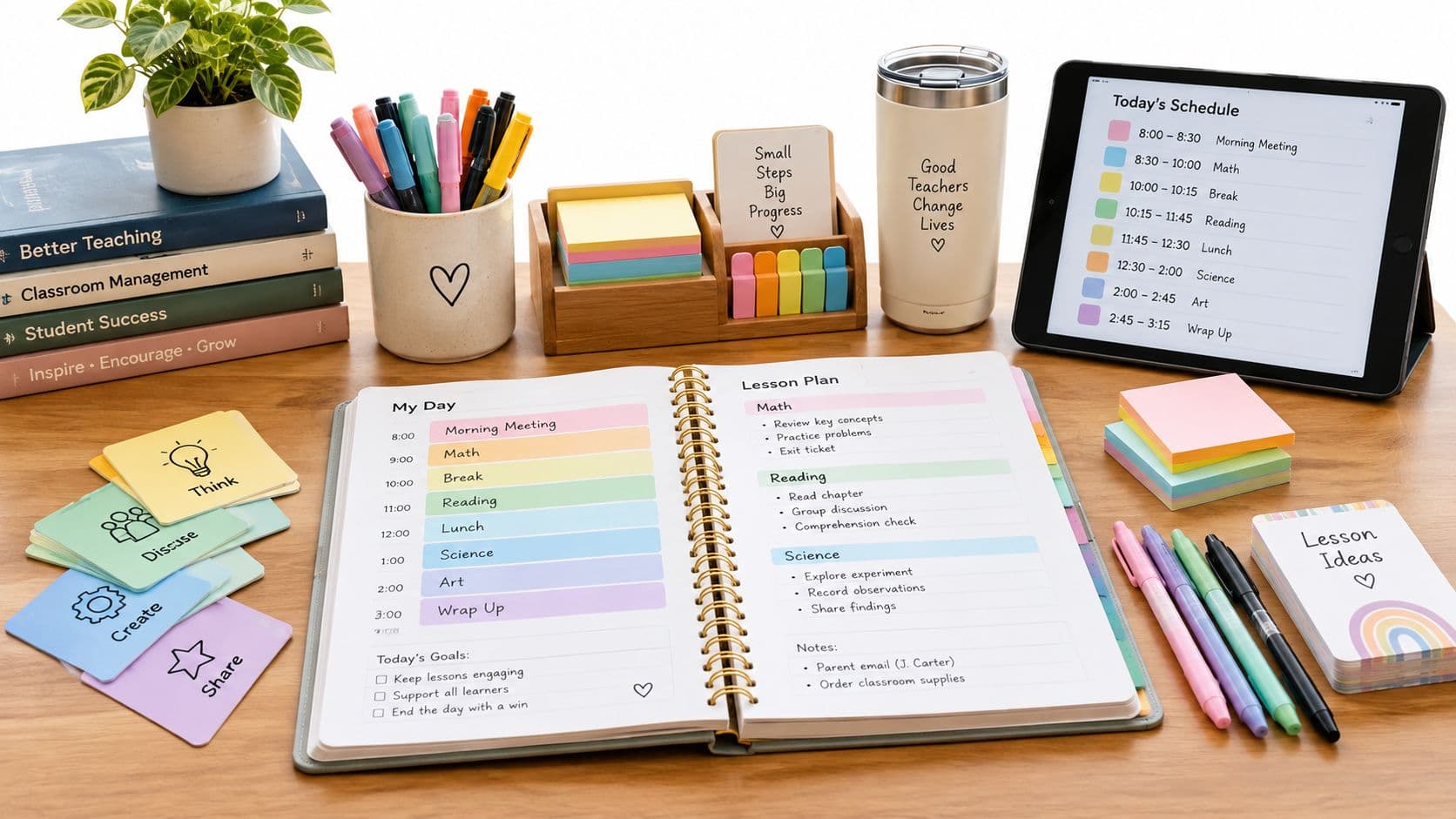
The alarm goes off, and your mind starts sorting through unfinished tasks before your feet reach the floor. Which lesson needs materials? Did yesterday's class finish the activity? What happens if the assembly takes third period? By the time you reach the staff room, you're already reacting instead of deciding.
A daily teaching planner gives that morning pressure a place to go. It turns the day into a repeatable cycle: choose the priority, prepare what students need, teach, record what changed, and carry unfinished work forward. That's more useful than maintaining a beautiful weekly grid that no longer matches the classroom.
The Chaos Before the Bell and Why Your Daily Planner Saves You
A daily planner isn't just a timetable. It's a working control system for the decisions that surround instruction. The timetable tells you where you're supposed to be. The daily plan tells you what matters in that period, what evidence you'll collect, and what you'll do if students need more time.
The workload justifies treating this as a serious instructional tool. In the OECD's TALIS 2018 international report---FINAL_version_(=_v8)_72.pdf), teachers reported an average 38.8 hours of work per week across job-related tasks. Teaching accounted for 20.6 hours, while planning and lesson preparation took 6.5 hours, approximately 17% of total working time. Marking and correcting took a further 4.2 hours, or 11%.

That planning happens inside and outside school hours, including evenings and weekends. A useful plan therefore needs to be easy to revise, accessible when the schedule changes, and specific enough to prevent you from rebuilding the same lesson from memory.
Practical rule: Your planner should answer three questions quickly: What must happen today? What will prove that learning happened? What changes tomorrow because of what I saw?
A simple morning routine can reduce the mental scramble:
- Prioritize: Identify the lesson or class that needs the most preparation, not merely the first item on the timetable.
- Prepare: Put the required texts, slides, manipulatives, copies, and accessibility supports together before students arrive.
- Protect the sequence: Check whether today's lesson depends on unfinished work from yesterday.
- Leave a trace: Record the adjustment immediately, so tomorrow's plan doesn't rely on memory.
If you're trying to build a broader personal routine around this process, Fluidwave's guide to plan your day offers a useful general framework. For teaching, though, the planner must go beyond tasks. It needs learning goals, evidence, materials, and next steps in the same daily record.
Building a Day Plan That Actually Works Using Backward Design
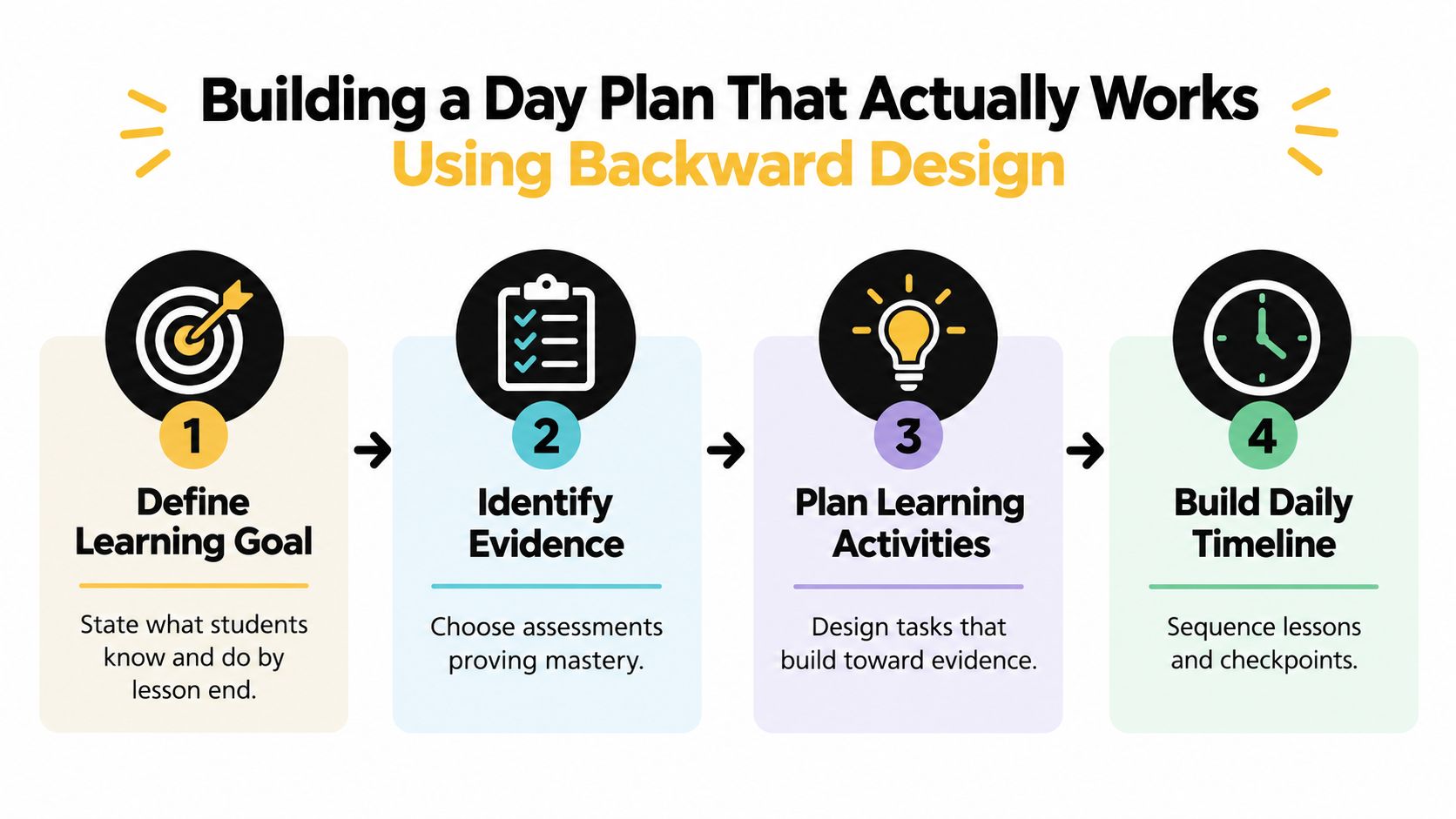
The fastest way to write a weak lesson plan is to list activities first. Teachers choose a video, worksheet, discussion, or game, then try to attach a learning goal afterward. Backward design reverses that order: define the intended learning, choose the evidence, and only then select the activities.
Start with the evidence
A practical daily sequence is:
- Define the learning goal. State what students should know or be able to do by the end.
- Choose evidence. Decide what student response, product, performance, or explanation will show progress.
- Plan the learning path. Select explanation, modeling, guided practice, and independent application.
- Add checkpoints. Prepare a question or task that exposes misconceptions before the final check.
- Write the next-step field. Leave room to decide whether to reteach, practice, extend, or advance.
Oregon's formative-assessment guidance places learning goals and success criteria first, then emphasizes evidence gathered through prior-knowledge checks, dialogue, questioning, observation, and peer or self-assessment. Your planner should reflect that order rather than treating assessment as an afterthought.
A filled-in planning example
For a Grade 5 science lesson, the objective might be: “Students will develop an argument that supports the downward pull of gravitational force.” The evidence could be students identifying supporting quotations in a science text and using those quotations in a written claim.
The daily entry then becomes:
- Objective: Develop an argument supporting the downward pull of gravitational force.
- Success criteria: I can state a claim and support it with a relevant quotation.
- Opening task: Students describe what happens when an object is released.
- Explicit instruction or model: Model the difference between a claim, evidence, and explanation.
- Guided practice: Students sort statements into claim, evidence, or explanation.
- Independent application: Students identify supporting quotations and write an argument.
- Exit check: Submit one claim paired with one quotation.
- Next-step note: Group students who selected an irrelevant quotation for targeted practice.
This structure adapts easily. Shorten the guided practice for a brief period, retain the exit check, and move unfinished independent work into the next lesson. In history, the evidence might be a source-based paragraph. In mathematics, it could be a worked solution with an explanation. For advanced exam preparation, a resource such as AP World exam strategy can help connect daily tasks to larger performance demands, but the daily entry still needs its own observable evidence.
Using AI Tools Safely Without Losing Teacher Judgment
AI can reduce drafting time, but it can also produce a polished lesson that is inaccurate, inaccessible, or poorly aligned. The safe workflow isn't “generate and print.” It's define, draft, inspect, adapt, and approve.
Recent evidence shows why teachers need both practical tools and clear review habits. The 2025 Michigan Virtual study reports that 43.9% of teachers were using AI in classrooms, while another 2025 survey found that about one-third of U.S. K–12 educators lacked confidence in using AI effectively and responsibly. In the same evidence base, 57% agreed or strongly agreed that AI could improve accessibility of learning materials for students with disabilities. These figures point to an opportunity, not permission to remove professional judgment.
Use this quality-control sequence when drafting a resource:
- Define the constraints. Enter the grade level, objective, standard, lesson length, desired evidence, and accessibility requirements.
- Generate a draft. Ask for a worksheet, explanation, quiz, adapted text, or set of discussion questions.
- Check factual accuracy. For a Grade 7 ecosystem worksheet, verify every scientific claim and remove any invented citation.
- Check alignment. Each question should measure the stated objective, not merely mention the topic.
- Check representation and accessibility. Review cultural assumptions, reading level, vocabulary, formatting, and accommodations.
- Protect privacy. Never enter identifying student information. Use fictionalized descriptions or non-identifying group needs.
- Record your decision. Note what you accepted, changed, removed, or added before saving or printing.
UNESCO's guidance for generative AI in education recommends institutional validation and teacher training around algorithmic bias, data privacy, and intellectual property. It also recommends an age limit of 13 for independent student conversations with AI tools in classroom contexts.
Teacher Planner includes a browser-based planbook alongside a Lesson Plan Generator, Worksheet Generator, Multiple Choice Quiz Generator, Text Rewriter, and Writing Feedback. AI results remain editable drafts. You can save resources, copy text, download it, or use the print action provided by the relevant tool, but the teacher still needs to review the result and decide where it belongs in the day's plan.
Review before release: If you wouldn't hand the material to a colleague without checking it, don't hand it to students without checking it.
The End-of-Day Review and Handling Schedule Disruptions
A plan that records only intentions becomes an archive. A useful daily planner records what happened and turns that information into tomorrow's first decision.
Reserve a short closing routine before you leave:
- Record the evidence: Note the formative check, the exit task, or the student response that mattered most.
- Name the pattern: Did students confuse a concept, omit evidence, misread the task, or finish confidently?
- Choose one next step: Mark the class for reteach, practice, extension, or advancement.
- Carry unfinished work forward: Move the task or lesson rather than rewriting it from scratch.
- Capture the adjustment: Write what changed and why, while the details are still fresh.
TALIS 2024 reports that individual lesson planning and preparation accounts for 14% of teachers' working time on average, with marking and correcting at 9%, as reported by the OECD. The same report says teachers across OECD systems reported approximately 30 additional minutes per week on individual planning compared with 2018. That makes a short review valuable only if it prevents duplicated planning tomorrow.
Preserve the sequence when the timetable breaks
Take a five-day fractions sequence:
- Monday, equivalent fractions
- Tuesday, comparing fractions
- Wednesday, adding fractions
- Thursday, problem solving
- Friday, assessment
If Wednesday is canceled for an assembly, don't replace the original plan without notice. Move adding fractions to Thursday, problem solving to Friday, and the assessment to the next available period. Keep the objective and materials attached to the correct lesson.
A sequence-preserving tool such as Bump Forward is useful here because it moves affected lessons while maintaining the order of later lessons. Check the daily view for immediate preparation, the weekly view for collisions, and the unit sequence for the effect on the end target. You may need to combine practice, move the assessment, or add a review block.
For a substitute situation, a separate substitute teacher plans resource can help you prepare instructions that another adult can follow without needing your private planning context.

A Complete Sample Day Plan From Morning Bell to End of Day
A filled-in entry should be detailed where decisions matter and brief where routines are stable. The following example shows how one middle-school teacher might use the planner on a day that includes a cancellation.
Morning preparation
7:35 to 7:50, preparation
- Priority: Grade 7 science ecosystem argument.
- Materials: Reviewed AI-drafted worksheet, student text, highlighters, exit tickets.
- Adjustment from yesterday: Four students need vocabulary support with “producer,” “consumer,” and “energy transfer.”
- Contingency: If the photocopier is unavailable, students annotate the projected text and answer in notebooks.
Teaching-day entries
8:00 to 8:50, Grade 7 science
- Objective: Construct a claim about energy transfer in an ecosystem.
- Evidence: Students identify relevant evidence from a short text and explain how it supports the claim.
- Opening task: Sort three statements into observation, claim, or evidence.
- Model: Think aloud while matching one quotation to a claim.
- Guided practice: Pairs justify which quotation best supports a sample claim.
- Independent application: Students write a claim, select evidence, and add an explanation.
- Exit check: One claim plus one supporting quotation.
- Differentiation: Vocabulary bank and sentence frame for students who need language support. Extension asks students to compare two pieces of evidence.
9:00 to 9:50, mathematics
- Objective: Compare fractions using a common denominator.
- Evidence: Students solve and explain one comparison.
- Adjustment: The planned partner activity is shortened because the class needs more modeling.
- Next step: Begin tomorrow with two comparison problems before moving to application.
10:00 to 10:45, social studies
- Status: Canceled for assembly.
- Original lesson: Analyze two primary sources.
- Planner action: Bump Forward to the next available social studies period. Keep the source set and discussion questions attached.
End-of-day review
3:20 to 3:28
- Science evidence: Most students selected relevant quotations; several explained the quotation without connecting it to the claim.
- Decision: Reteach the claim-evidence-explanation connection in the opening five minutes tomorrow.
- Mathematics evidence: Students can compare with a common denominator but need another modeled example.
- Carry forward: Social studies source analysis remains first in the next available period.
- Preparation before leaving: Place the revised sentence frame and two math examples in tomorrow's materials folder.
The teacher didn't rewrite three lessons. They recorded the decision that changes tomorrow and left stable routines alone.
Choosing the Right Planning Views and Templates for Your Workflow
Different planning views solve different problems. The day view is for immediate preparation and hour-by-hour decisions. The week view exposes subject balance, collisions, and missing periods. The month view helps with broad pacing and events. A unit timeline shows whether daily changes are pushing a sequence away from its intended endpoint, while an outline gives you an ordered list of lessons.
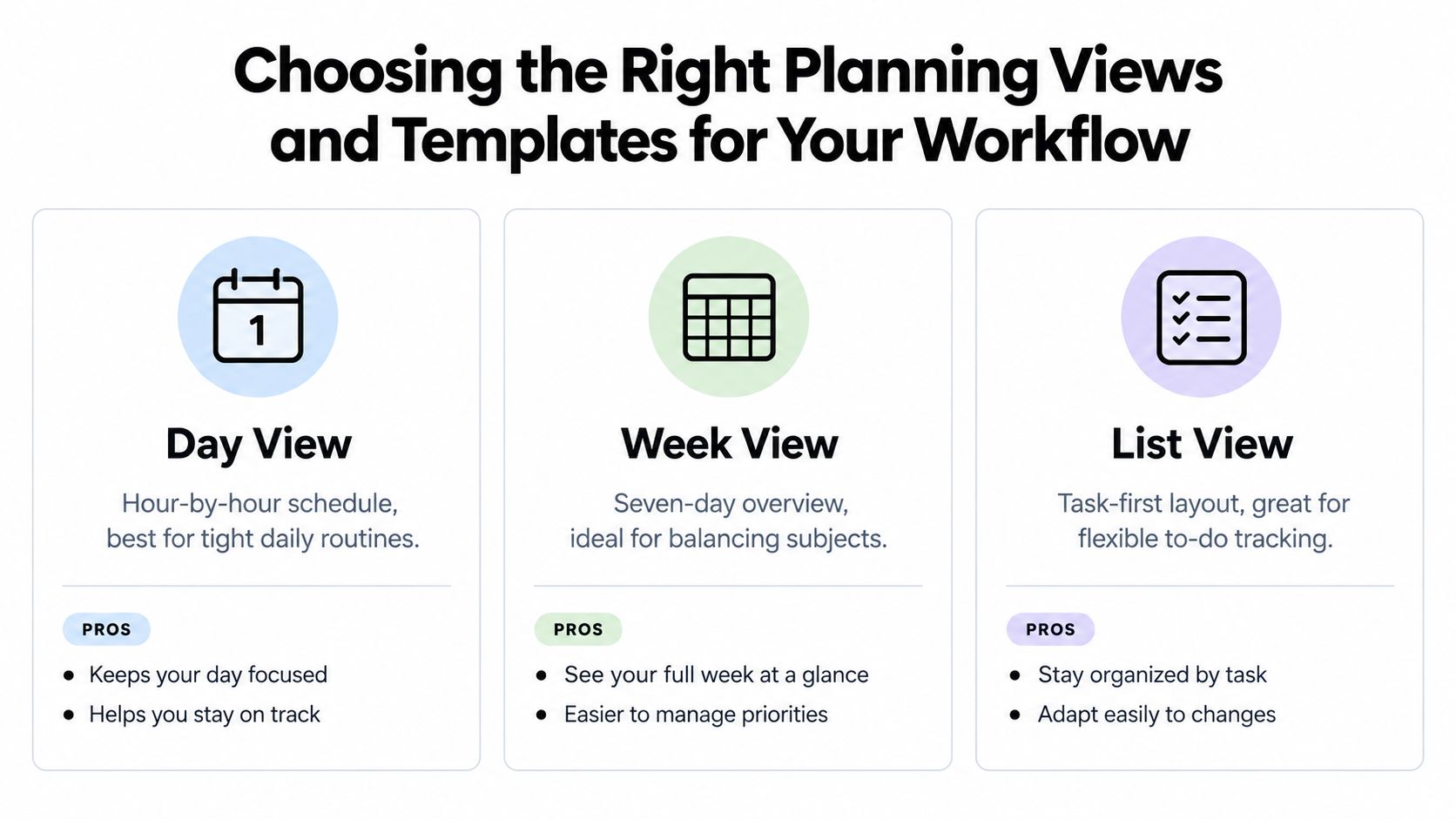
Choose the view based on the decision in front of you:
| Planning need | Most useful view | Why |
|---|---|---|
| Prepare tomorrow's materials | Day | Keeps objectives, activities, evidence, and notes together |
| Check a disrupted week | Week | Reveals collisions and available periods |
| Review pacing | Month or unit timeline | Shows the broader sequence |
| Find unfinished lessons | Outline or list | Makes carry-forward work visible |
Printing templates serve different purposes too. Minimal is suitable for a quick personal reference or routine daily distribution. Classic gives more space for fuller lesson details. Cards can work when you want separate lesson blocks that are easy to rearrange or share.
For emergency substitute plans, choose the format that exposes objectives, materials, instructions, and contingencies without requiring explanation. For a personal desk copy, a denser daily format may be enough. Planbook printing templates are separate from the print action inside an AI generator, so check which output you're creating before sending anything to the printer.
If you're comparing layouts and use cases, these lesson planning templates provide another reference point. A timetable imported from a photo or PDF can reduce retyping, but review it against the actual school calendar before saving. Fixed weekly grids don't automatically account for holidays, assemblies, or rotating schedules, and A/B rotations or whole-school timetable imports shouldn't be assumed.
Next Steps for Building Your Daily Teaching Routine
Don't overhaul every planning habit at once. Build one complete day plan, test the review routine, and adjust the fields that create friction.
Use this setup sequence:
- Load the timetable. Import a fixed weekly grid from a photo or PDF if that reflects your schedule, then review every class and period manually.
- Choose tomorrow's priority. Start with the lesson that has the highest preparation risk or the greatest consequence if students fall behind.
- Write the objective and success criterion. Use an observable student action.
- Select the evidence first. Add a mid-lesson check and an end-of-lesson task that resembles the expected performance.
- Prepare only what the lesson requires. List texts, slides, manipulatives, copies, technology, and accessibility supports.
- Use AI for bounded drafting. Generate a worksheet, explanation, quiz, or adapted text only after defining the objective and constraints.
- Review before saving or printing. Check accuracy, alignment, reading level, representation, accommodations, and privacy.
- Leave a next-step note. Decide what tomorrow starts with, including any unfinished sequence item.
The process should stay lightweight. A workload study reported that primary teachers commonly prepared two to three detailed lesson plans per day, with a 55-minute lesson taking approximately one to two hours to plan, and linked excessive workload with reduced time for planning and assessment. That's why the daily entry should capture the essentials, not every teacher movement. Stable routines can stay short. The objective, evidence, differentiation, materials, and next decision deserve the space.
A short end-of-day review is the habit that makes the system cumulative. Write the evidence, name the misconception or success, choose reteach, practice, or extension, and carry the unfinished sequence forward. For a broader practical guide, see how to use a teacher planner, then return to the next day's entry and make one decision before you close the browser.
Teacher Planner combines a browser-based planbook with day, week, month, and unit planning views, timetable import with user review, sequence-preserving Bump Forward, printing templates, and editable AI drafting tools. Try the routine with one upcoming lesson by visiting Teacher Planner, then keep the parts that genuinely save preparation time.