
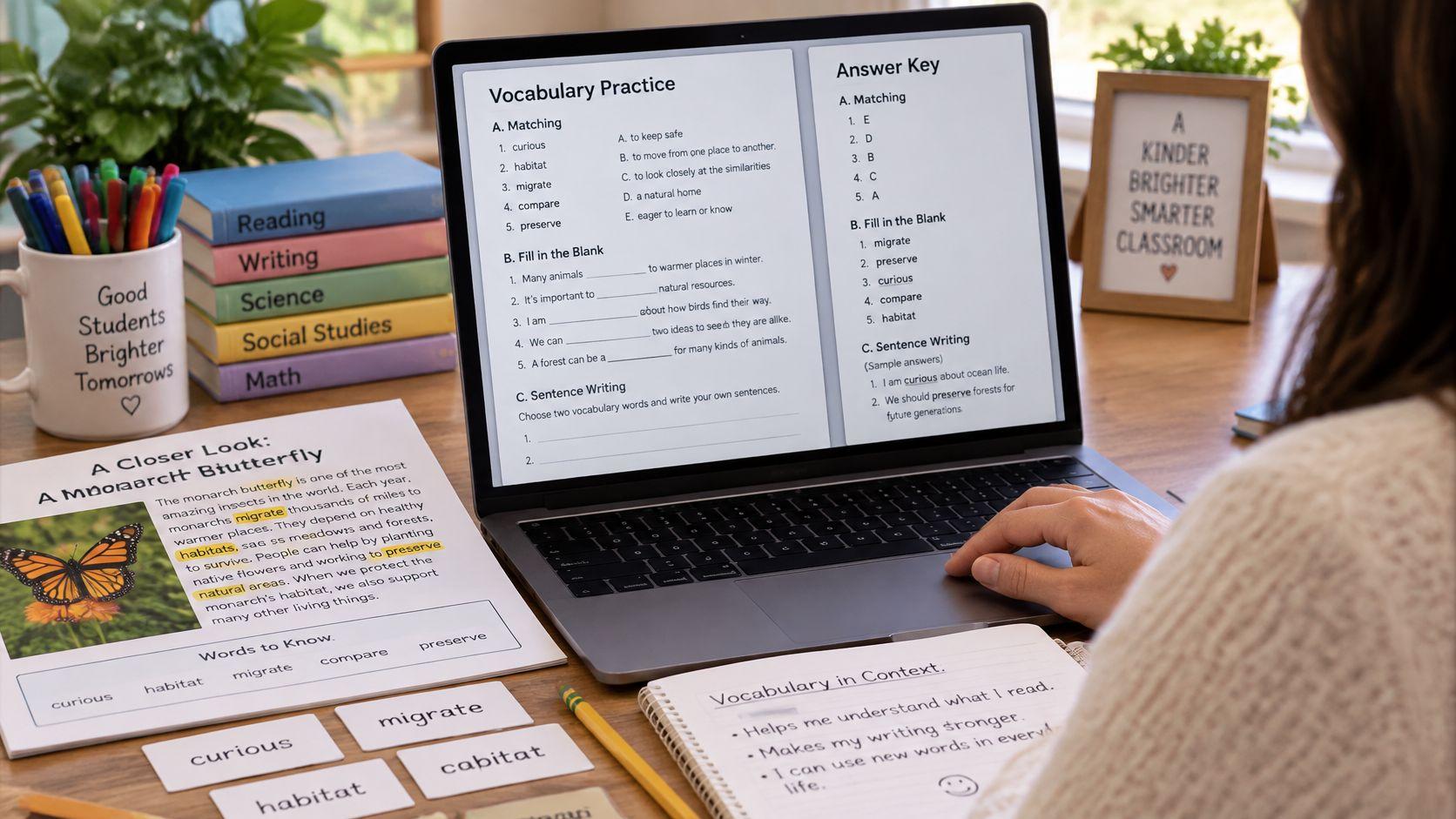
A teacher sits down at 8:40 on a Sunday night. The ecosystems unit ends Friday, ten target words are on the whiteboard, and there's no practice page yet. The quick move is to paste the reading passage into a vocabulary practice worksheet generator and print whatever comes back. The better move is to treat that output as the first draft of a week-long plan instead of a single page to photocopy.
That reframing decides whether the words stick. Generate from the passage the class read, check every definition and answer against that passage, then run the same word list through four different formats across several sessions, ending with a delayed recall check rather than a matching page students finish in six minutes and forget by Thursday.
The order below follows the decisions as they come up: which tool, how to draft, how to sequence, how to check, and what to do this week.
Answer First, Then Pick the Tool
A vocabulary practice worksheet generator turns a reading passage, a topic, or a word list into an editable worksheet draft with an answer key. The version worth using is the one a teacher reviews and then reuses across several lessons, because a single page of matching items tests recognition and nothing more. If all you need is a free generator and a quick printout, this roundup of free vocabulary worksheet generators covers that case.
Teacher Planner sorts this work across three tools, and mixing them up is where most wasted planning time goes.
| Your Goal | Tool | What You Get |
|---|---|---|
| Practice words drawn from a reading passage or topic | Worksheet Generator | Editable worksheet draft with answer key |
| Assess a word list with teacher-reviewed definitions | Vocabulary Quiz Maker | Reviewed definitions, then a quiz you can copy, download or print |
| General topic, standards or passage-comprehension quiz | Quiz generator | Questions drafted from a topic or standard for review |
The Worksheet Generator handles the practice case, which is the one this guide builds on. The Vocabulary Quiz Maker at teacherplanner.ai's vocabulary page handles word-list assessment through a public demo that runs in three stages: enter the words and grade, sign in with a free account to generate definitions, then review and edit each definition before creating the quiz and using its copy, download or print actions. It checks meanings, distractors and the answer key, and it doesn't collect student submissions or grade anything automatically. The third tool covers topic or standards-based questions, a separate workflow with its own controls.
If the department is still comparing generative tools more broadly, the ClassLecture.ai quiz tool comparison walks through how the various quiz builders differ, which helps when the vocabulary page is only one of several options under review.
Rule of thumb: open a worksheet draft when practice has to span several days and formats. Reach for the Vocabulary Quiz Maker when the job is a fast check of whether students know what the words mean.
Start the week with the worksheet generator itself, since the practice sequence is where the learning happens.
How to Generate and Edit a Worksheet Draft
The public entry form is deliberately small, which keeps the judgment where it belongs, in the review pass rather than the setup.

Five steps from passage to printable
- Choose the source. Paste the reading passage or a topic description into the field, or import a TXT or Markdown file. The passage is the whole point, since a word pulled from the text students read arrives with real context attached and a word pulled from a generic list doesn't.
- Set the grade level, then the item count and type. Grade levels run from Pre-K through 12th grade, plus University and Adult education. Choose 5, 10, or 15 items, and pick Mixed, Short answer, Fill in the blank, or Matching. Match the settings to what the reading can support, because a third-grade passage forced into 15 short-answer items produces thin questions.
- Sign in and generate. An account is required to generate and save content, anything already typed carries over after login, and each generation counts against the limits shown on the tool page. That's why a clear source paragraph beats several vague attempts.
- Review the draft and the answer key. Generated content is a draft that can contain errors, so every definition gets checked against how the reading uses the word, and every answer gets checked against the item as written.
- Save, copy, download, or print. Results can be saved to resources, copied, downloaded as a TXT file, or printed. They can't yet be inserted into a lesson plan automatically, so paste the saved text into planning notes if the sequence needs to live there.
The settings at a glance
| Setting | Options | Choose It When |
|---|---|---|
| Question count | 5, 10 or 15 | 5 for a quick check, 15 for a full unit review |
| Question type | Mixed, Short answer, Fill in the blank, Matching | Mixed for variety, Matching for definition recall |
| Grade level | Pre-K to 12th grade, University, Adult education | Match the difficulty of your reading and word list |
| Output | Worksheet draft with answer key | Always review the key before printing |
Why the definition review matters more than the layout
A worksheet can look polished and still teach the wrong meaning. The U.S. Institute of Education Sciences recommends that a definition give students an accessible description of how a target word is typically used, and that the teacher then connect that definition back to the instructional text. Generated definitions often default to dictionary phrasing, which is where the edit belongs.
Take pursuit in a science reading. A student-friendly definition reads "working toward something important," followed by a sentence from the class text: "The scientists' pursuit of a cure continued." That pairing keeps the item anchored to meaning in context instead of a memorized string of words.
Two habits protect the draft. Don't paste a class roster or student work with names into the field, since identifying information has no place in a generator prompt. And open the review with the answer key beside the reading, not with the visual layout, because a clean page hides a wrong definition very well.
A finished ten-item mixed draft is recognizable at a glance. It has an answer key, every target word appears in a sentence that matches the reading, and each definition could be explained out loud by a student in the class.
Teachers comparing several drafting assistants before settling on one will find broader context in the 1chat blog on AI tools, useful when the worksheet is one of several prep tasks the team wants to speed up.
Sequence Practice Across Several Sessions
One worksheet builds familiarity. A sequence builds vocabulary. The pattern that works comes from the IES practice guide, which recommends applying word meanings to the context of the text and teaching students to use context clues, word parts, cognates, and dictionaries to work out unfamiliar meanings. That suggests three job types for one word list, in order: match the word to a student-friendly definition, read a sentence and pick the meaning the context supports, then write an original sentence or explain one clue.
Watch it play out on a single word from a science unit.

Illustrative classroom example: a worksheet item reads, "A gorilla's natural environment has grass and trees, while an unnatural environment is a cramped cement area." Students infer that environment means the surroundings in which something lives, and the inference is available from the sentence rather than from a glossary.
One word across four sessions
The same list can carry through a week without repeating a single question.
| Session | Format | Skill Targeted | Check Before Moving On |
|---|---|---|---|
| 1 | Match words to student-friendly definitions | Recognizing meaning | Each definition matches how the reading uses the word |
| 2 | Read a sentence and choose the meaning the context supports | Inferring meaning from context | Only one answer is clearly defensible |
| 3 | Write an original sentence or explain one clue | Using the word | Target word is used in a sentence that fits the topic |
| Delayed check | Free recall in a new sentence | Retention | Mark the word as known only after two correct delayed checks |
Build the first page with definitions and examples, then reuse the same list later in the week as context clues, sentence completion, or short-answer prompts. Mix two or three words from last week's list into each new page so review happens without a separate quiz. Treat a word as known only when a student uses it correctly in a sentence nobody has seen before.
Retrieval timing matters as much as format. A meta-analysis of spaced versus massed practice found that spaced retrieval substantially outperformed massed retrieval with an effect size of g = 0.74, while expanding intervals added little over even spacing (g = 0.034). In classroom terms, three short sessions a week apart beat one long session, and nobody needs to build an elaborate expanding schedule to get the benefit.
When session 3 needs to become a quick graded check, the word-list quiz workflow guide shows how to carry the same reviewed definitions into an assessment without rewriting them.
Check and Fix the Draft Before Students See It
This pass takes about five minutes and runs in a fixed order, cheapest checks first. Generated content is a draft that may contain errors, so facts, answers, difficulty, and wording all need a look before anything reaches a tray.
Run it in this sequence:
- Definition versus reading. Does each definition match how the passage uses the word, in student-friendly wording rather than a dictionary entry?
- One defensible answer. Can a careful student argue a second answer? If so, the item needs rewriting, not explaining.
- Distractor quality. Distractors should be plausible and wrong. A distractor that's merely odd teaches nothing.
- Part of speech and example sentence. Do they fit the target word as the reading uses it?
- Answer key alignment. Do the key's answers match item numbers and formats after any edits?
- Reading level. Would the class read the directions without help?
- Idioms, cultural references, local examples. Explain or replace anything a student's background might not supply.
- No identifying information. No student names or personal details anywhere on the page.
Mark each item ready or fix, and jot what changed. The note pays off next week, when the same weak phrasing tends to reappear.
What the evidence says about exposure counts
The review pass isn't only about accuracy. Exposure needs a check too. Research on repeated multimodal vocabulary exposure found that exposure frequency explained 47% of the variance in vocabulary gains in one dataset, and words encountered 10 or more times showed greater knowledge than words encountered eight or fewer times. Incidental reading alone covers less ground: another synthesis in the same work reported immediate learning of only about 9 to 18% of target words, and delayed learning of 6 to 17%, without deliberate retrieval.
The practical target is roughly 8 to 12 meaningful encounters per word spread across a sequence of worksheets, on separate days, in alternating formats. Count the appearances in the draft in front of you and ask whether each one is a real encounter or a repeat of the same matching item.
Troubleshooting what fails
| Symptom | Likely Cause | Fix | Fix Timing |
|---|---|---|---|
| Definitions are hard for students to read | Dictionary-style wording copied into the draft | Rewrite in student-friendly words and check against the reading | One editing pass |
| Every session looks the same | One format reused across worksheets | Rebuild the next session as a context or original-sentence task | Next session |
| Students match words but fail sentence use | Recognition mistaken for mastery | Add a cloze or writing item and a delayed recall check | Next session |
| Two answers seem correct | Distractor is too close to the answer | Replace the distractor so only one answer is defensible | One editing pass |
| Page feels crowded or distracting | Decorative images or dense layout | Remove images that add no meaning and increase spacing | One editing pass |
| Answer key does not match items | Draft error in generated output | Recheck every answer and item number before printing | One editing pass, before printing |
Illustrative classroom example: a class scores 90 percent on Monday's matching page and struggles with Friday's sentence-writing item. Nothing is wrong with the students. Matching measured recognition, the writing item measured recall, and the two scores measure different things. Report them separately and prioritize the words missed on the delayed check.
A wrong or missing answer key always gets fixed before printing, whatever else is on the list. Change one variable at a time as well, so it's clear which fix helped.
For a wider look at how teachers handle draft quality across subjects, this guide on reviewing AI worksheet output covers the same pass applied to math and reading items.
Build Your First Vocabulary Set This Week
The whole method fits into one planning session. Work through it in this order and the first page is ready before the copies run.
- Pick eight to ten words from this week's reading or unit, choosing words the text uses in ways students can see.
- Generate a ten-item mixed worksheet from that passage, with the grade level set to match the class. Mixed format gives recognition and production items on the same page.
- Run the review pass and fix any definition, answer, or distractor that doesn't hold up against the reading.
- Save the draft, then print session one or download it as a TXT file for your own files.
- Schedule sessions two and three plus a delayed recall check in your calendar or planbook, spaced roughly a week apart.
Those practice dates can sit alongside the lessons themselves using Teacher Planner's Day, Week, or Month views, so the sequence doesn't live in a separate notebook. Worksheet generation is limited in number, with the limits shown on the tool page, and a free account is required before generating anything.
If the class includes multilingual learners or adult students preparing for work contexts, travel and work vocabulary sets make a sensible starting list to adapt into the four-session structure.
A four-session plan for one word list, built in an afternoon and checked once, does more for retention than four separate matching pages with no thread between them.
Teacher Planner pairs a browser-based planbook with a Worksheet Generator that drafts vocabulary practice from your own passage, complete with an answer key you can edit before anything is printed. The same reviewed word list can move into the Vocabulary Quiz Maker when the week needs a quick check of meanings rather than another practice page. Sign in at Teacher Planner, start with one word list from this week's reading, and bring the reviewed first worksheet to your next lesson.