
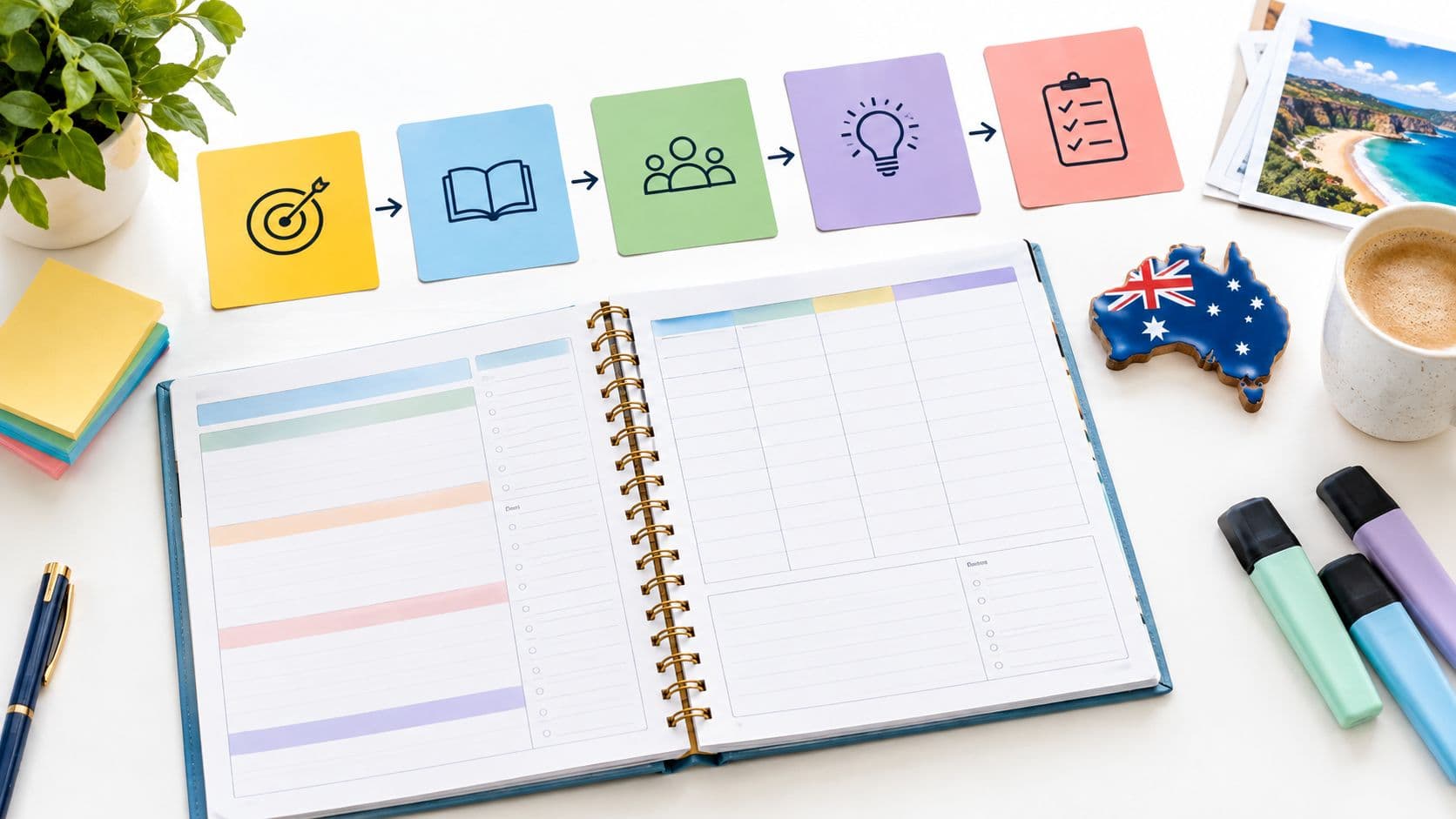
A usable Australian Curriculum unit plan template records the year or band, learning area, achievement standard evidence, content description codes, general capabilities, cross-curriculum priorities, assessment tasks, and an ordered lesson sequence. It shows what students must learn and how a teacher will know whether they learned it.
A familiar planning problem explains why those fields matter. A teacher opens a document titled with a topic, lists engaging activities week by week, and feels ready until a colleague asks which mandated content each activity teaches and which task will provide evidence for reporting. The activities might be strong, but the document can't answer either question. A better Australian Curriculum unit plan template prevents that gap by building backward from the achievement standard and treating every lesson as part of the evidence trail.
What an Australian Curriculum Unit Plan Template Must Include
Consider an illustrative planning scenario. A topic-only plan for a materials unit says “sorting activity,” “group experiment,” and “poster,” but it doesn't identify the year level, the required content, or the expected quality of student work. If another teacher takes the class, or assessment results are reviewed later, nobody can tell from the plan what was taught.
A complete template turns that loose list into an auditable record. Each field exists because the curriculum itself is structured, and the plan needs to mirror that structure rather than flatten it into activities.
Core Fields for the Template
-
Year level or band: Identifies which expectations apply, since some learning areas work year by year and others work in bands.
-
Learning area: Names the subject area that frames the content and the achievement standard.
-
Content description codes: Records the essential knowledge, understanding, and skills selected for the unit.
-
Achievement standard evidence: States what students will produce to show the expected quality of learning.
-
General capabilities: Names any capability developed through the lessons and where it will be visible.
-
Cross-curriculum priorities: Records a priority only when the learning addresses it.
-
Assessment tasks: Separates ongoing checks from the final summative task.
-
Ordered lesson sequence: Lists lessons in teaching order, each linked to the content it addresses.
Copyable blank unit template
Copy this table into your planning document. Brackets mark fields to complete; the worked example below shows how the fields connect.
| Field | Your planning entry |
|---|---|
| Context | [Unit title; year or band; learning area; curriculum version; jurisdiction; term and dates] |
| Official achievement standard | [Relevant exact excerpt or link, source and version; keep separate from the unit objective] |
| Unit objective | [What students will explain, make or demonstrate; teacher-written] |
| Content descriptions | [Verified codes and descriptions; lessons addressing each one] |
| Assessment | [Final task, individual evidence and criteria; formative checks and follow-up decisions] |
| Sequence | [Lesson number/date; objective; activity; resources; code; evidence; next decision] |
| Access and resources | [Materials, preparation, supports, extension and safety arrangements] |
| Capabilities and priorities | [Only those genuinely developed; name the specific task evidence] |
| Review | [What happened; changes needed; reviewer and review date] |
Those fields reflect a national Foundation to Year 10 framework covering eight learning areas, as set out in the Australian Government overview of the Australian Curriculum. The learning areas are English, Mathematics, Science, Humanities and Social Sciences, Health and Physical Education, Languages, Technologies, and the Arts. A template with a learning area field keeps a unit anchored to the right set of expectations from the start.
The framework also includes seven general capabilities and three cross-curriculum priorities, which is why those fields belong in the template even though they're taught through learning area content. Recording them separately stops them from being forgotten or added as decoration.
Practical rule: If a field can't be completed without opening the curriculum website, that's a sign the template is doing its job.
The sections that follow build one complete template, show it filled in for an illustrative Year 4 unit, and finish with a review checklist. By the end, a teacher can copy the structure, swap in local codes, and have a working unit plan.
Separating Content Descriptions from Achievement Standards
Most template confusion starts with two terms that sound similar but do different jobs. Content descriptions identify the essential knowledge, understanding, and skills students are expected to learn. Achievement standards describe the quality of learning students should typically demonstrate by the end of a year or two-year band, a distinction explained in ACARA guidance on aligning curriculum and assessment.
One way to keep them straight is to think of direction. Content descriptions say what gets taught. The achievement standard says how well students should be able to use that learning when the year or band ends. A template needs separate, linked fields for each because they answer different planning questions.

Where Elaborations Belong
Content elaborations sit in a third field because they're optional examples, not compulsory content. Teachers may use an elaboration as a teaching idea, adapt it, or ignore it entirely. If elaborations are mixed into the content description field, a plan can look compliant while recording suggestions instead of mandated content.
That mix-up has a real consequence. If a plan records only topic names or activities, a teacher can't reliably show that teaching addressed the mandated content or that assessment measured the intended standard. The audit trail breaks at both ends.
An Illustrative Pair
This hypothetical Year 4 example separates the official curriculum reference from the teacher's own planning decisions.
-
Official achievement-standard aspect: “They relate the uses of materials to their properties.” This short excerpt comes from the QCAA alignment of the Australian Curriculum v9.0 Year 4 Science achievement standard. It is one aspect of the standard, not the whole standard.
-
Teacher-written unit objective: Recommend a material for a waterproof cover and explain the choice using observations and fair-test results. This objective is written for this example; it is not an official curriculum quotation.
-
Content description: AC9S4U04, Science understanding — Chemical sciences, connects materials' properties with their uses. Record the selected inquiry codes separately.
-
Optional elaboration: Add a teaching idea only if it serves the selected content; label it optional.
Curriculum excerpt attribution: Australian Curriculum material © ACARA 2010–present; alignment resource © State of Queensland (QCAA) 2023, licensed under CC BY 4.0.
The template should also leave room for annotated work samples or rubric criteria next to the achievement standard field. Those supports help a teacher judge how well student work meets the standard, rather than relying on a general impression at marking time.
A topic tells a reader what the unit is about. A content description code tells a reader what the unit must teach.
With the three fields separated, the rest of the template becomes easier to complete. Lessons link to content descriptions, assessment links to the achievement standard, and elaborations stay clearly marked as choices.
Sequencing Lessons Across Year Levels and Bands
Timing is where a generic template often fails, because learning areas aren't all organised the same way. Some provide expectations for every single year. Others group expectations into two-year bands, and teachers are expected to address the relevant content across the whole band, as described in ACARA guidance on using the Australian Curriculum.
That difference changes how a unit gets sequenced. A year-by-year unit works toward an achievement standard that applies at the end of that year. A band-based unit may cover only part of the band content, with the remainder taught in the second year, so the template must record what's covered now and what's still outstanding.
Learning Area Structure by Year Level or Band
| Learning area | Structure | Template implication |
|---|---|---|
| English | Content descriptions and achievement standards for every year, Foundation to Year 10 | Use a single year level field and sequence toward that year's standard |
| Mathematics | Every year, Foundation to Year 10 | Use a single year level field and sequence toward that year's standard |
| Science | Every year, Foundation to Year 10 | Use a single year level field and sequence toward that year's standard |
| Humanities and Social Sciences | Every year, Foundation to Year 10 | Use a single year level field and sequence toward that year's standard |
| Health and Physical Education | Foundation, then two-year bands | Use a band field and record which band content this unit covers |
| Languages | Foundation, then two-year bands | Use a band field and note content carried into the second year |
| Technologies | Foundation, then two-year bands | Use a band field and track coverage across both years |
| The Arts | Foundation, then two-year bands | Use a band field and track coverage across both years |
Three template features follow from that table. First, the top of the document needs a year-or-band field, not just a year field, so band-based units aren't forced into the wrong shape. Second, the lesson sequence needs to show order across the unit, because sequencing decisions are part of the plan. Third, a coverage note should record which content descriptions and achievement standard elements the unit addresses, so later units can pick up what's left.
Local Codes and Dates
There's one more timing issue. Version 9.0 was endorsed by Australian education ministers on 1 April 2022 and released in May 2022, with jurisdictions beginning implementation from 2023. State, territory, and non-government authorities set their own implementation timelines, so schools don't all change versions at once.
A template that hardcodes one version will age badly. Fields for local curriculum codes, the curriculum version in use, and the date the plan was written let the same template work across jurisdictions and across transition years. Those small fields prevent a common headache, a well-built unit that nobody can confidently reuse because nobody knows which code set it was planned against.
Building the Template in Four Steps
A teacher sits down on Sunday afternoon and starts filling in activities: an experiment in week three, a poster task in week five. By the end the template looks full, yet nothing in it shows whether students reached the achievement standard. The problem is order. The four steps below are a recommended backward-mapping sequence for completing the fields, so the unit is built from the standard outward and every lesson can point to the learning it serves.

Steps One and Two
Step 1, define the expected achievement. Copy or link the relevant official achievement-standard aspect, naming the curriculum version. In a separate field, write the observable unit objective and the evidence students will produce. Keeping the two distinct preserves the official expectation while making the unit teachable.
Step 2, select connected content descriptions. Choose the content descriptions students need in order to reach that performance, copying the codes from the official curriculum website. This fills the content description codes field. The word "connected" does real work here, because content that does not lead toward the defined achievement belongs in a different unit.
Steps Three and Four
Step 3, plan the summative assessment. Before any lesson is drafted, decide what students will produce at the end and how it will be judged. This fills the summative assessment field, ideally with rubric criteria drawn from the achievement standard. Planning it now prevents a familiar problem, a final task that measures something the unit never taught.
Step 4, map the lesson sequence as evidence. Decide where checks for understanding will sit during the unit, then treat the sequence itself as a record: each lesson teaches specific content and produces a small piece of evidence, such as an exit question, a short written explanation, or observations during a practical task. This fills the formative assessment field and the lesson sequence together, so the finished unit reads as an evidence trail rather than a list of activities.
Formative checks and the summative task answer different questions. The checks ask what tomorrow's lesson should do. The task asks whether students reached the standard. Keeping them in separate fields keeps both questions visible.
Check Before Drafting Lessons
-
Destination check: the achievement standard field describes something students will visibly do or produce.
-
Connection check: every content description code supports that performance.
-
Evidence check: the summative task would reveal the quality of learning the standard describes.
Once those checks pass, lesson drafting begins, and the guidance on how to create a lesson plan covers turning the sequence into individual lessons. Because the assessment was fixed first, each lesson is written to move students toward evidence that already has a defined place in the plan.
Illustrative Worked Example for a Year 4 Unit
The following six-lesson unit is a hypothetical Year 4 Science example using Australian Curriculum v9.0. It demonstrates a selected materials-content description and related inquiry skills; it does not cover the entire Year 4 standard. Check the curriculum and implementation requirements used by your jurisdiction before adapting it.

Header and Curriculum Fields
-
Unit: Choosing Materials for a Purpose — Year 4 Science, Australian Curriculum v9.0.
-
Official achievement-standard aspect: The materials-use aspect quoted above; keep the full official standard linked in the school planning record.
-
Teacher-written objective: Recommend a material for a waterproof cover, linking its properties to its purpose and supporting the choice with real test results.
-
Science understanding: AC9S4U04 — Chemical sciences. Focus on how the properties of natural and made materials influence their use.
-
Selected Science inquiry links: AC9S4I01 (questions and predictions), AC9S4I02 (scaffolded investigation and fair testing), AC9S4I03 (observations and measurements), AC9S4I04 (data representations), AC9S4I05 (comparison and evaluation), and AC9S4I06 (communication). The official alignment resource supplies the descriptions; the lesson mapping below is our proposed example.
-
Assessment: An individual recommendation with a results table and explanation. Judge the connection between property and use, relevant evidence, clarity, and reflection on test fairness.
-
Resources: Equal-sized paper, fabric and reused plastic samples, matching supports and collection cups, a familiar measuring container, water, a timer, and a recording sheet. The teacher prepares the samples and checks safe equipment use.
-
Local details to complete: School or jurisdiction curriculum reference, class, term, teaching dates, available lesson lengths, and required access supports.
The unit objective describes the proposed student performance. It is assessed against relevant official expectations; it must not be presented as the wording of the full achievement standard.
Lesson Sequence and Assessment
| Lesson | Teaching and evidence | Proposed curriculum links |
|---|---|---|
| 1 — Observe and predict | Compare paper, fabric and reused plastic. Describe properties, pose a question about water resistance, and predict a suitable cover. Collect an observation table and prediction. | AC9S4U04; AC9S4I01 |
| 2 — Plan a fair test | With a teacher scaffold, hold the same exposed area of each sample above matching cups. Agree on an equal water volume, the same test duration and three trials per material. Identify the changed material, the measured water passing through, and conditions held constant. Review the plan before testing. | AC9S4I02 |
| 3 — Test and record | For example, apply 20 mL to each sample, wait one minute, then measure the water collected beneath it. Repeat using the agreed procedure and record actual results and units. These are proposed test conditions, not invented findings; adjust them to the equipment and lesson time. | AC9S4U04; AC9S4I02–AC9S4I03 |
| 4 — Compare evidence | Organize results in a table or simple column graph. Compare patterns across groups, discuss differences and test fairness, and state one evidence-based material choice. | AC9S4I04–AC9S4I05 |
| 5 — Draft a recommendation | Choose a material for a waterproof cover. Draft a claim, cite measurements, and explain how the property suits the use. Discuss reuse or waste only if Sustainability is included in the unit's actual learning. | AC9S4U04; AC9S4I06 |
| 6 — Present and review | Submit an individual recommendation and results table. Explain one limit of the test and a question for another investigation. Use the shared criteria; revisit unsupported claims before judging the final response. | AC9S4U04; AC9S4I05–AC9S4I06 |
The table maps the proposed lessons to selected content and inquiry codes. A plan records intended opportunities to learn; evidence collected during teaching shows what students actually did. Adapt support through these ways to differentiate instruction, such as an oral rehearsal or word bank, while keeping the property–use explanation as the shared target.
Capabilities and Priorities
The capability field names Critical and Creative Thinking, one of the seven general capabilities listed in the Australian Curriculum parent information glossary. The field goes beyond the name. It records the specific lesson evidence, students evaluating competing test results in Lesson 4 and justifying a choice in Lesson 6, because capabilities are taught through learning area content rather than as isolated subjects.
The cross-curriculum priority field works the same way. The three priorities are Aboriginal and Torres Strait Islander Histories and Cultures, Asia and Australia's Engagement with Asia, and Sustainability, and they're incorporated through learning area content rather than taught as separate subjects, as explained on the cross-curriculum priorities overview page. In this illustrative unit, Sustainability is listed only if Lesson 5 requires students to weigh reuse or waste when recommending a material, with that content connection named in the field. If the activities don't authentically address a priority, the field stays blank, and a blank field is more honest than a decorative one.
A capability or priority earns its place in the template only when a specific lesson produces visible evidence of it.
Before reusing this example, confirm its Year 4 curriculum references, separate the official standard from the unit objective, fit the six lessons to actual dates, and prepare the test materials and assessment criteria. Update local requirements and access supports rather than assuming a change of code makes the same task suitable for another year level.
Comparing Planning Tools and Where Teacher Planner Fits
A template has to live somewhere, and the container affects how well it works. Three common options are a blank document, a spreadsheet, and a browser-based planbook. Judging them against the same criteria keeps the comparison fair, linking lessons to content descriptions, showing sequence across a term, and updating the plan when timing changes.

Three Containers Compared
A blank document is the most flexible option. A teacher can shape the fields exactly as wanted and write rich lesson detail. The trade-off is auditability, because links between lessons and content descriptions are just text, and moving a lesson after an assembly usually means manual cutting and pasting across the document.
A spreadsheet handles structure well. Rows and columns make coverage tracking straightforward, and filtering can show which lessons address a given code. The trade-off is readability, since detailed lesson notes sit awkwardly in cells and the sequence across a term can be hard to see at a glance.
A browser-based planbook is built around sequence and dates. Lessons sit in a timetable, units gather lessons together, and rescheduling tools reduce manual rework. The trade-off is that the teacher works within the views the tool provides rather than a fully custom layout. Teachers weighing formats may find a broader teaching planner template comparison useful before committing to one approach.
Where Teacher Planner Fits
Full disclosure, Teacher Planner is the product this site represents, so readers should weigh this description accordingly. It's a browser-based planbook, and three features map directly onto this template task. The Unit Timeline maps a lesson sequence across a term, the Outline view lists every lesson in one order for review, and Bump Forward moves affected lessons while keeping subsequent lessons in order when an assembly or cancellation disrupts the schedule.
Teacher Planner supports the planning record, while classroom assessment and official student records remain in the school’s approved systems. Its Lesson Plan Generator can draft an individual lesson from the unit objective; review the result before copying, downloading, saving as a resource or printing it, then place the reviewed content into the planbook deliberately.
Review Checklist and Your Next Planning Step
A finished draft deserves a structured read-through before the first lesson is taught. Running the same checks every time turns quality control into a habit rather than a hope. Each item below can be answered by pointing at a field in the template.
Review Checklist
-
Clear distinction: The official achievement-standard reference is separate from the teacher-written, observable unit objective.
-
Traceable codes: Every content description code connects to at least one lesson in the sequence.
-
Recorded evidence: The summative task and its rubric criteria appear in the assessment fields.
-
Justified capabilities: Each named general capability points to specific lesson evidence.
-
Authentic priorities: Any cross-curriculum priority names its content connection, or the field is blank.
-
Local details: Curriculum version, local codes, and dates are filled in.
-
Confirmed order: The lesson sequence reads in teaching order with formative checks placed along the way.
If a check fails, correct it before teaching: repair an unsupported curriculum mapping, revise an assessment that misses the objective, or add a lesson that prepares students for the final task. Keep the official achievement-standard wording intact when refining the unit objective.
One Next Step
The practical next step is to move the completed template into a working planbook. A browser-based planbook with Day, Week, Month, Unit Timeline, and Outline views lets the teacher create the unit timeline, place the lessons in order, and draft the first lesson from the template fields. When a sequence needs to shift, Bump Forward moves the affected lessons while keeping subsequent lessons in order. Teachers who want standards coverage tracked alongside the plan should note that the Standards Tracker requires Pro or Lifetime.
One caution applies to any drafting help. AI-generated content is a draft and can't replace professional judgment, so facts, answers, difficulty, and wording all need checking against the curriculum before students see the material. That final review is what makes the template trustworthy rather than merely tidy.
Turn a completed template into a working unit by building its lesson sequence in an ordered timeline, checking coverage lesson by lesson, and drafting each lesson from the fields already defined. Teacher Planner offers a browser-based planbook with a Unit Timeline and Outline view for exactly that step, so teachers can start with a free account and put the first unit in place today.