
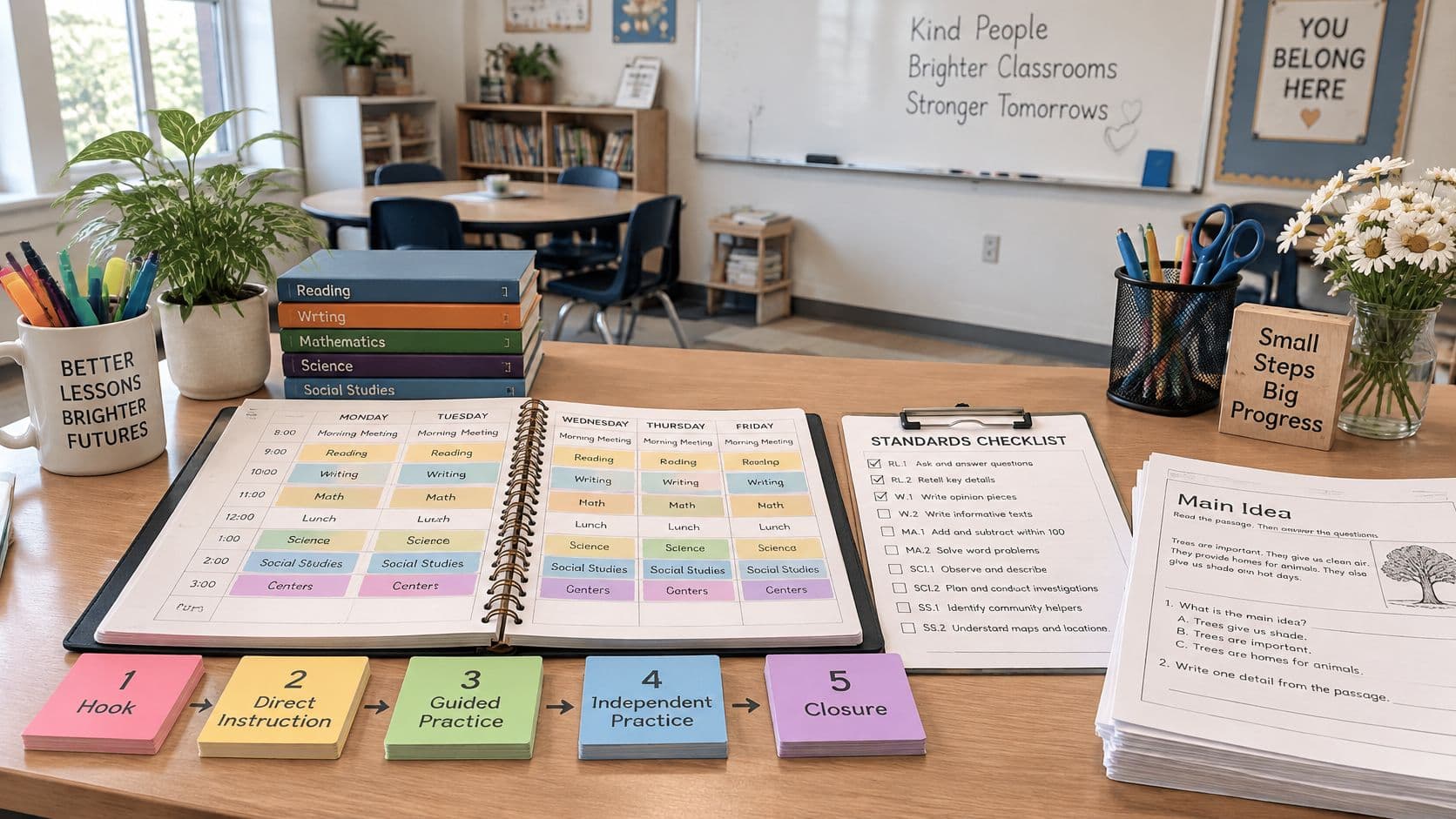
It is Monday morning, first period has moved for a fire drill, a substitute needs the week in print, and the unit test has slipped a day. A Curriculum Planner for Teachers 2027 earns its place by holding classes, units, lessons and standards in one sequence that can shift without losing its order. If moving one lesson forces a teacher to rebuild the next three weeks by hand, the planner is decoration, not a planning tool.
What a Curriculum Planner Does for Teachers
That Monday is the test. The substitute does not need a pretty annual calendar. The substitute needs today's objective, the materials, and where yesterday stopped. A colleague covering third period needs the same clarity without hunting through folders, chat threads and a paper planbook that only one person can read.
A useful planner works in three layers that stay connected. The timetable shows when each class meets. The unit sequence shows what must be taught first and what depends on it. The materials layer holds what students and substitutes use in practice, from the lab sheet to the exit quiz. When those layers drift apart, a cancelled period breaks the chain between practice and assessment without anyone noticing.
A planner is a sequence you can change without breaking.
Ask what a planner does when Wednesday disappears. A good one moves the affected lessons and keeps the rest of the unit in order. A weak one leaves the teacher renumbering by hand.
Planning time is limited and often interrupted. Test how much repeated entry a planner requires across the calendar, curriculum notes and classroom materials. Clear links between those records reduce the maintenance needed when a lesson changes.
Make handover readable throughout the term
Staff turnover and large classes make handover a routine event, not an emergency. A plan written in personal shorthand fails the teacher who inherits the class mid-unit, the co-teacher joining late, and the department head checking coverage. Clear objectives, ordered lessons and named resources let another professional walk in and teach the next lesson in the sequence.
Three jobs decide whether a planner is worth adopting for 2027. First, choose features that survive disruption. Second, build a unit sequence and protect its dependencies. Third, prepare materials efficiently without putting student information at risk.
Features to Compare Before You Choose a Planner
Test features against a bad week, not a clean demo week. The table below gives eight criteria a teacher can check in twenty minutes with real classes loaded.
Planner features to test in a demo
| Feature | What to test | Why it matters for 2027 |
|---|---|---|
| Unit sequencing | Lessons can be ordered within each unit and the term reads as one sequence | A sequence survives a substitute or a colleague taking over |
| Standards coverage | You can find the lessons linked to a standard, then manually check that practice precedes assessment | Planned coverage is not evidence of teaching, assessment or student mastery |
| Timetable import | A photo or PDF of a fixed weekly grid is read and reviewed before saving | Less retyping at the start of each term |
| Schedule changes | Moving one lesson leaves later lessons in their order | Absorbs assemblies, closures and cancelled periods |
| Planning views | You can view a single day, a week and the full term | Matches short-term and term-long planning |
| Printing | Planbook pages for a day or week can be printed for a colleague | Consistent pages colleagues can read at a glance |
| AI drafting | Output is an editable draft you review before any copy, download or print | Keeps the teacher approving every resource |
| Privacy controls | Clear guidance on which identifiers stay out of prompts and files | Protects student information |
Two criteria to inspect closely
Schedule type fails first. A planner built around a stable Monday to Friday grid serves a fixed weekly timetable well, but it strains under rotating or irregular timetables common in secondary schools, learning pods and shared teaching assignments. Teachers on rotation should test their actual pattern before committing, not a sample week.
Inspect what the standards view actually records. A link from a standard to a saved lesson shows planned coverage; it does not establish that the skill was taught, practised or assessed. For the instructional review in this guide, write introduce, practise or assess in your own lesson notes, then read the lessons in order. These are teacher-entered planning labels, not a claim that Teacher Planner supplies three native tracking states or automatically detects assessment gaps.
Scope matters too. Teacher Planner does not replace an LMS or gradebook; it focuses on organizing teaching plans and preparing classroom materials. Grades, submissions and official records stay where the school already keeps them, and the planner should not pretend otherwise.
Red flags and a three-question demo test
-
A yearly calendar grid with no unit view: dates without dependencies hide sequencing problems until assessment week.
-
AI output with no edit step: unreviewed drafts reach students with errors intact.
-
No single-day print: a substitute gets either the whole term or nothing usable.
End the demo with three checks. Move a sample lesson and inspect the resulting dates and sequence. Open the linked lessons for a standard and manually compare the practice task with the assessment. Print a day or week for a substitute. Judge each result against the task you need to complete rather than assuming a coverage count proves readiness for assessment.
How to Build a Unit Sequence and Map Standards
Start with dates, not lessons. Enter the term start and end, then block fixed non-teaching days such as holidays, testing weeks and school events. Lessons placed on days that will never happen create false confidence about pacing, and every later adjustment inherits the error.
Next, list units in teaching order and estimate the teaching slots each needs. Give each lesson a clear, manageable learning focus and note any prerequisite skills. Several related objectives may belong together when the lesson length and evidence task support them; avoid a list so broad that you cannot tell what students are expected to demonstrate.

The sequencing procedure
-
Mark prerequisites. Note which lesson depends on an earlier skill, such as a lab technique taught before the investigation that uses it.
-
Attach standards with labels. Link the relevant standards to lessons. In the lesson notes, manually mark the planned role as introduce, practise or assess; these notes are your planning convention.
-
Check coverage in order. For each assessed skill, manually confirm that students have an appropriate opportunity to practise it first.
-
Read the unit as one ordered list. Look for assessments sitting before the final practice opportunity.
-
Scan the whole term. Inspect clusters of assessments and decide whether formative checks provide useful evidence across the sequence.
Teachers who want the unit-level version of this workflow in more detail can follow a step-by-step guide to making a unit plan alongside these steps.
Worked example
This illustrative six-week Grade 9 biology plan contains 14 lessons and one reserved recovery slot at the end of Week 6. It is a planning example, not a record of a real class or a claim of alignment to a named curriculum standard. The teacher selects the required local standards and approved science materials before teaching. The role labels below are manually written notes; they are not product-generated status labels.
| Planned slot / week | Learning focus | Teacher-written role | Evidence to inspect |
|---|---|---|---|
| 1 / Week 1 | Identify a question about cells | Introduce | Initial labeled sketch |
| 2 / Week 1 | Learn microscope handling and observation routines | Practise | Teacher observation of the routine |
| 3 / Week 2 | Model cell structures and their roles | Introduce | Annotated model |
| 4 / Week 2 | Compare plant and animal cell representations | Practise | Comparison with reasons |
| 5 / Week 2 | Interpret prepared cell images | Practise | Evidence-based annotations |
| 6 / Week 3 | Explore how a membrane relates to exchange | Introduce | Short explanation |
| 7 / Week 3 | Interpret a supplied data set | Practise | Claim with relevant evidence |
| 8 / Week 3 | Prepare the observation-lab procedure | Practise | Reviewed plan and prediction |
| 9 / Week 4 | Observation lab, part 1 | Practise | Observation record |
| 10 / Week 4 | Observation lab, part 2 | Practise | Completed observations and explanation |
| 11 / Week 5 | Individual quiz on the taught observation and explanation skills | Assess | Individual response |
| 12 / Week 5 | Use feedback to correct explanations | Practise | Revised response |
| 13 / Week 6 | Apply the ideas to a new cell-image task | Practise | Transfer explanation |
| 14 / Week 6 | Review the unit and explain remaining questions | Review | Reflection and next teaching decision |
Disruption and revised order: An assembly cancels slot 10, the second observation lab. Moving the quiz only makes sense once that missed practice has a new place. The first nine lessons stay unchanged; the remaining sequence uses the recovery slot as follows.
| Lesson | Original slot | Revised slot | Teacher check |
|---|---|---|---|
| Observation lab, part 2 | 10 / Week 4 — cancelled | 11 / Week 5 | Prepare materials again and complete the missing practice. |
| Individual quiz | 11 / Week 5 | 12 / Week 5 | Confirm the completed lab prepares students for the quiz. |
| Feedback and revision | 12 / Week 5 | 13 / Week 6 | Keep feedback after the quiz. |
| Transfer task | 13 / Week 6 | 14 / Week 6 | Keep the new task after revision. |
| Unit review | 14 / Week 6 | 15 / Week 6 — reserved buffer | Use the recovery capacity; all 14 lessons still have a teaching slot. |
After rescheduling, inspect the actual timetable and resource availability. If the quiz date is fixed externally, this example's move is unavailable: revise the teaching plan with the school rather than assuming the planner can change that deadline. The table describes a teacher's decision; it is not an automatic prerequisite or assessment-detection feature.
Review checklist
-
Order holds: your notes show a sensible path from introduction and practice to the relevant assessment.
-
Prerequisites land first: every dependent lesson follows the lesson it needs.
-
No phantom lessons: nothing is scheduled on a fixed non-teaching day.
-
Inspect the task, not just the code: a saved standards link shows intended coverage. Inspect actual tasks and student evidence before judging what was taught or learned.
Run this check when the unit is built and again after any major schedule change. Disruptions move lessons, and a sequence that was sound in September can slip out of order by November if nobody re-reads it.
How to Import a Timetable and Handle Disruptions
Retyping a timetable every term is pure waste. Photograph the fixed weekly grid or export it as a PDF, upload the file, and the planner reads the classes, days and times off it. Review every class, period and teaching day before saving, correct any misreads, and edit whatever changed for the new term. Teacher Planner accepts a photo or PDF of a previous timetable, and you can adjust the classes, periods or teaching days so the import fits the current schedule rather than last year's.

What Bump Forward does and does not do
Take an illustrative case. A Wednesday assembly cancels period three, which held day one of a two-day lab. With Bump Forward, the teacher moves the lab to the next teaching day and the lessons after it keep their order. Day two of the lab still follows day one, and the follow-up analysis lesson still follows the lab.
Bump Forward preserves the order of affected lessons and subsequent lessons in the sequence. It does not interpret the subject content or decide whether an assessment remains instructionally appropriate. After a bump, inspect the moved dates, resources, practice opportunities and any fixed deadlines. The rescheduling lesson-plan guide explains the wider recovery workflow.
Move the lesson, protect the dependency.
Disruptions and what to move
| Disruption | What moves | What to check |
|---|---|---|
| One period cancelled for an assembly | The affected lesson moves to the next teaching day | Practice that depends on the lesson still follows it |
| Two-day weather closure | Move the affected sequence to available teaching slots; preserve order and check the resulting dates | Fixed testing dates and school events |
| Testing window removes a week | The teacher checks which dates are fixed, then revises practice and assessment accordingly | The revised plan still prepares students for the assessment; manually inspect the evidence tasks |
| Substitute covers one day | Print the day view and keep the lesson order intact | Materials for the substitute contain no student identifiers |
Review checklist before the term starts
-
Grid accuracy: every class, period and teaching day matches the official timetable.
-
Dependency order: each moved lesson still follows the lesson it depends on.
-
Fixed dates noted: testing windows and deadlines you cannot shift are marked before the first disruption hits.
-
Substitute pages clean: printed day views carry objectives and materials, never student identifiers.
Disruption recovery is where planners separate. A static yearly layout has no answer for a lost week except erasing and rewriting. A sequence-based planner absorbs the loss, keeps the order intact, and leaves the teacher with two or three judgment calls instead of a full replan.
Keeping Student Information Out of Planning Files
Privacy belongs before any discussion of AI drafting, because the safest prompt is the one that never contained identifying details. FERPA defines personally identifiable information broadly, covering direct identifiers such as names and ID numbers, indirect identifiers such as date of birth, and other information that could identify a student through linkage. The U.S. Department of Education also defines education records as records directly related to a student and maintained by a school or by a party acting for the school.
The practical rule follows from that definition. Keep student names, ID numbers, birth dates, family details and uniquely identifying descriptions out of lesson-plan drafts, AI prompts, worksheets and shared planning resources. Teachers should not enter student names, contact information, or sensitive information into planning tools, and should follow the school's usage requirements.
The pre-entry checklist
Run this check before anything enters a draft, prompt or shared folder:
-
Remove direct identifiers: names, ID numbers and birth dates come out entirely.
-
Remove linkage details: family circumstances, specific addresses and uniquely identifying descriptions come out too.
-
Substitute generic labels: write Student A, or one student with a reading plan, and keep only the instructional detail the task needs.
-
Record accommodations generically: extended time or chunked reading describes the support without naming who receives it.
Do not assume a generated draft will leave out details from the input. Input entered into these tools is processed by AI services, and generated results may contain content from the original input. Whatever goes into a prompt can come back in the output, ready to be copied into a shared document by a tired teacher when the workday is finally over.
Worked example
In this illustrative example, a teacher wants feedback on a paragraph but the draft names a student, school and town. Remove those identifiers and retain only the writing needed for the task. Comments on sentence variety and evidence use do not require the names. Review both the input and output for details that could identify someone.
When a student-specific step is required, it belongs in the school's approved system and process, not in a planning file. Individualized records stay out of shared plans, and the planning file keeps the generic instructional version.
Before sharing, inspect the file for identifiers, record only necessary instructional supports, and use school-approved channels. These checks reduce avoidable disclosure; a generic label alone does not make an otherwise identifying description anonymous.
How to Draft Classroom Materials Without Starting From Scratch
AI drafting is already ordinary practice, which makes the review step the professional issue. In a 2024 nationally representative survey, 38% of teachers reported using AI to plan lessons, according to the EdWeek Research Center. For the 2027 term, the live question is whether a teacher checks the draft before students see it.
Treat every generated result as a draft. It cannot replace a teacher's professional judgment, and facts, answers, difficulty and wording all need checking before anything reaches a class. A plan that is wrong about a date or shaky on an answer key costs more classroom time than writing from scratch would have.

The drafting workflow
-
Start from the objective or standard so the draft aims at the lesson's actual target.
-
Give the tool real context: the topic, the grade level, the period length and where the lesson sits in the unit. Sparse prompts produce generic plans.
-
Generate the plan with a tool that drafts from a topic, learning objectives or standards, such as the Lesson Plan Generator for drafting a plan from your objectives.
-
Check facts, answers and reading level, and confirm each task matches the objective.
-
Edit or cut anything that would not survive being taught aloud.
-
Store the approved version on its lesson in the planbook, so it stays tied to the right day if the sequence has to move.
A draft has to survive a handoff
Whether a generated plan works is decided on the Wednesday the author is absent. Vague timing cues, activities described in shorthand, and an answer key nobody verified each fail without warning, until a colleague or substitute picks the plan up cold. Editing for the absent reader, not the author, is what turns a fast draft into a usable one. The version filed in the planbook should be teachable by someone who never saw the prompt.
Review checklist
-
Objective alignment: the material teaches the standard the lesson claims.
-
Verified content: every answer, example and explanation has been checked.
-
Difficulty and wording: the text suits the class without flattening the ideas.
-
Handoff ready: the plan makes sense to someone who was not in the room when it was written.
Drafting saves real time when the starting point is a clear objective and the teacher edits with a rubric in hand. It wastes time when a vague prompt produces generic filler that needs rewriting line by line. The tool is the same in both cases. The workflow decides the outcome.
Confirm the Planner Fits Your 2027 Term
The decision reduces to one sentence. If the 2027 term runs on a fixed weekly timetable and a teacher needs units, standards and printable weeks in one place, a planner built around sequence is worth a one-unit trial.
Five questions before committing
-
Timetable fit: does the schedule follow a fixed weekly grid, or does it rotate?
-
Sequencing need: is unit order and standards coverage needed in one view, such as an outline that lists every lesson without switching between dates?
-
Printing need: will weekly plans or a substitute's day be printed regularly?
-
AI boundaries: will AI be used only to draft materials reviewed before teaching?
-
School permission: does the school allow these tools and their student-data rules?
Plan the trial around the features you can access. AI drafting tools are available with every account, including Free, subject to generation limits. Standards Tracker requires Pro or Lifetime, as listed on the current pricing page. A free AI trial does not unlock that paid planning feature. If you do not use the tracker, keep your standards links and role notes in your planning document and perform the sequence check manually.
Run the trial on one unit, not the whole year. Import the timetable, build the unit with the sequencing steps, test one disruption using the demo questions from the features section, and print one week. Start with next month's unit.
A planner that survives one real unit, one cancellation and one substitute day has answered every question that matters.
Start the 2027 term with one unit built as a protected sequence, a timetable imported instead of retyped, and materials drafted and reviewed rather than written from blank pages. Teacher Planner brings the planbook, unit sequencing and AI drafting tools together in the browser, so the next cancelled period becomes a quick adjustment instead of a replan. Load next month's unit and put the sequence to the Monday-morning test.