
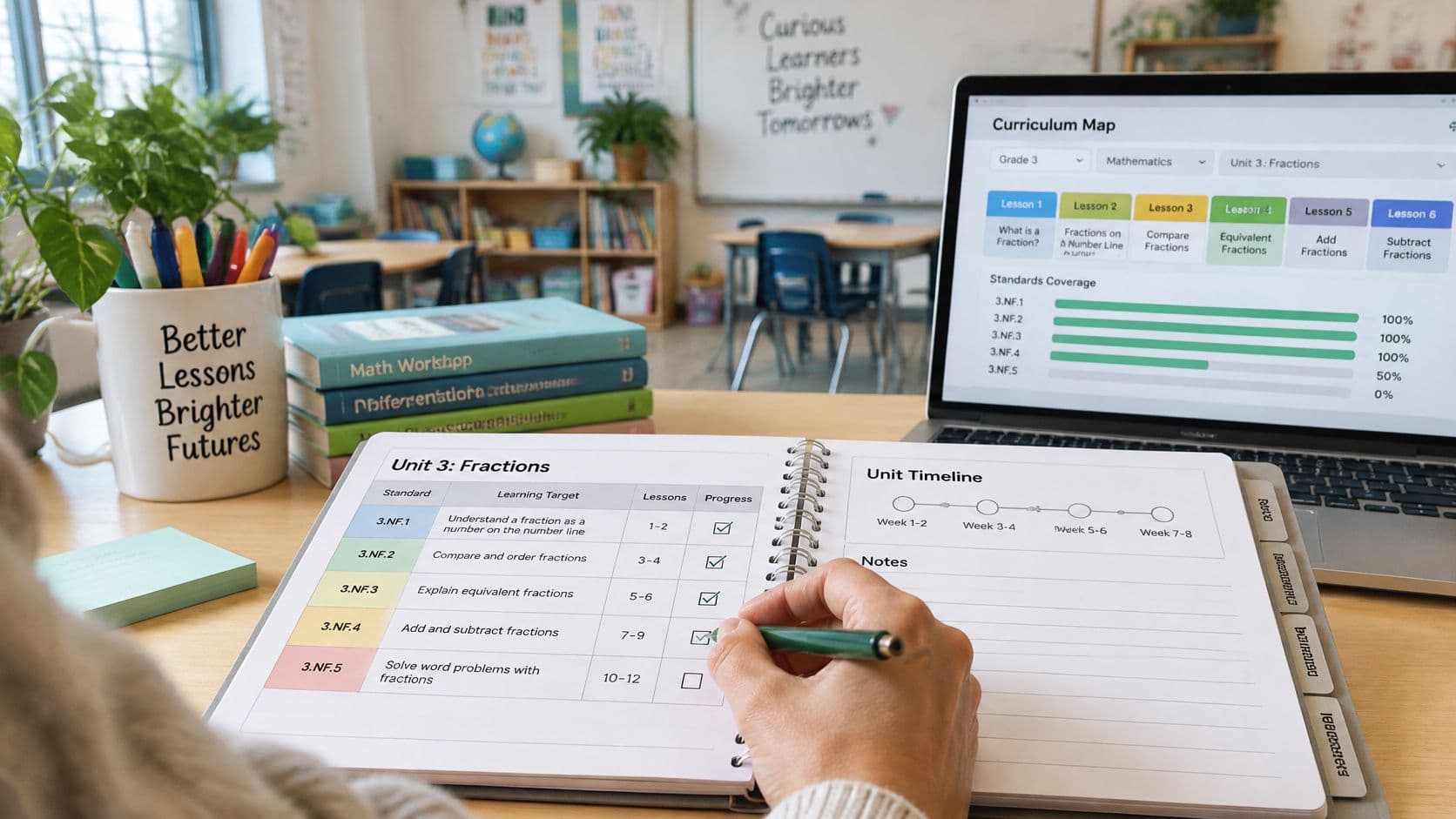
The lesson titles are filled in, the standards codes are pasted underneath, and an assembly has pushed the assessment into next week. The plan looks complete, but it still doesn't show which skills need another lesson. The practical answer to how to track standards in lesson plans for 2027 is a unit-level record with a row for each standard, linked lessons, dated evidence, and a coverage status that determines the next teaching action.
The Seven Fields Every Standards Tracker Needs
A standards tracker starts with one row per standard per unit, not a tag attached to a lesson title. Daily lesson records sit underneath that summary, showing when instruction happened and what students produced.
Jurisdiction comes first. The U.S. Department of Education's education FAQs explain that states establish standards while local education agencies develop curricula; the federal government doesn't establish a national academic standards framework.
A broad topic such as fractions can therefore point to different expectations across districts. A topic label helps organize materials, but it doesn't establish alignment.
Fields for one standards tracker row
| Field | What to enter | Example (illustrative) |
|---|---|---|
| Standard code | Exact identifier copied from the official framework | 3.OA.A.3, checked against the local framework |
| Jurisdiction and version | State, district, or school framework and version year | State math standards, current edition, with publication year recorded |
| Grade or course | Where the standard sits in the schedule | Grade 3 math |
| Plain-language meaning | A concise interpretation of the code | Solve word problems using multiplication and division |
| Student-facing objective | What students will do in observable terms | Solve and explain two-step multiplication word problems |
| Evidence | Lesson, assignment, or assessment addressing the objective | Dated exit ticket |
| Status | Current coverage stage | Planned, Taught, Assessed, Mastered, or Needs reteaching |
The multiplication entry illustrates the structure, not a ready-to-copy alignment. The teacher must check whether the objective's two-step demand belongs under that particular local code or needs an additional standard. Copying a familiar-looking code from memory is where otherwise careful trackers often break down.
A spreadsheet, paper planbook, or dedicated tool can hold these fields. Paper is easy to annotate during teaching; a spreadsheet makes sorting overdue assessments easier. Neither works well when the objective, evidence, and status are buried in a paragraph of lesson notes.
Practical rule: Keep the official code intact. Put the teacher's interpretation beside it, never in its place.
The immediate starting task is small: copy the headers into a document or spreadsheet and complete a row for tomorrow's lesson.
How to Map Lesson Objectives to Standards
Tagging activities after they have been chosen produces a tracker that documents last week. Work through the unit first and let the mapping decide which activities earn a place. In published work on collaborative backward design, teachers derived objectives from standards, developed aligned assessments and rubrics, and sequenced scaffolded activities. Done in that order, each tracker entry becomes a status backed by dated evidence rather than a code attached to a lesson title.
Build the alignment before choosing activities
-
Copy the authoritative code and version. Record each identifier from the official course standards list, including its version year, because a paraphrased identifier can't be checked reliably later. Keep the full standard text open beside the tracker while you work.
-
Write an observable objective. Replace vague verbs such as understand with actions that produce visible work, because an objective has to support a judgment about learning. Understand mixed numbers becomes solve and explain mixed-number addition problems.
-
Define success criteria and evidence. Specify what a successful response contains before choosing an exit ticket, performance task, or observation checklist, because a finished task can still miss its objective. A math response might require an appropriate representation, a correct calculation, and an explanation.
-
Attach formative and summative assessments. Identify a formative check and a summative assessment where the unit calls for them. The formative check gives you a chance to adjust mid-unit; the summative assessment supplies evidence of the intended learning. An attractive worksheet doesn't qualify unless its questions assess the objective.
-
Sequence prerequisite skills before complex application. Order lessons by the knowledge and reasoning students need, because difficult tasks go flat when the foundations are missing. Keep the standard's cognitive demand intact. Swapping explanation for repeated recall weakens the alignment even if the code on the row stays the same.
-
Record the instructional status after teaching. Mark each entry from the evidence in hand rather than defaulting to done. An honest status field is what makes the tracker point forward: it shows which standard needs a reteach block in next week's plan.

Keep the record sortable
Keep the code, version year, objective, evidence type, and assessment date in separate cells. That small formatting decision makes it possible to filter for missing evidence without rereading every lesson.
A sortable record is also easier to hand off. The lesson-planning workflow guide can support the daily plan built around those aligned objectives, and teachers formalizing the same mapping process into a course or department training can find course design training on ELTica.
Set Coverage Statuses and Review Rhythm
Use Planned, Taught, Assessed, Mastered, and Needs reteaching as distinct statuses. A standard marked merely present gives the teacher no useful indication of what should happen next.
Each change needs a dated record appropriate to the claim. A delivered lesson supports Taught; it doesn't, by itself, support Mastered.
Coverage statuses and the evidence each one requires
| Status | Meaning | Evidence required |
|---|---|---|
| Planned | Scheduled but not yet taught | Lesson date and written objective |
| Taught | Lesson delivered, possibly changed | Dated note of what was taught and what changed |
| Assessed | Student work collected and scored | Artifact plus the criteria used to score it |
| Mastered | Success criteria met on the school's required measure | Assessment results and date |
| Needs reteaching | Evidence shows a gap | Identified group in the approved student-record system and a reteach date |
Mastered shouldn't mean that the teacher finished the explanation or that students completed a lesson. It means the school's required measure supports that judgment. Where results differ across students, the unit tracker can record a follow-up group without pretending the whole class has reached the same point.
Review before, during, and after instruction
The Department of Education's instructional-improvement planning guide calls for alignment across grades and subjects and identification of instructional gaps and redundancies. For an individual teacher, that becomes a manageable review routine:
- Before teaching: Flag standards without scheduled instruction or assessment. Resolve those gaps before adding optional activities.
- During the unit: Record actual teaching dates beside planned dates. Preserve cancellation or substitution notes so the reason for a delayed assessment remains visible.
- After assessment: Update every affected standard and enter the next action. Don't update only the standards with strong results.
A moved lesson needs more than a new date. Its assessment, materials, and prerequisite connections need checking too. Otherwise, the calendar looks repaired while the teaching sequence remains broken.
Make the weekly note actionable
The IES description of the FAST research program includes teacher logs, standards-alignment discussions, and coaching. A lighter classroom routine uses a line containing the standard, task, student evidence, and next action.
For a classroom illustration, a note might read: 4.NF.B.3; mixed-number addition with unlike denominators; evidence: exit ticket; result: 5 of 22 met criteria; next action: fraction-strip reteaching Thursday. That entry also needs an alignment check: the code shouldn't be accepted automatically just because the task involves fractions.
A useful review note ends with a teaching decision, not merely a description of completed work.
For learners needing adapted evidence or more explicit follow-up records, Queens Online School's resource on student progress reporting for SEN learners offers a related reporting perspective. The tracker should distinguish an access adaptation from a change to the learning expectation.
At unit end, check whether each standard progressed or needs another instructional opportunity. At term end, compare the sequence with the next course's prerequisites. Every Planned row whose date has passed needs moving or flagging; this Friday's priority should be the standard with the weakest evidence.
A Worked Standards-to-Lessons Table for One Unit
A Grade 5 informational-reading unit spans portions of three calendar weeks. The rows below are selected lesson checkpoints rather than a complete daily schedule, and the codes come from the Common Core-based set that many US state frameworks mirror.
The Institute of Education Sciences guidance on effective teaching identifies standards-based lesson and unit planning, including resource alignment, as elements of effective teaching. The practical distinction in the table is between a planned assessment and evidence collected in practice.
Read the evidence column, not the repetition
Illustrative Grade 5 reading unit mapped to standards
| Date | Lesson | Standard code | Objective | Evidence | Status |
|---|---|---|---|---|---|
| Oct 6 | Find the central idea in one article | RI.5.2 | Name the central idea and two supporting details | None collected | Taught, no evidence yet |
| Oct 8 | Use text features to locate key facts | RI.5.5 | Locate and explain one text feature | Planned annotated article; not collected | Planned |
| Oct 9 | Sort supporting details under the central idea | RI.5.2 | Sort details under the central idea | Two-sentence response | Assessed: 18 of 24 met criteria; reteach six |
| Oct 13 | Compare two articles on one topic | RI.5.9 | Compare how two texts develop the same topic | Planned comparison organizer; not collected | Planned, no evidence yet |
| Oct 16 | Small-group reteach of supporting details | RI.5.2 | Sort details under the central idea | Oct 9 sort result: 6 students below criteria | Needs reteaching, reteach scheduled |
The October 6 row records delivered instruction with no collected student evidence. It stays at Taught even when the discussion felt productive. A dated delivery note supports that status; a learning check is still owed.
The October 9 row supports a different decision. In this classroom illustration, 18 of 24 students met the criteria, so the teacher schedules supporting-detail instruction for six students. Those counts illustrate the format rather than set a mastery threshold; the school's assessment requirements determine the success criterion.
The October 16 row shows what a Needs reteaching status should rest on. It points back to the October 9 gap instead of a blank promise to collect something later. The reteach is dated, the affected group is named by count, and the next collection will update the row again.
RI.5.2 appears across three rows, and only the October 9 row contains collected assessment evidence. Repetition therefore doesn't establish mastery. The initial central-idea work is also a partial objective, so it can't stand in for evidence that every element of the full standard has been addressed.
Check the rows before copying them
- Code: Does the identifier match the current local framework, including the full expectation? RI.5.5 and RI.5.9 fit this example set; a state framework may label the same work differently.
- Objective: Does it name an observable action at the intended level of demand?
- Artifact: Does the evidence cell identify actual work, or clearly label a future collection?
The Australian Curriculum unit-plan template guide offers another organizational example, although its curriculum framework isn't a substitute for US state standards. Copy this table's structure into a planning document and complete a local unit before next Monday, replacing any code that doesn't match the adopted framework before teaching.
Where Teacher Planner Fits and Where It Stops
A manual tracker offers flexibility; a browser-based planbook keeps the teaching sequence beside the daily plans. The choice depends on where the teacher will actually maintain the record.

Compare the working decisions
- Objectives: Manually, they live in spreadsheet rows or planbook pages. Teacher Planner organizes dated lessons in a browser-based planbook; saved planbooks, imported timetables, and lessons are available across devices.
- Sequence: A manual table needs deliberate date checks. Outline shows lessons in an ordered list, while Unit Timeline supports sequence review; Bump Forward moves affected lessons while preserving subsequent lesson order.
- Standards linking: Standards Tracker connects plans to standards for easier review and is included with Pro. Teachers using a manual method can retain the same fields in a spreadsheet; current options appear on the plan information page.
- Draft review: The Lesson Plan Generator produces editable drafts from a topic, objective, or standard. Every generated code, task, and answer still needs teacher review.
Keep planning separate from student records
Teacher Planner doesn't replace an LMS or gradebook. Scores and submissions belong in the school's approved systems; the planning record needs an evidence reference and next action, not copies of sensitive student records. Student names, contact details, and sensitive information shouldn't enter its tools, and school usage requirements still apply.
For a follow-up topic- or standard-based assessment, the general quiz generator is the appropriate tool. Generation requires a free account, and daily limits apply. The curriculum-planning guide provides broader planning context without turning an individual teacher's tracker into school-wide curriculum management.
Run the Manual Check Before Your Next Unit
The final check should happen with the official standards document, unit plan, and assessment tasks open together. Reviewing codes without reviewing the tasks leaves the most important alignment question unanswered: what will students actually demonstrate?
Check the record in order
- Current identifiers: Every code matches the official document and its version year.
- Observable objectives: Every objective begins with an action that can be observed or assessed.
- Dated opportunities: Every standard has a scheduled lesson and an evidence record, labeled planned until work is collected.
- Real coverage: No lesson title alone counts as proof of instruction or learning.
- Supported statuses: Every status matches a dated artifact or instructional record.
- Overdue plans: Every Planned row past its date is rescheduled or flagged.
- Prerequisite order: Needed standards from the previous course appear before dependent work.
- Human review: Every AI-drafted code and objective has been checked by the teacher.
- Private records: Planning notes contain no student identifiers or sensitive information.

Fix the weakest link first
A missing code version calls for a document check. A missing artifact calls for an assessment opportunity. A weak result calls for a teaching response, not another standards tag.
Keep the workload proportionate: Record enough evidence to make the next instructional decision. Don't build a second gradebook inside the lesson plan.
Complete a unit this week and run the checklist against it before expanding to the rest of the term. The strongest tracker isn't the longest one; it's the record the teacher can maintain when lessons move and students need another explanation.
Teacher Planner offers a browser-based planbook and editable material-drafting tools for organizing lessons around instructional goals. Teachers seeking to keep their lesson sequence and standards review together can visit Teacher Planner and start with a single unit.