

You need several mathematically sound word problems, a clean answer key, and the right level of challenge before the next lesson. The difficulty isn't finding a generator. It's choosing one that fits the classroom job in front of you.
A word problem maker can produce editable AI drafts, assemble vetted items, or generate printable practice from adjustable templates. The best choice depends on grade level, operation, customization depth, output format, standards workflow, and whether you want fresh text or a reliable item bank. A tool that works well for an elementary intervention sheet may be a poor fit for a middle school standards review or a lesson sequence disrupted by an assembly.
This comparison evaluates ten resources by practical use: rapid AI drafting, standards-visible assembly, printable foundational practice, flexible differentiation, and lesson-planning integration. Treat generated material as a draft. Check the computation, wording, answer key, reading load, operation choice, and suitability for your students before assigning it.
1. Online Teacher Planner for Flexible Lesson Plans
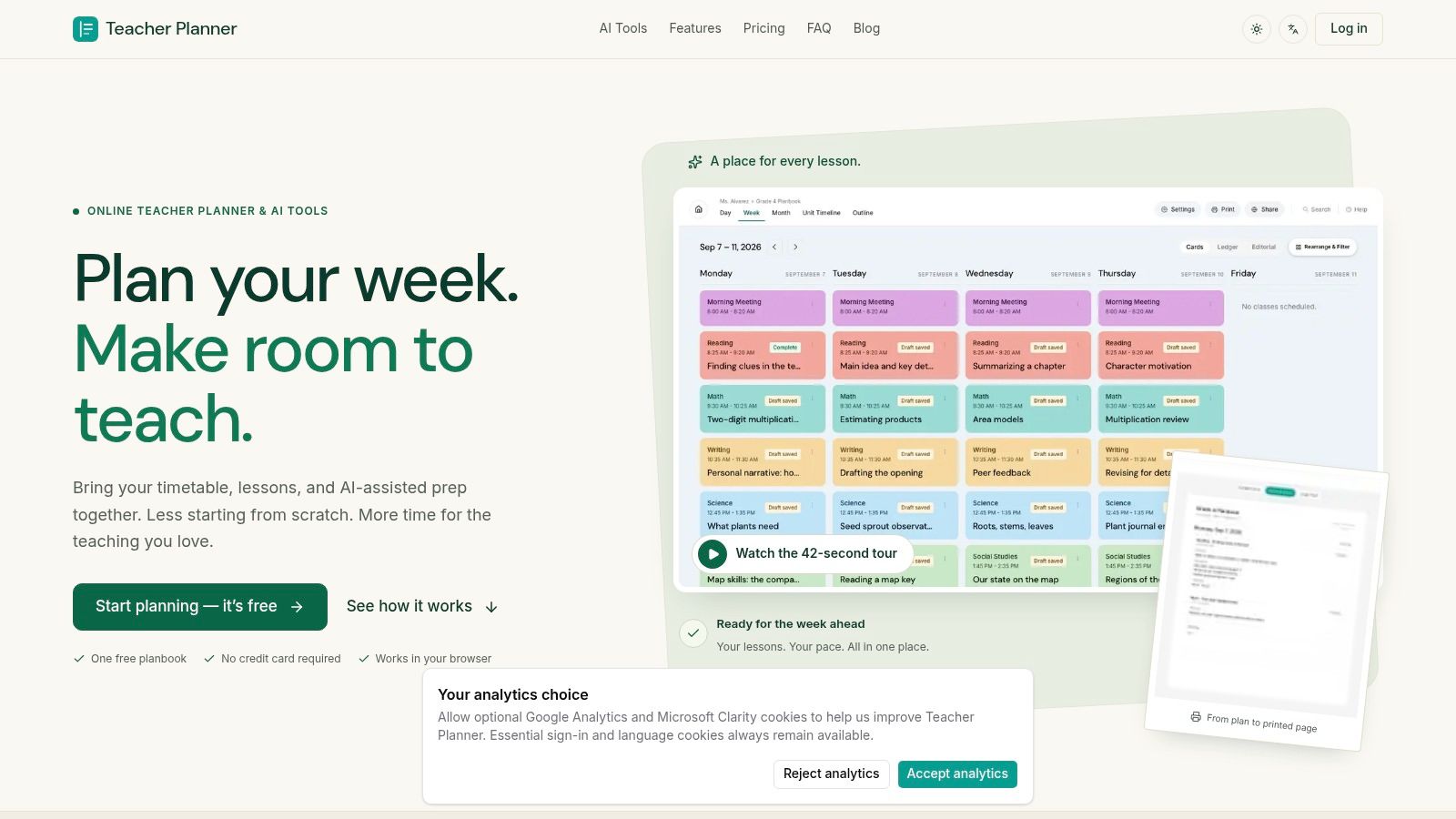
Teacher Planner is the strongest option when word problems need to sit inside a broader lesson sequence rather than exist as isolated worksheet items. It combines a browser-based planbook with AI-assisted drafting for lesson plans, worksheets, and quizzes, so you can move from a math objective to a usable lesson resource without rebuilding the surrounding schedule.
The planning views matter in real preparation. Day, Week, and Month views support immediate logistics, while the Unit Timeline and Outline help you see whether your word-problem practice follows a sensible progression. You can also upload a timetable photo or PDF for review and editing, which reduces manual retyping when setting up a planbook. If a cancellation changes the order of instruction, Bump Forward moves the affected lesson while preserving the sequence that follows.
A teacher can use the lesson plan generator to draft a lesson around multiplication word problems, save the result to resources, and print the plan or associated materials in a consistent format. The AI output remains editable, which is important because a generated problem may need a simpler context, clearer vocabulary, or a different number set.
Best fit and limitations
Teacher Planner works best for teachers who need planning, drafting, scheduling, and printing in one workflow. The Pro Standards Tracker adds standards visibility, while Classic, Minimal, and Cards templates support different print needs. The free tier lets you try a planbook without a credit card, while advanced planbooks, printing, and standards features are reserved for paid plans.
- Use it for: Word-problem lessons, weekly planning, sub plans, unit sequencing, and printable preparation.
- Edit before assigning: Review every AI-generated calculation, sentence, context, and scaffold.
- Know the boundary: It isn't an LMS or gradebook. Grades and submissions remain outside the system.
- Schedule carefully: Timetable import supports fixed weekly grids and plain lists, but not A/B rotations or whole-school timetable imports.
Practical rule: Choose Teacher Planner when the problem isn't just “make an item,” but “make the right item for this lesson, this week, and this changing schedule.”
2. Education Copilot for Rapid AI Drafting
Education Copilot is built for the teacher who needs targeted material quickly. Select a skill, grade, and difficulty, then use the generated problems for a warm-up, exit ticket, worksheet draft, or differentiated practice. Its focus is narrower than a full planbook, which makes it easier to reach for when the task is just to create several problems around one mathematical idea.
The useful feature is the combination of custom contexts and worked solutions. A teacher can ask for one-step practice, increase the complexity for a stronger group, or create a second version with a different setting. The editable output supports fast classroom adaptation, while the surrounding Copilot tools can help with worksheets, quizzes, and worked examples.
The Education Copilot word problem generator is most valuable during the first drafting pass. It can reduce blank-page time, but it shouldn't become the final reviewer. AI may select numbers that produce an awkward answer, use a context students don't understand, or write a question that doesn't match the intended operation.
A practical workflow is to generate a small batch, solve every item independently, and then select only the problems that match the lesson objective. Keep the worked solution as a teacher reference, not as proof that the item is correct.
- Best for: Fast skill-specific drafting.
- Strong point: Step-by-step answer support.
- Editing load: Moderate. Review math, language, and differentiation.
- Weak point: The wider toolkit may be unnecessary for a teacher who only needs a simple printable.
3. MagicSchool AI for Math Story Word Problems
Use MagicSchool AI when one lesson needs a problem set, an explanation, an assessment prompt, and adapted materials from one teacher-facing environment. Its Math Story Word Problems tool supports that broader preparation workflow, alongside resources for lesson planning, assessment, classroom communication, and instructional materials.
The platform's educator-centered setup can simplify school-level review and classroom use. Tools such as Student Rooms and administrative options give school leaders more to evaluate than a standalone generator, while the available education and pricing information helps teams assess whether it fits their instructional technology workflow.

Where it earns its place
MagicSchool fits schools that need teacher safety, school deployment, and tool breadth around math preparation. The word-problem tool is useful for generating material, but its main advantage appears when teachers also need related lesson resources, assessment items, or adapted versions. A teacher preparing one quick printable may find the larger suite more than the task requires.
A practical sequence is to draft story problems, inspect the operation and numerical relationships, then adapt the language for the class before publishing. The generated context should match students' experiences and reading demands, especially for multilingual learners and students receiving special education support. Polished wording does not guarantee that a problem measures the intended skill.
For a lesson that combines open-response practice with selected-response checking, the material can feed into a quiz generator. Keep teacher review at the center of that process, including solving each item independently and checking whether the answer format suits the assessment goal.
- Best for: School-wide AI adoption and connected teacher workflows.
- Strength: Education-centered controls and preparation tools.
- Trade-off: The broader platform may exceed the needs of a single worksheet.
- Review need: Check mathematical structure, language load, and cultural fit.
4. Problem-Attic for Standards-Visible Assembly
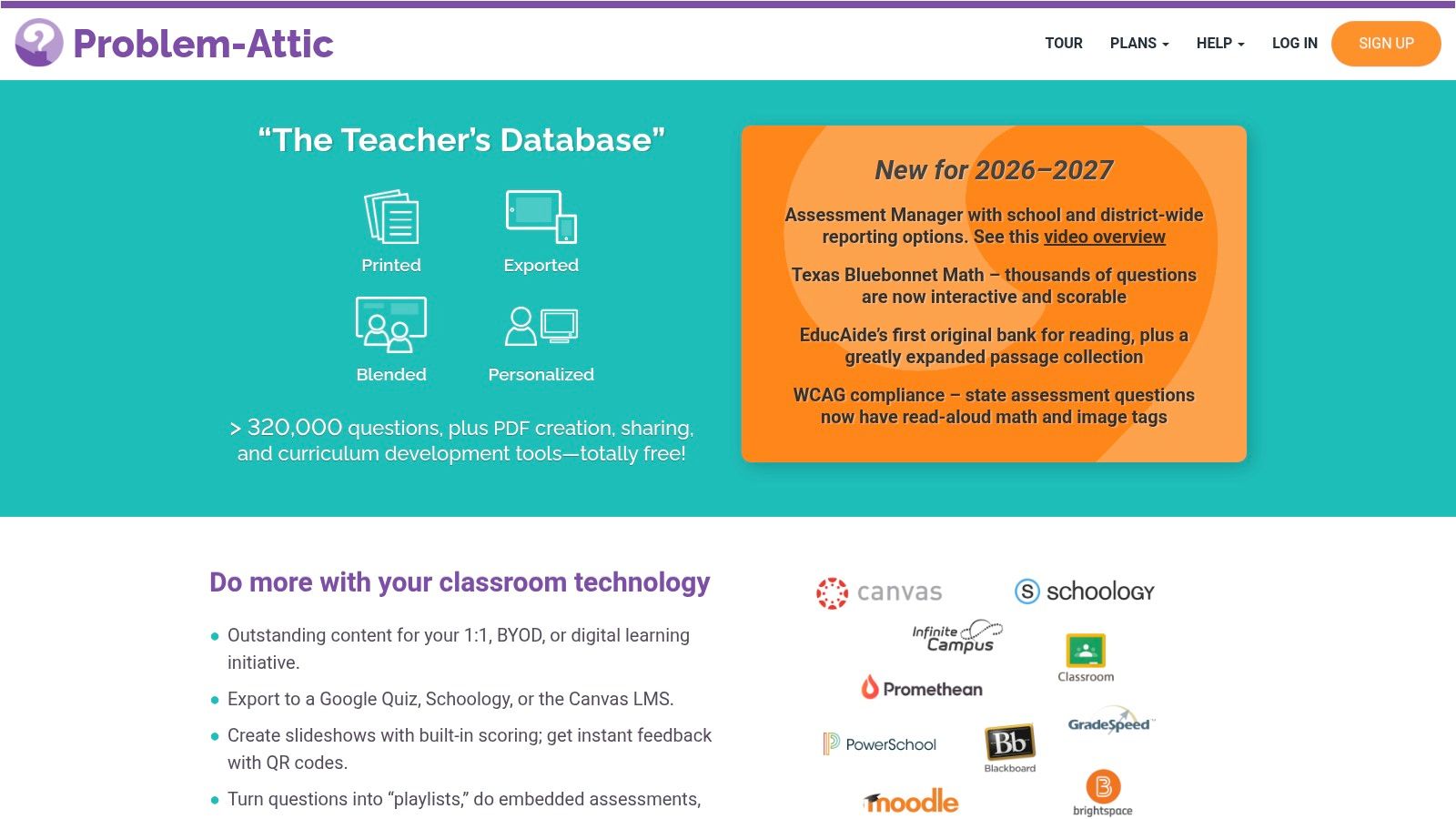
Problem-Attic takes a different approach. Instead of asking an AI to invent a fresh scenario, it gives teachers a large searchable bank from which to assemble assignments, assessments, slides, and online activities. That distinction matters when the priority is vetted content and dependable selection, not novelty.
The bank is useful for teachers who need to locate problems by topic, standard, or level and then build a coherent set. Multiple export formats support print and digital delivery, while school and district collaboration features make it better suited to shared curriculum workflows than many individual generators.
A searchable bank doesn't remove professional judgment. You still need to inspect whether the selected items reflect the exact skill students have practiced, whether the sequence increases complexity sensibly, and whether the wording is accessible to multilingual learners or students receiving special education support. The advantage is that you're curating from established material rather than relying entirely on generated text.
- Best for: Standards-aligned practice, common assessments, and department collaboration.
- Strong point: A deep repository reduces the need to write every problem from scratch.
- Output advantage: Export options support worksheets, slides, and online delivery.
- Trade-off: The strongest sharing and administrative workflows are aimed at school subscriptions, not only individual use.
5. WorksheetWorks.com for Printable Foundational Practice
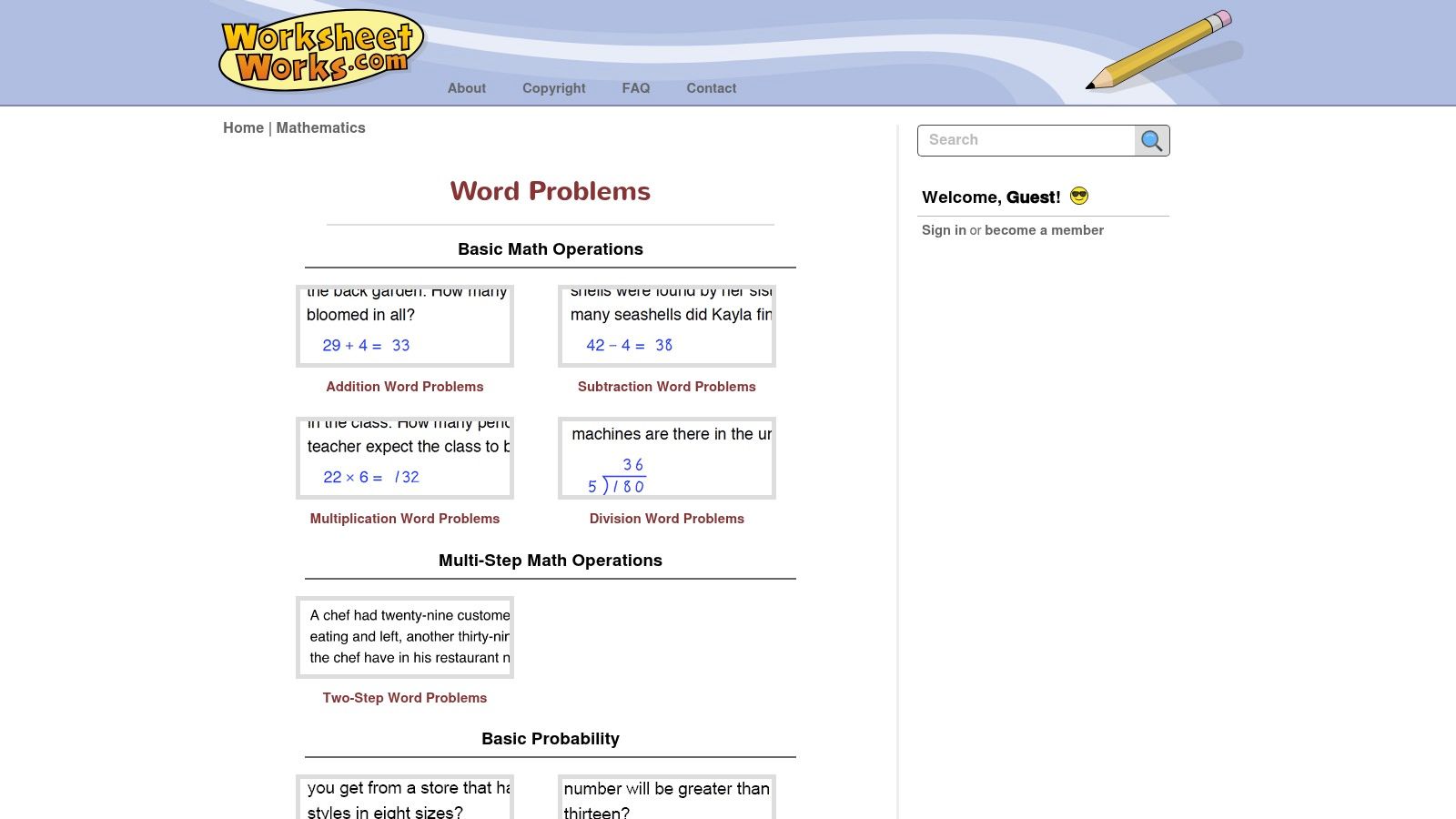
For a teacher preparing morning work, homework, or an emergency sub plan, WorksheetWorks.com turns a selected problem type into a printable PDF with an answer key. Its generators include categories such as multi-digit operations and calendar math. Adjustable parameters support repeated practice without requiring the teacher to write every item manually.
The preparation sequence is short: choose the problem type, set the available options, select a layout, and generate the sheet. That makes the site a practical fit for students who need paper-based repetition or independent work, especially when interactive delivery would add unnecessary setup.
Its main strength is predictable production. WorksheetWorks.com works more like a worksheet engine than a conversational planning assistant, so teachers receive consistent formatting and answer keys rather than extensive instructional guidance. The trade-off is a larger review role: check the mathematical focus, reading demand, variation, and alignment with the current lesson before assigning the set.
A worksheet generator can provide an editable draft for a broader lesson plan. WorksheetWorks.com is better suited to foundational printables when the teacher already knows the target skill and can handle the instructional mapping.
- Best for: K–8 printable practice and recurring worksheet preparation.
- Strength: Consistent PDF output with answer keys.
- Trade-off: Limited interactive and adaptive support.
- Editing load: Low for formatting, higher for standards and pedagogical review.
6. Math-Aids.com for Free Randomized Worksheets
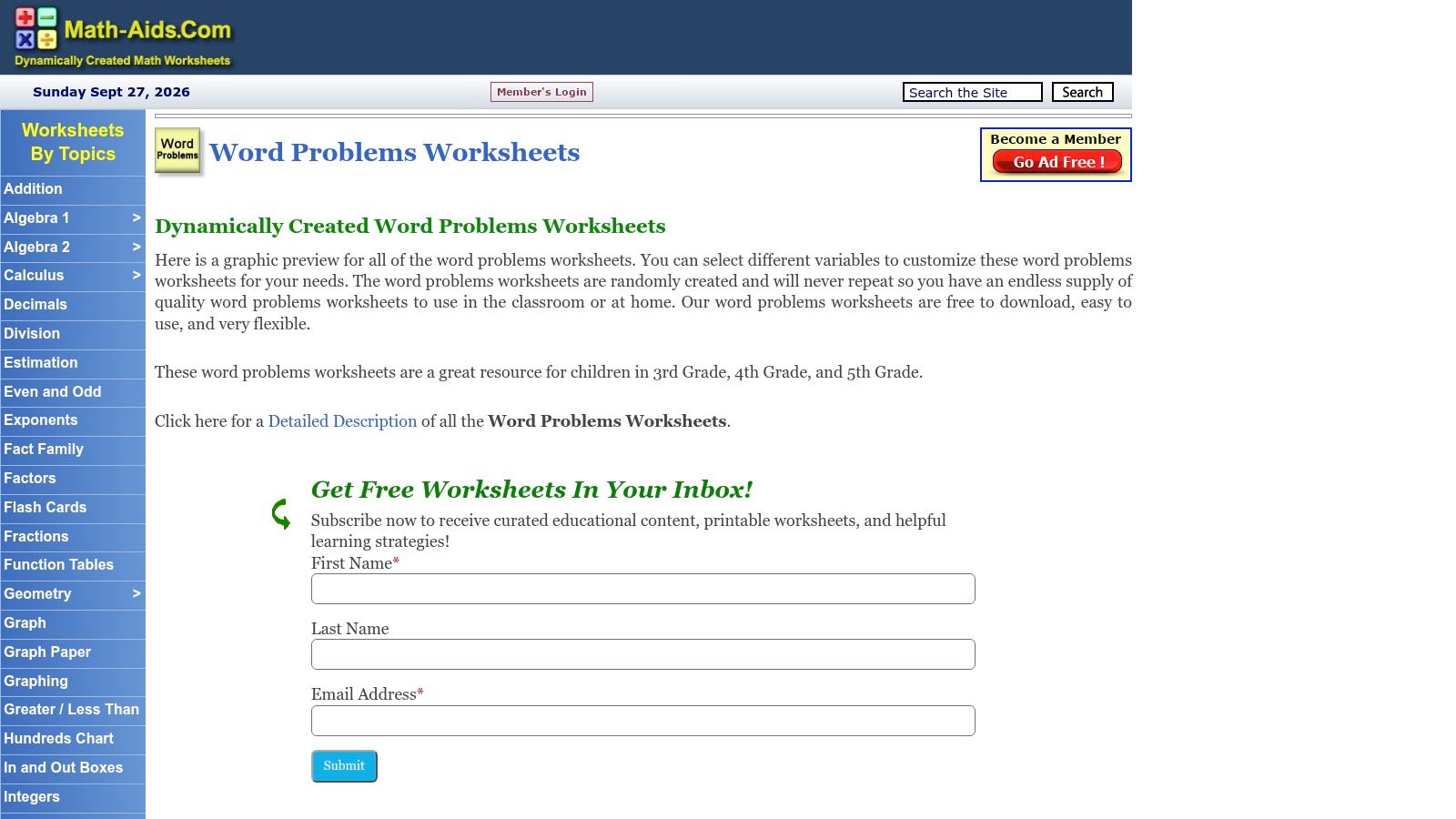
Math-Aids.com is the practical choice when a teacher needs a free worksheet immediately and doesn't want account setup. Its word-problem area supports single-step and multi-step formats, money, measurement, and other common elementary and middle school practice categories. Teachers can adjust number types, ranges, and problem categories, then download a printable worksheet with an answer key.
The site has an old-school interface, but that can be an advantage during a rushed preparation period. There are fewer layers between the teacher and the PDF. Randomized sets also make it easier to prepare parallel practice for small groups or produce a second version after students have already seen the first.
The main drawback is the lack of built-in standards labeling. A teacher must map the generated sheet to the relevant objective and decide whether the operation, number range, and language match the current unit. That isn't difficult, but it adds a review step that standards-centered teams may want to manage elsewhere.
- Best for: Free daily practice, homework, and intervention sheets.
- Strength: Immediate generation without sign-up friction.
- Trade-off: Minimal instructional guidance and no prominent standards workflow.
- Review need: Confirm that the randomized numbers still produce appropriate difficulty.
7. EasyClass AI for Flexible Differentiation
A single worksheet rarely fits every learner in a mixed-ability class. EasyClass AI helps teachers build related versions by setting the topic, grade, real-world context, and difficulty, then choosing single-step or multi-step problems with solution steps. The same lesson target can support guided practice, independent work, and an extension task.
Its strongest classroom use is controlled variation. Keep the mathematical structure consistent while changing the setting, vocabulary, number complexity, or expected reasoning for a particular group. The context selector can make a scenario more familiar, though a familiar theme does not automatically make the reading accessible.
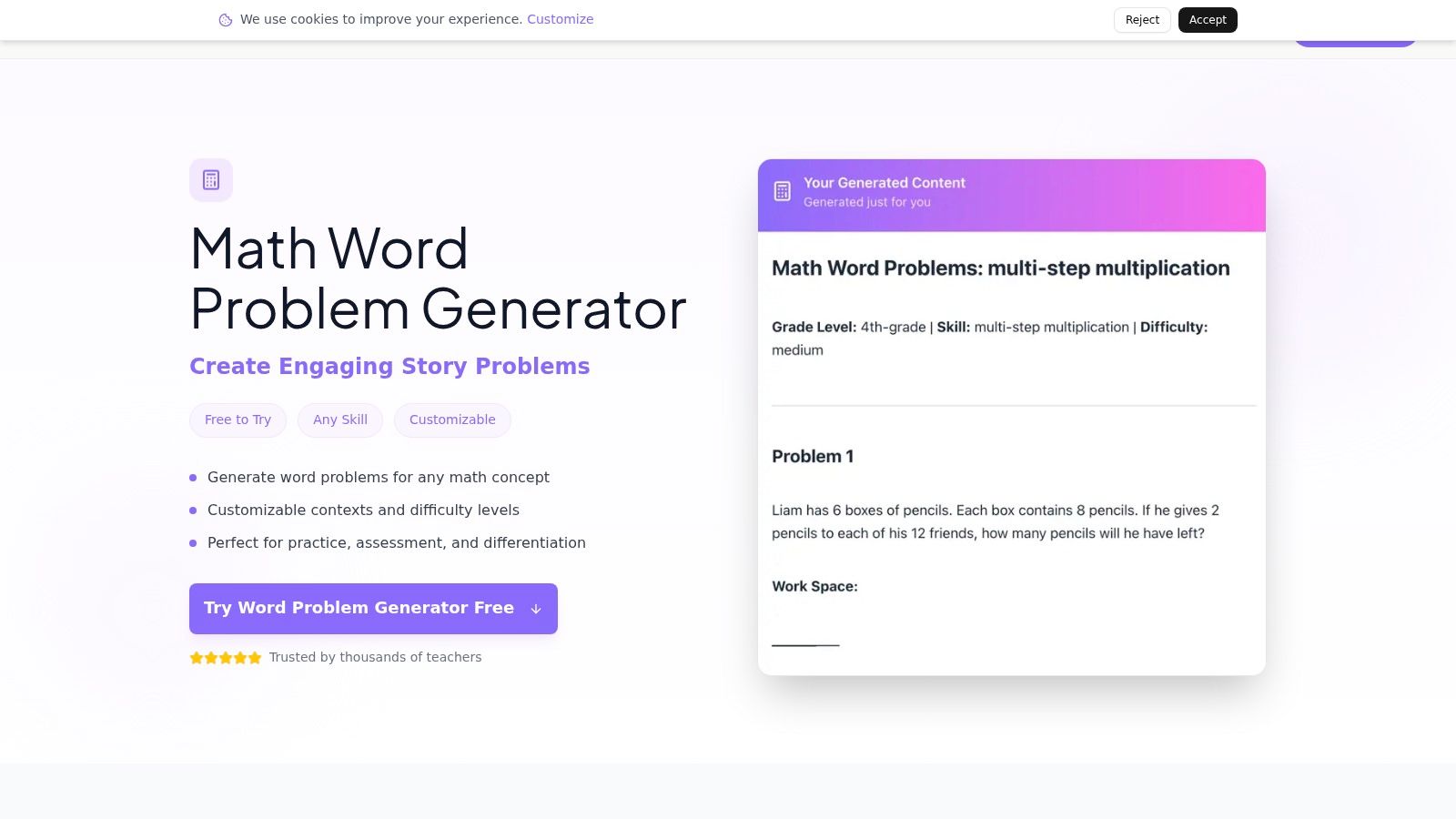
Before assigning the versions, solve each one yourself. Compare reading demand, number size, decision points, and irrelevant information rather than trusting labels such as “easy” or “challenging.” Check that the solution steps match the intended method and that the wording does not introduce a vocabulary barrier unrelated to the mathematics.
A free try-it-now experience makes the tool practical for testing. Account history and saving features support repeated preparation, while the broader suite may suit teachers who create several resource types. The generator page does not present full pricing details clearly, so teams should confirm costs before adopting it for ongoing use.
Best classroom job: Tiered practice with varied contexts.
Strength: Solution steps support modeling and answer checking.
Trade-off: A broader platform may be more than a simple worksheet task requires.
Editing load: Moderate to high when accessibility, rigor, and alignment need close review.
8. TeachQuill for Guided, Editable Drafts
TeachQuill takes a form-driven approach that feels closer to a guided planning assistant than a bare worksheet generator. You specify the skill, grade, context, difficulty, and quantity, then choose whether to include answer keys and standards or objectives. That structure helps teachers provide the details an AI needs before it writes the problem.
The classroom-language focus is useful for draft creation. Rather than accepting generic output, teachers can revise vocabulary and sentence structure while keeping the mathematical target intact. Related worksheet and test tools also reduce app-switching when a problem set needs to become a larger assessment resource.
Standards tagging is helpful, but a tag doesn't establish alignment by itself. Read the objective, identify the operation or representation the student must use, and check whether the question actually measures that skill. This is particularly important for multi-step problems, where extra reading or sequencing can obscure the intended mathematics.
TeachQuill uses a credit-based model, so frequent generation may require a paid plan. District-level controls are also associated with higher tiers. For an individual teacher, the platform is most appealing when editable, standards-aware drafts are more valuable than a large static bank.
- Best for: Guided AI drafting with objectives and answer keys.
- Strength: Clear input controls and editable classroom language.
- Trade-off: Credit usage can matter for heavy preparation.
- Review need: Verify that the standards tag matches the actual reasoning demanded.
9. Animal Math for Early-Grade Printables
Animal Math is built for speed and simplicity. It generates printable word-problem worksheets for foundational operations, with controls for operation, number range, and basic difficulty. There's no login, no watermark, and no complicated setup between the teacher and the printed page.
That makes it a strong match for early elementary practice, intervention, homework, and quick skill reinforcement. The clean PDFs are easier to hand out than a highly customized AI document when students need repeated exposure to addition, subtraction, multiplication, or division situations.
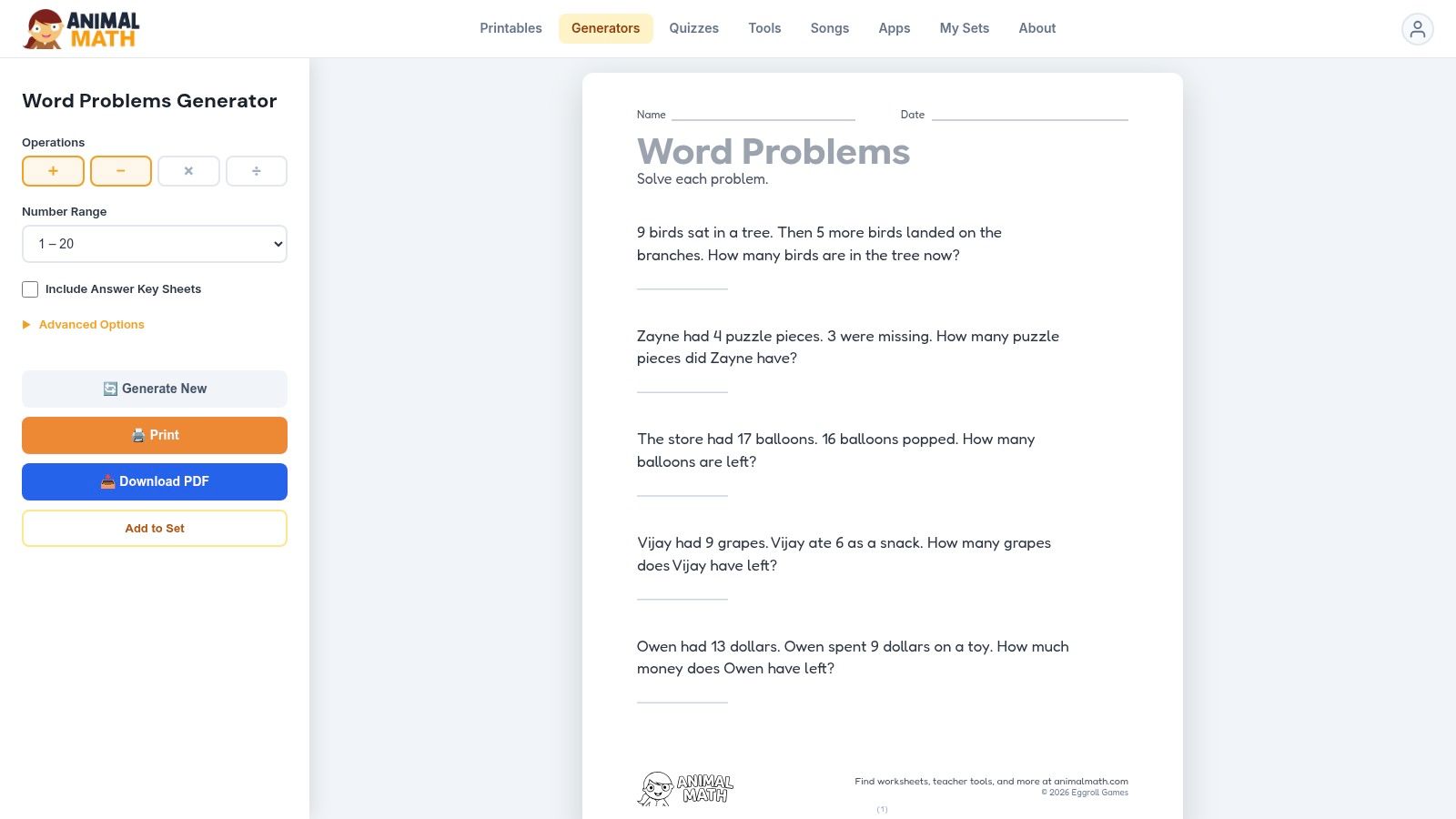
Animal Math uses parameterized templates rather than generative AI. That limits the variety of contexts, but it also creates a more predictable workflow. Teachers can inspect the format quickly and focus on whether the selected numbers match the lesson.
The site highlights problem-solving strategies and CCSS alignment, but the generator remains focused on foundational practice rather than broad curriculum orchestration. It won't replace an AI tool for unusual contexts, differentiated language, or complex multi-step reasoning.
- Best for: Early-grade daily practice and intervention.
- Strength: Zero-friction, clean printable output.
- Trade-off: Limited coverage beyond foundational operations.
- Teacher decision: Use it when consistency matters more than creative variation.
10. CommonCoreSheets for Standards-Visible Assembly
CommonCoreSheets is useful when standards visibility matters more than AI-generated wording. Its Create-A-Sheet and Create-A-Test tools let teachers assemble problem sets from a large repository of elementary and middle school skills, display standards information, control answer columns, and print answer keys.
The advantage is speed with a clear curriculum reference point. A teacher can select a skill, combine related practice, and create a sheet without starting with a blank prompt. This works well for review cycles, intervention folders, and standards-focused team planning.
The interface can feel dense, especially when you're searching across many options. Curation still matters because a standards tag doesn't guarantee that every selected problem has the rigor, representation, or context you want. The platform also relies on existing banks and templates, so it isn't the right choice when you want fully novel story settings generated from a detailed prompt.
- Best for: Free, standards-visible worksheet and test assembly.
- Strength: Fast custom mixes with answer keys.
- Trade-off: More curation than generation.
- Editing load: Usually low for formatting, but meaningful for rigor and item selection.
Top 10 Word-Problem Makers: Feature Comparison
| Tool | Core features | Planning & scheduling | Content generation & outputs | Best for | Price / Notes |
|---|---|---|---|---|---|
| Online Teacher Planner for Flexible Lesson Plans (Recommended) | Browser planbook, AI generators (lesson, worksheet, quiz, rewriter, feedback), timetable import, print templates, Standards Tracker (Pro) | Full, Day/Week/Month/Unit/Outline views, import from photo/PDF, Bump Forward, unlimited planbooks (Pro/Lifetime) | Editable AI drafts, save to resources, PDF/print templates (Classic/Minimal/Cards), quizzes & worksheets | Teachers who need integrated scheduling + material prep, frequent timetable changes | Free (1 planbook, no CC), Pro (7‑day trial), Lifetime one‑time; English & Chinese UI |
| Education Copilot – AI Word Problem Generator | AI word‑problem by skill/grade/difficulty, worked solutions, integrates with Copilot tools | None, focused generator | Editable problems with step‑by‑step solutions, rapid worksheet outputs | Teachers targeting focused, scaffolded math practice | Free entry, part of paid Copilot toolset |
| MagicSchool AI – Math Story Word Problems | Large edu suite, student rooms, admin/privacy controls, word‑problem tool inside suite | Suite-level planning & classroom tools (limited scheduling) | Word problems, assessments, classroom-safe delivery | Districts/teachers needing admin controls and broad toolkit | Public pricing, paid tiers for district features |
| Problem‑Attic | Massive vetted item bank (320k+), assembly tools, multiple export formats | No, content bank, not a planner | Standards‑aligned questions, exports to PDF/slides/online | Standards‑aligned assessments, district teams, vetted content | Core access free; sharing/admin features require school subscription |
| WorksheetWorks.com – Word Problems Generators | Dynamic problem categories, layout options, automatic answer keys | No | Printable PDFs with answer keys, many K–8 problem types | Quick printable practice for K–8 teachers | Free/basic, some layouts/features behind membership |
| Math‑Aids.com – Word Problems | Parameterized generators, randomized sets, instant PDFs | No | Printable PDFs with answer keys, wide topic coverage | Free, frictionless worksheet creation | Completely free, no sign-up |
| EasyClass AI – Math Word Problem Generator | AI generator with topic/grade/context, solution steps, part of 60+ tool suite | Limited, integrated into larger platform | Editable problems, detailed answer keys, save history | Teachers needing differentiation and many teacher tools | Free try; paid tiers (pricing unclear on generator page) |
| TeachQuill – Word Problem Generator | Guided form (skill/grade/context/difficulty), standards tags, integration with suite | Integrated suite planning (limited) | Editable drafts, optional standards tags, answer keys | Teachers wanting standards tagging & integrated worksheet/test tools | Credit‑based system, paid for heavier use |
| Animal Math – Word Problems Worksheet Generator | No‑login generator, operation/number controls, CCSS notes | No | Clean printable PDFs with answer keys, early grades focus | Early elementary teachers, zero‑friction printing | Free, no account required |
| CommonCoreSheets – Create‑A‑Sheet / Create‑A‑Test | Create‑A‑Sheet/Test, standards display, large repository | No | Standards‑tagged sheets/tests, printable PDFs, answer columns | Standards‑visible practice, quick custom assemblies | Free, widely adopted by teachers |
Choose the Generator That Fits Your Workflow
The best word problem maker depends on the job, not the longest feature list. Start with the finished resource you need and work backward.
Choose Animal Math, Math-Aids.com, or WorksheetWorks.com when the priority is printable foundational practice. These tools are efficient for operation-focused worksheets, repeated number practice, homework, and intervention. Their templates reduce setup and often provide answer keys, but they give you less control over authentic context, reading level, and standards sequencing. Math-Aids.com and Animal Math are especially useful when you need a free, low-friction starting point. WorksheetWorks.com offers a broader collection of printable formats, but advanced layout needs may require paid access.
Choose Problem-Attic or CommonCoreSheets when you need standards-visible assembly or a more dependable item-bank workflow. These resources are stronger than generative tools when your team wants to curate existing material, build shared assessments, or connect practice to curriculum language. Their trade-off is that teachers must select carefully. A bank can provide a mathematically sound item while still missing the intended level of challenge or using language that doesn't work for a particular group.
Choose Education Copilot, MagicSchool AI, EasyClass AI, or TeachQuill when you need varied contexts, quick drafts, or differentiated versions. AI-assisted tools can help teachers move from an objective to several possible scenarios quickly. They also make it easier to revise the context, add solution steps, or create a supported and extended version. The cost is verification. Generated text can contain ambiguous wording, unsuitable assumptions, an incorrect answer key, or a mismatch between the requested skill and the actual calculation.
Choose Teacher Planner when word problems are part of a larger planning problem. It fits teachers who need to draft a lesson, prepare a worksheet or quiz, keep the unit sequence visible, print plan materials, and recover cleanly when the timetable changes. The browser-based planbook is especially relevant when a generated problem must be placed inside a day, week, month, or unit workflow rather than saved as a disconnected document. The platform focuses on preparation and planning, not grading or submissions, so it should complement rather than replace an LMS.
Whatever tool you choose, test a small set before assigning it. Solve each problem without relying on the answer key. Check that the operation matches the situation, the wording makes the question clear, and the reading load doesn't hide the mathematics. Look for contexts that may be unfamiliar, culturally narrow, or unnecessarily distracting, and consider whether multilingual learners and students with learning differences can access the task with the intended supports.
A good review also asks whether the problems belong in the current sequence. Students may need numberless discussion, visual models, estimation, or a simpler context before they need another page of calculations. A generated worksheet can support that instruction, but it can't determine the right intervention or pacing decision for your class.
The strongest workflow combines speed with teacher judgment. Use a printable template when you need reliable repetition, a searchable bank when you need curated alignment, an AI tool when you need variation, and Teacher Planner when the problems must connect to an evolving lesson plan. The best tool reduces preparation without replacing teacher review.
Teacher Planner combines an editable planbook with AI drafting tools for lesson plans, worksheets, and quizzes, plus unit timelines, standards tracking, schedule adjustments, and printable planning views. Use it to place word-problem preparation inside the lesson sequence, then visit Teacher Planner to try the workflow.