
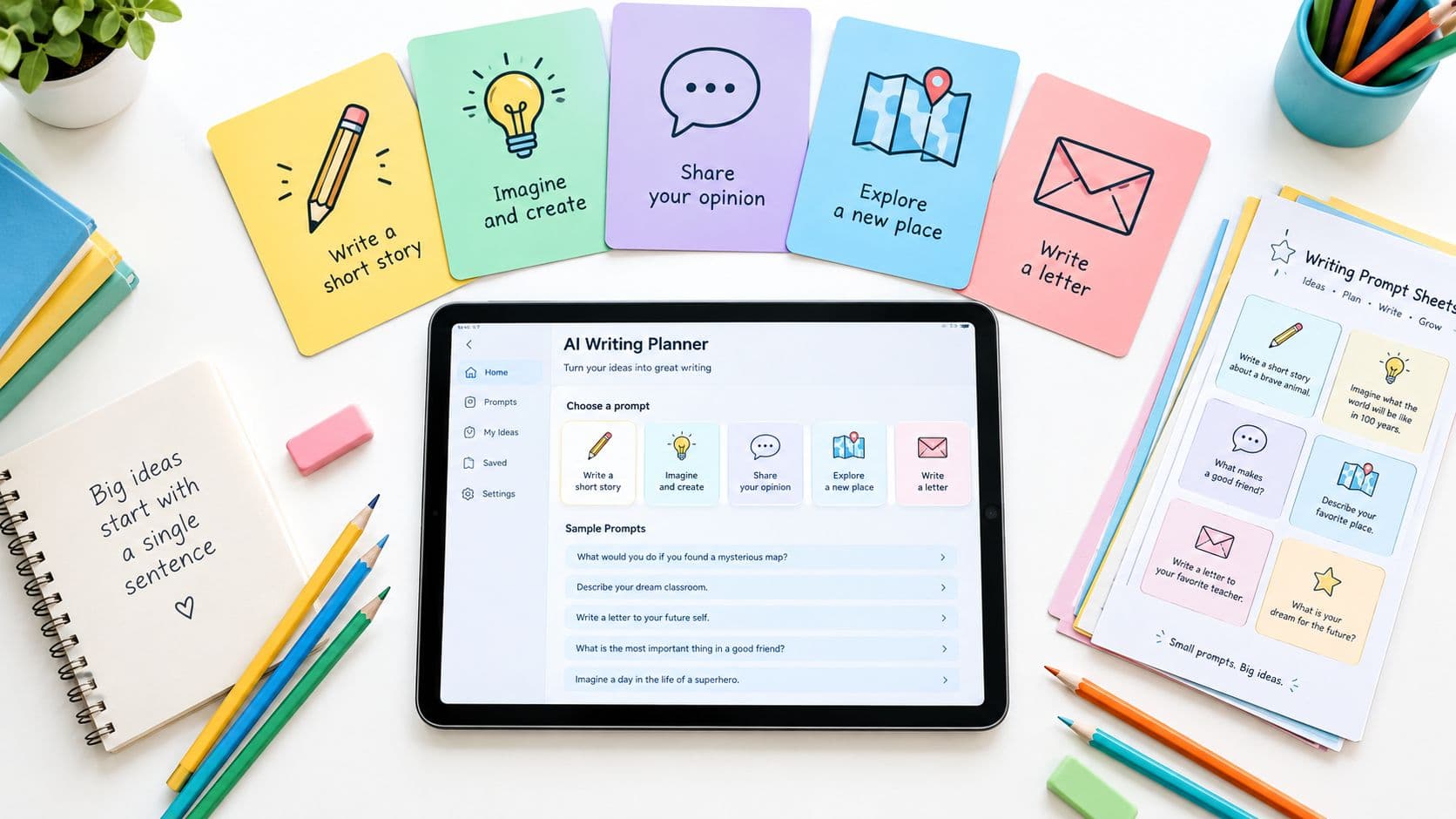
A writing block is about to start, but the page is still blank. The strongest writing prompts for elementary classrooms give students a clear way in, such as a picture, problem, audience, object, or brief experience, while leaving room for their own observations and choices. The nine types below include grade-banded examples, scaffolds for students who need support, and extensions for writers ready for more challenge.
A useful prompt names its purpose and makes the first step obvious. Keep the writing task focused, provide optional support such as a word bank or organizer, and decide in advance what students will do with the draft: share it, revise it, or use it to explain learning in another subject.
1. Wordless Picture Prompts
A picture gives students something concrete to notice before they have to find the words. Show a photograph, illustration, or scene from a picture book, then ask students to describe what's happening, what may have happened before, or what could happen next. Mysterious images such as those in Chris Van Allsburg's The Mysteries of Harris Burdick can invite several plausible stories without requiring one correct interpretation.

For Grade 1, show a dog at a park and offer three sentence stems: “The dog is…,” “The dog can…,” and “I like the dog because…”. For Grade 3, ask students to write what happened before and after a mysterious image, then add one line of dialogue. The image supplies the content; students supply the language.
A ready-to-use Grade 2 prompt
Show an image of a boat on a lake at sunset. Offer the stems “The boat is…,” “I see…,” and “Tomorrow the boat…,” then ask students to write four to six sentences in 12 minutes. Students who need support can draw first and select words from a bank; writers ready for more can introduce a problem and resolve it.
Use Teacher Planner's Worksheet Generator to draft a one-page sheet with stems and a word bank. Edit the generated draft for your class, then use the tool's own print action; schedule the writing block separately in the planbook's Day view. Keeping a folder of 10 to 15 images makes it easy to rotate material across a term. For visual inspiration, see this guide to making storybook visuals with AI.
2. “What If” Story Starters
A useful “what if” starter puts a problem in motion and leaves the decisions to students. “What if your shoes could talk?” gives a premise; “One morning, the school library was empty except for a note” gives a premise plus a clue. Either way, writers still choose the setting, the trouble, and the ending.

For Grade 2, try: “The class hamster escaped on Monday. Here is how we found him.” Students who need support can sequence three picture cards before writing; students ready for more can add a suspect and a clue. For Grade 4, ask: “What if the school gym could only be opened with a riddle?” Require a beginning, one challenge, and an ending, then let early finishers test whether the riddle's answer is fair to readers.
A Grade 3 starter can be: “Every time the bell rang, the hallway changed.” Ask students to plan character, setting, problem, and solution, then write eight to ten sentences. Teacher Planner's Lesson Plan Generator can draft a unit of five starters; treat that output as a draft for teacher review. Edit the objectives to fit your standards, place one starter in each lesson in the Unit Timeline, and keep the writing block in the planbook's Day view. If you print the unit sheet, use the Lesson Plan Generator's own print action rather than the planbook print command. Review the AI-generated material before using it, save approved starters to resources for reuse, and browse this story starter images guide when you want visual inspiration for new premises. For more classroom ideas, browse writing activities for third graders.
3. Five Senses Descriptive Writing
Description improves when students replace broad judgments such as “nice” with details a reader can picture. Ask them to observe a familiar object, place, or food through the senses. This works particularly well with younger writers who are learning to add information to a simple sentence.

For Grade 1, students can touch a pinecone and write, “It feels rough. It smells like the forest.” For Grade 3, they can describe a school lunch using all five senses, then combine several details into one sentence. Keep the task tied to what students can safely observe rather than asking them to invent sensory details they haven't experienced.
Observe first, then write
For Grade 2, give students a clementine and build a class chart: See, orange and dimpled; Smell, sweet; Touch, bumpy; Sound, peel crinkles; Taste, juicy. Students write one sentence per sense, then combine details from two senses in a single sentence.
Create the chart in Teacher Planner's Worksheet Generator, edit it for your class, and print it using that tool's print action. Schedule the lesson in the planbook's Day view. Check allergies and classroom food policies before tasting; if food isn't appropriate, replace taste with a sound or texture station. Students who need support can use labeled picture cues, while advanced writers can compare two objects and explain which details make them distinct.
4. Opinion Prompts That Start With “Should We?”
An opinion prompt gives students a position to take and a reason to explain. Questions rooted in school life, such as “Should recess be longer?” or “Should our school have a class pet?”, make it easier for younger writers to draw on familiar experiences. The writing still needs more than a yes or no: ask for reasons and examples.
For Grade 2, students might write, “Should we have a longer lunch?” A supported response could begin, “I think yes because…,” then add a specific example. For Grade 4, ask students to argue for or against a school garden, using two reasons and an example for each.
Model the structure before independent writing
Try this Grade 3 prompt: “Should our class read more graphic novels?” Students write one paragraph with a claim, reason, example, second reason, second example, and closing. Sentence frames can help students get started; writers ready for more can consider an opposing view and explain why they still hold their position.
Teacher Planner's Lesson Plan Generator can draft a three-day sequence for teaching claims, reasons, and paragraph writing. Edit its learning goals to match your standards, then review the sequence in Outline view. You can also use the Writing Feedback tool on a sample paragraph you've written to create draft feedback, but review and edit that feedback before sharing it. For older students looking for related argument ideas, see writing topics for teenagers.
5. Small-Moment Personal Narratives
A personal narrative becomes manageable when students zoom in on one brief event instead of summarizing a whole year. They might write about losing a tooth, helping a sibling, or a small surprise at school. The detail comes from staying with the moment long enough to show what happened and how it felt.
For Grade 2, ask students to write about the first few moments of learning to ride a bike, rather than recounting the entire day. For Grade 5, they might describe the moment they realized a friend needed help, adding dialogue and a detail about their feelings.
Help students choose a moment
For Grade 3, have students list eight small moments, circle one, and sketch a three-box story map. They then write six to ten sentences, adding one sensory detail to each part of the map. Students who need more processing time can draw or rehearse the story orally first; students ready for an extension can include dialogue or slow down the most important moment.
Build the work into the planbook's Unit Timeline as a four-week sequence: choosing a topic, drafting, revising, and sharing. Before partner sharing, remind students not to include identifying information about themselves or others. Keep private student details out of planning notes, and offer students an alternative topic if a personal prompt feels uncomfortable.
6. Letters to Community Helpers or Characters
Letters teach students to write for a specific reader. A firefighter, librarian, bus driver, or character from a class novel gives the task a clear audience and reason to write. Students practice a greeting, a body, and a closing while making choices about what their reader needs to know.
For Grade 1, students can write, “Dear Firefighter, Thank you for visiting our school. I liked the truck.” For Grade 3, they can write to a character in a class novel and ask a question about the plot. A real community connection can make the task meaningful, but a fictional recipient works just as well when an outside visit isn't possible.
A simple letter frame
For Grade 2, use the prompt: “Write a thank-you letter to a community helper.” Provide labeled parts for the greeting, one thank-you sentence, two details about the helper's work, and a closing. Students can write five to seven sentences; multilingual learners may benefit from a bilingual frame or time to plan in a home language before writing in the target language.
Teacher Planner's Worksheet Generator can draft a letter template with labeled parts. Edit it for your class and print it from that tool's own print action. Add the lesson and any planned visit to the planbook's Week view. If a visit is canceled, Bump Forward can move the affected lesson while keeping later lessons in sequence. Check school policies before mailing or sharing student letters with people outside the school.
7. How-To Writing Prompts
Procedural writing asks students to explain how to do something clearly enough that another person can follow the steps. Familiar tasks, such as washing hands, planting a seed, or folding a paper airplane, give students a concrete subject. The writing practice centers on sequencing, specific verbs, and details that prevent a reader from getting stuck.
For Grade 2, students can write numbered steps for washing hands. For Grade 4, they can explain how to set up a science experiment so a classmate can repeat it. Emphasize that “do the experiment” isn't a useful direction on its own; the reader needs the actual steps and materials.

Let a partner test the directions
For Grade 3, ask students to write instructions for folding a paper airplane. A partner follows each step and marks where a detail is missing. The writer revises and tests the directions again. Picture cards can help emerging writers sequence the steps; writers ready for more can add a materials list or explain why a particular step matters.
Teacher Planner's Lesson Plan Generator can draft a two-day lesson for demonstrating, writing, and testing directions. Edit the steps to match your materials, then save the approved lesson to resources. The Writing Feedback tool can review a sample set of directions for clarity, but its output is a draft for teacher review, not automatic grading. Decide which feedback is useful before sharing it with students.
8. Quick-Write Journal Questions
Quick writes give students a short, low-stakes reason to put ideas on paper. A question such as “What made you smile today?” can work as a bell-ringer; “What question do you have about today's science topic?” can reveal what students are wondering. Keep the task short enough to fit an existing transition, but give it a real purpose rather than asking students to fill space.
For Grade 1, try: “Draw and write about your favorite part of the day.” For Grade 5, ask: “What is one thing from yesterday's lesson you still find confusing?” These prompts can capture thinking as well as provide writing practice. They shouldn't be treated as a complete measure of a student's writing ability.
A five-day Grade 2 set
Use one prompt each day: Monday, a favorite weekend moment; Tuesday, a helper the student saw; Wednesday, a sound they heard; Thursday, a question about the science unit; Friday, a goal for next week. Students who need motor support can respond orally through an adult or a voice-to-text tool approved by the school. Rotate topics so students aren't repeating the same answers each week.
Add the prompts to the planbook's Day view, then use its planbook printing templates to print a weekly list. That's different from an AI tool's own print action, which applies to material created in that tool. The prompts can also be linked to an existing literacy, science, or social studies objective, so a quick write doesn't have to become a separate lesson.
9. Informational Fact Page Writing
An informational fact page asks students to teach a reader about a topic. Animals, planets, and familiar community places work well because they connect directly to science or social studies units already on the schedule. The task targets a topic sentence, a few relevant facts, and a closing.
That's a different skill than retelling everything a student remembers.
For Grade 2, try "All About Penguins" with three facts and a labeled picture. For Grade 4, have students explain the water cycle in a topic sentence, four facts, and a short summary. Supply a shared text or another reliable source when students need information. An open research task at this age often measures background knowledge more than writing skill.
For Grade 3, use honeybees. Hand out an organizer with space for a topic sentence, three facts each carrying a source note, and a closing sentence. Students draft one paragraph and add a labeled diagram. A short reading passage and sentence bank give support where needed; students ready for more can compare facts across two sources and explain how each one backs the main idea.
The Worksheet Generator can draft a research organizer aligned to your science unit, which you then edit and print from that tool's own print action. Map the unit in the planbook's Unit Timeline so writing follows the science content, and use the Standards Tracker to tie the lessons to the standards you teach. Before drafting, teach students to put facts in their own words. If you want structured comments on a model passage, Teacher Planner's Writing Feedback tool can draft them before you decide what to share.
Comparison of 9 Elementary Writing Prompts
| Writing Prompt Type | Implementation Complexity | Resource Requirements | Expected Outcomes | Ideal Use Cases | Key Advantages |
|---|---|---|---|---|---|
| Wordless Picture Prompts | Low; add optional sentence frames | One image; optional prompt card or word bank | Observation-based sentences and story development | Early elementary, English learners, idea generation | Concrete starting point; easy to differentiate and reuse |
| “What If” Story Starters | Low; planning frame may help | Short written prompt; optional story map | Narrative sequencing, characters, problems, and endings | Writing warm-ups or imaginative narrative units | Quick to prepare; encourages imagination and student choice |
| Five Senses Descriptive Writing | Low to moderate; model sensory details | Object, photo, or experience; senses chart | Specific vocabulary and expanded descriptive sentences | Early elementary and hands-on literacy lessons | Concrete, assessable, and easy to integrate with other subjects |
| Opinion Prompts: “Should We...?” | Moderate; requires claim-and-reason scaffolding | Familiar topic; optional sentence frames | Clear opinions supported by reasons and examples | Argument writing and classroom or community issues | Builds reasoning and connects writing to student voice |
| Small Moment Personal Narrative | Moderate; students need topic selection and planning | Personal topic list; optional story map | Focused narratives with sequence, detail, and feelings | Narrative units and writing workshop | Encourages personal engagement and teaches focus |
| Letters to Community Helpers or Characters | Moderate; teach format and audience | Letter template; optional real recipient or class visit | Audience-aware writing with greeting, body, and closing | Social studies links and functional writing practice | Clear purpose supports revision and cross-curricular connections |
| How-To (Procedural) Writing Prompts | Moderate; sequence and clarity need modeling | Task materials or demonstration; optional picture cards | Ordered, precise instructions using transition words | Science, math, and practical skill lessons | Steps can be tested by a peer; integrates easily with content learning |
| Quick Write Journal Questions | Low; consistency is the main requirement | Short prompts; journal or writing space | Writing fluency and a quick view of student thinking | Bell-ringers, exit tickets, and daily routines | Brief, low-stakes, and easy to prepare in batches |
| Informational Fact Page Writing | Moderate to high; requires research and source guidance | Reliable age-appropriate sources; research organizer | Topic-focused writing with facts and a conclusion | Science and social studies units | Builds research and note-taking skills with clear success criteria |
Build a Prompt Bank You Can Reuse
Start with the next unit. A huge archive can wait. Pick one prompt type, set the grade band and target skill, then gather the support a student needs to begin: a visual, a short source, a sentence frame, or a first-step checklist. If a class cannot start without heavy modeling, tighten the entry point before saving it.
Store each prompt with purpose, genre, audience, and success criteria. An opinion task might name claim, reasons, and evidence; an informational task might name the source and organizer. Keep scaffolds optional so students can use support without flattening the challenge, and add an extension for writers who finish early.
Treat every AI-generated resource as a draft for review. Teacher Planner's Lesson Plan Generator, Worksheet Generator, Multiple Choice Quiz Generator, Text Rewriter, and Writing Feedback create editable material that a teacher checks before use. Save the resource, copy or download the text, or print from that tool's options; planbook printing templates are a separate action in Day, Week, Unit Timeline, and Outline views. AI output still requires approval before it reaches students, and Teacher Planner stays in planning and preparation rather than assessment delivery, grading, or district curriculum control.
For wording, length, or complexity changes in an existing passage, review the Text Rewriter output and keep the version that matches the lesson. For reusable organization ideas, browse this prompt library playbook. Begin with one prompt you can teach next week, then record which support got students started and which extension kept confident writers thinking; revise before filing it away.
Teacher Planner combines a browser-based planbook with tools for drafting lesson plans, worksheets, adapted text, quizzes, and writing feedback. Use it to prepare and organize writing prompts, review each draft, and schedule the classroom material you approve. Visit Teacher Planner to explore the planning and writing tools.