
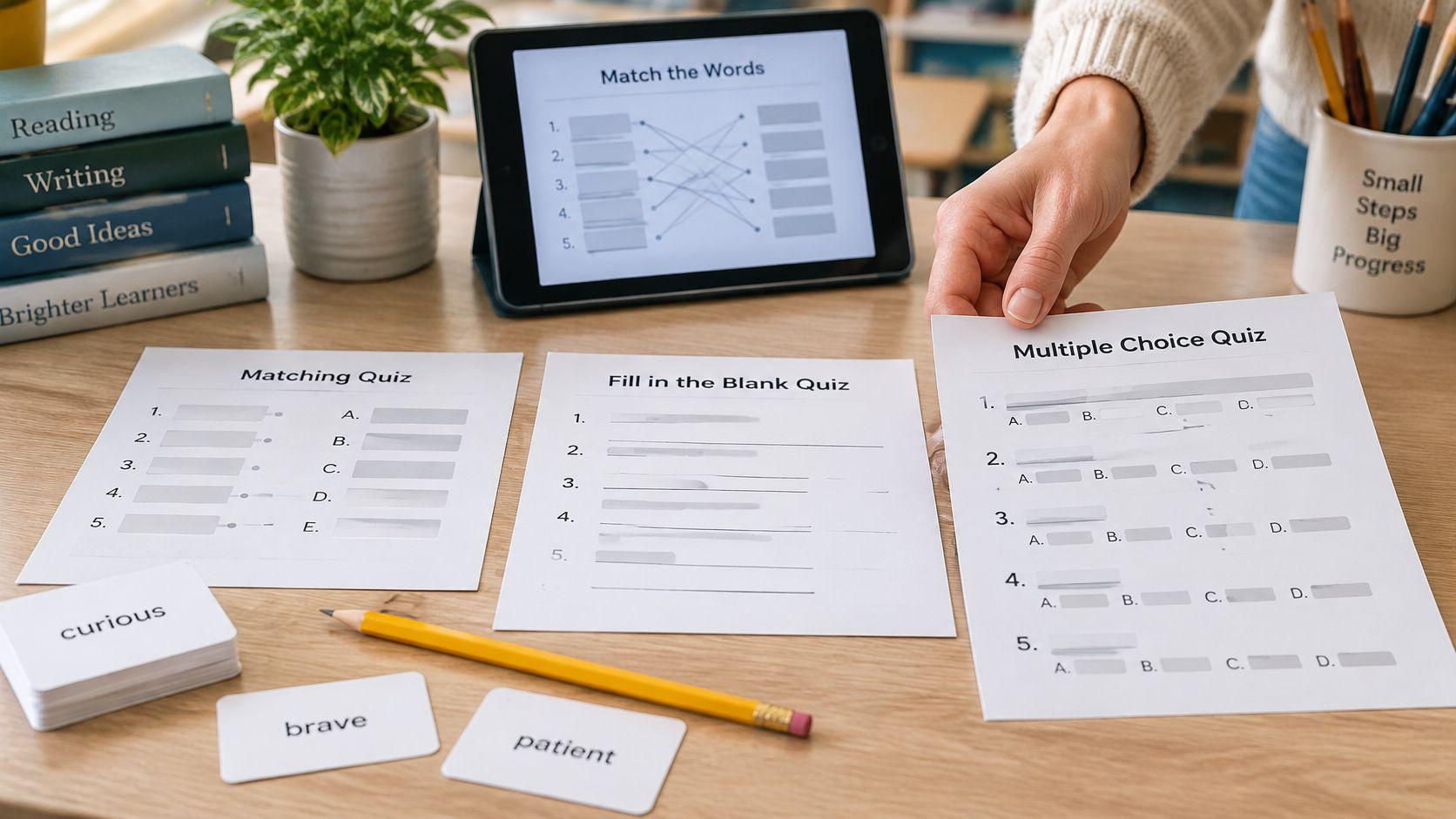
A sixth-grade teacher has 20 words from a novel unit and needs a quiz by Friday, something she can print and review on screen. The best vocabulary quiz templates match the assessment's output and question types: paper or online, definition recognition or meaningful word use. A reviewed word list makes any template useful; an attractive layout won't fix an inaccurate definition.
The practical choice depends on whether students need printable pages or browser-based activities, which question formats reveal the intended skill, and how comfortably the tool handles the class's grade level and list length. A Friday spelling-style check needs different questions from a reading-unit assessment or a whole-class review game.
Before generating anything, the teacher needs the target words, the meanings taught in class, and a clear decision about what counts as a correct response. AI-drafted definitions, distractors, and answer keys are editable drafts, not classroom-ready authority.
- For paper assessment, prioritize editable wording, readable spacing, and a separate answer key.
- For reading-unit assessment, include context and application rather than definition matching alone.
- For whole-class review, choose interactive delivery, but keep participation separate from evidence of individual mastery.
The tools below serve different classroom situations. Teacher Planner, the publisher of this article, is included alongside alternatives; the comparison focuses on preparation workflows and trade-offs rather than claims of hands-on testing.
1. Vocabulary Quiz Maker for Teachers
A teacher with a word list still has to draft the definitions, check them against what was taught, and build the questions. Teacher Planner's Vocabulary Quiz Maker fits that situation: its browser-based public workflow follows Input > Review > Quiz, making definition review a distinct step before quiz creation.

The teacher enters words and a grade level, signs in with a free account to generate definitions, and edits those definitions before creating the quiz. The finished material has copy, download, and print actions. Generation limits apply, so cleaning the list before generating is more useful than repeatedly starting over.
A Practical Novel-Unit Workflow
For the illustrative sixth-grade novel unit, the teacher first identifies the meaning of each word as used in the novel. A word such as reserved needs special attention because its meaning might concern a character's manner rather than a seat held for someone.
- Prepare the input: Remove duplicates and separate words whose meanings depend on different passages.
- Review the definitions: Check meaning, part of speech, and whether the wording is accessible at the selected grade.
- Create and inspect: Check every question, distractor, and answer-key entry before copying or printing.
- Adjust the scope: Divide a long list by chapter or instructional purpose rather than making every quiz exhaustive.
The main advantage is the review stage, not faster drafting. The tool doesn't collect student submissions or auto-grade, and its print action produces quiz material rather than a printed planbook. For general topic, standards-based, or passage-comprehension questions, the platform's separate quiz generator is the better fit.
For younger learners, teachers can select a shorter list and simplify definition language during review. Older students still need precise meanings, especially when familiar words acquire disciplinary uses. Teams that also turn student data into reusable documents should keep that document-production task separate from validating vocabulary content and avoid including identifying student information unnecessarily.
2. Easy English Print Vocabulary Quiz Maker
Best for a Friday paper check, Easy English Print's Vocabulary Quiz Maker starts with teacher-supplied words and definitions. It suits classrooms where the meanings are already settled and the remaining job is arranging them into a usable worksheet.

Its worksheet-oriented options include mixed question sections, difficulty settings, word-bank choices, answer keys, and alternate versions. Those controls are useful when a teacher wants a familiar paper routine without turning preparation into an online course-building task.
Make the Difficulty Meaningful
A harder setting isn't automatically a better assessment. Removing a word bank changes the demand from recognizing an available answer to retrieving a word, while longer definitions can accidentally increase reading difficulty instead of vocabulary difficulty.
For an elementary list, teachers can use concise definitions and a word bank. For middle or high school, they can add example sentences and require students to distinguish closely related meanings. A longer list works better in coherent sections than in an oversized matching block that students must continually scan.
Practical rule: A vocabulary quiz shouldn't become harder merely because its directions or layout are harder to navigate.
The multiple-choice vocabulary quiz guide helps when the teacher needs to improve answer choices rather than change worksheet settings. The limitation is content responsibility: a worksheet maker can arrange weak definitions just as neatly as accurate ones, and it isn't a full student-progress platform.
3. ESL ConversationQuestions Vocabulary Quiz Maker
A department that already maintains vocabulary in a spreadsheet has a different preparation problem: moving reliable content into a quiz without retyping it. ESL ConversationQuestions' Vocabulary Quiz Maker fits that situation through word-and-clue input, pasted spreadsheet columns, and CSV import.

Teachers can adjust worksheet details, review answer choices, and prepare alternate versions with separate keys. PDF preview and DOCX download support a workflow in which a co-teacher checks the draft before classroom use.
Prepare Clues Before Importing
The useful starting point is a word paired with a teachable clue, not a bare word list. A clue for adapt might describe changing to suit new conditions, while a biology-unit clue may need more carefully defined subject context.
- For younger students: Keep clues short and use familiar syntax.
- For older students: Specify the disciplinary meaning and avoid clues broad enough to fit related terms.
- For longer lists: Group spreadsheet rows by unit or concept before importing.
The main trade-off is that input preparation remains the teacher's job. Importing doesn't repair inconsistent definitions, and a word-only list won't supply the necessary clues.
This tool focuses on printable assessment rather than online response tracking. JavaScript is also necessary for editing and downloading, which matters on tightly restricted school browsers. Its strongest use is therefore a spreadsheet-to-handout workflow, especially when colleagues already share an agreed vocabulary list.
4. Cramsmith Vocabulary Quiz Generator
For a quick check that combines recognition and recall, Cramsmith's Vocabulary Quiz Generator offers a straightforward approach: paste word-definition pairs, choose question sections, and print the quiz with a separate answer key. Its matching, multiple-choice, and write-the-word formats serve different assessment purposes without requiring a new activity design.

Common separators, including tabs and colons, make existing lists easier to reuse. The teacher still needs consistent entries so that punctuation inside a definition doesn't create confusing input.
Use Recall Deliberately
Write-the-word questions suit a spelling-style Friday check, but spelling and vocabulary knowledge aren't identical targets. If spelling counts, the scoring directions should say so; otherwise, a recognizable misspelling shouldn't automatically become proof that the student doesn't know the meaning.
A useful illustrative arrangement is matching for familiar review words and written recall for words students have practiced retrieving independently. Younger learners may need an optional teacher-added word bank, while older learners can work from concise subject-specific definitions.
Reading Rockets' guidance on vocabulary assessment for students with learning disabilities distinguishes receptive evidence from expressive evidence and explains the value of oral measures. A brief oral follow-up can clarify whether a weak written response reflects word knowledge or another language demand.
Cramsmith's limitation is delivery: it produces printable material rather than a live online activity. Teachers also supply the definitions, so the simple workflow saves formatting effort, not the instructional judgment behind the list.
5. QuizCraft Printable Vocabulary Quiz Generator
Starting with a blank list isn't always necessary. QuizCraft combines printable vocabulary formats with sample quizzes organized by grade and topic, making it a useful starting point for a familiar science, language arts, or social studies unit.
Its matching, fill-in-the-blank, and multiple-choice formats let teachers vary the response demand. Shuffling, word-bank options, answer keys, and shareable links support preparation, although sample content still needs alignment with what students learned.
An Illustrative Science Template
The following teacher-written example can be adapted rather than treated as a product-generated result:
- Definition recognition: Match evaporation with “liquid water changing into water vapor.”
- Contextual recall: Complete “Water on the sidewalk disappeared as it changed into vapor through ______.”
- Application: Explain why a puddle might shrink on a warm afternoon.
The application prompt needs a scoring note that accepts different wording while preserving the science. It also belongs only after students have learned the relevant process, not merely memorized the term.
For younger students, teachers can shorten the sentence and provide the word. For older students, they can add a comparison with condensation and require a precise explanation. With a long unit list, sample separate concepts rather than repeatedly asking for the same kind of definition.
The word-list vocabulary quiz workflow provides a useful preparation sequence before entering content. QuizCraft's trade-off is that print and export access differ by access level, so the required output matters more than the availability of a sample quiz.
6. Teacher Tools Multiple Choice Quiz Generator
An editable Word document is the deciding advantage of Teacher Tools' Multiple Choice Quiz Generator. It suits a co-teaching team that needs to adjust spacing, directions, or wording after generation and before printing.

Teachers supply terms and definitions, configure worksheet details such as the title and student-information lines, and can randomize question order. The narrow format is useful when traditional multiple choice is the actual goal, but it doesn't replace a mixed-format assessment.
Check the Distractors, Not Just the Key
A correct answer can sit inside a poor question. If the distractors are obviously unrelated, students may succeed through elimination without understanding the target word.
Reading Rockets' classroom vocabulary assessment guidance recommends context-dependent choices that require students to select the meaning supported by the sentence. For example, bright in a description of sunlight shouldn't be assessed as though it necessarily describes intelligence.
- For elementary classes: Use short sentences and choices with parallel wording.
- For secondary classes: Distinguish related meanings without introducing untaught technical vocabulary.
- For longer lists: Separate topics into manageable sections and inspect the exported page breaks.
The multiple-choice vocabulary quiz maker guide is useful when teachers need help designing the items themselves. The limitation is recognition-only evidence: selecting a meaning doesn't demonstrate that a student can independently explain or use the word.
7. LessonCue Vocabulary Quiz Generator
When the next instructional decision depends on which words students struggle with online, LessonCue's Vocabulary Quiz Generator is a closer fit than a printable worksheet maker. It can generate questions from a word list or source text, with controls for level, length, and language.

Teachers review and edit the questions before sharing access through a link or code. Word-level reporting can help organize follow-up instruction, provided the teacher checks whether a missed item measured the intended meaning.
Keep Context Questions Focused
For a reading-unit check, the sentence surrounding the word should supply relevant context without requiring students to reconstruct an entire chapter. A long passage can turn a vocabulary item into a broader reading task.
For younger students, teachers can shorten prompts and remove unnecessary clauses. For older students, they can retain authentic disciplinary context while keeping the question focused on a particular word. Longer lists are better divided by reading segment or concept when the purpose is actionable feedback.
An incorrect online response identifies an item to examine, not automatically a word the student cannot understand.
A meta-analysis of vocabulary interventions distinguishes learning detected by taught-word-aligned measures from broader comprehension outcomes. That distinction matters here: success on a unit vocabulary quiz shouldn't be reported as equivalent to broad reading achievement.
LessonCue's trade-off is online-first delivery, with access limits affecting some workflows. It suits digital checks and follow-up planning better than teachers whose main requirement is a conventional printed handout.
8. Wordwall Quiz and Match Up Templates
Wordwall fits the classroom that needs interactive practice before assessment. Its Quiz and Match Up templates can reuse vocabulary through different activity formats, helping teachers avoid rebuilding the same content for every review session.

Match Up can connect words with definitions, images, or translations, while Quiz supports multiple-choice practice. That makes the platform particularly useful for a whole-class warm-up or a station where students rehearse recently taught meanings.
Preserve the Target Across Response Modes
An image match and a written definition can address the same target word, but they don't necessarily require the same knowledge. Teachers should decide whether a picture supplies appropriate access or gives away the answer.
A study of immigrant deaf and hard-of-hearing learners examines vocabulary assessment across written German and German Sign Language, illustrating why language modality matters when interpreting vocabulary knowledge. For classroom preparation, the practical lesson is to distinguish unfamiliar wording or inaccessible presentation from an unknown word.
- For beginning readers: Use clear images and concise directions.
- For multilingual learners: Use translation-aware practice when it supports the learning target.
- For advanced learners: Pair terms with examples, nonexamples, or precise subject meanings.
For a long list, related mini-activities are easier to review than a crowded collection of unrelated terms. The limitation is assessment purpose: interactive success isn't a substitute for an independent explanation, and worksheet printing depends on access level. Wordwall is strongest as reusable practice rather than the default paper-test solution.
9. Kahoot! Vocab Review and Study Templates
Whole-class review calls for a different tool from quiet Friday testing. Kahoot! offers game-style vocabulary practice and adaptable templates, including vocabulary-focused formats where available for the account.

Its best classroom role is shared rehearsal with discussion. A teacher can use a question to surface confusion between reluctant and unwilling, then ask students to explain whether the meanings are identical in the sentence.
Make the Explanation Part of the Activity
For an illustrative novel-unit review, a useful teacher-written prompt is: “A character agrees to help but hesitates and looks uncertain. Which word best describes the response?” After the selection, students explain the clue that supports reluctant.
That explanation is more informative than the selection alone. Reading Rockets' principles of effective vocabulary instruction describe rich word knowledge through definitions, relationships, and real-life examples, supporting review that goes beyond isolated recall.
Assessment boundary: A game result shouldn't stand alone as evidence of independent vocabulary mastery.
Teachers can simplify reading demands for elementary groups and use subtler connotations for secondary classes. For longer lists, grouping words by chapter or concept leaves room for explanations instead of rushing through every term.
The classroom gaming ideas from MEDIAL can support planning a review activity around a learning purpose. Kahoot!’s limitation is the same reason teachers choose it: live game delivery suits participation, not quiet printable assessment, and particular formats or AI features depend on account access.
10. Quizlet Vocabulary Sets and Test Mode
Quizlet is the better fit when vocabulary needs to remain available throughout a unit, not disappear after a single quiz. Teachers can create or adapt term-definition sets, organize related material into classes, and use study modes including Test.
A reusable set helps keep practice aligned with class definitions. Public sets can provide a starting point, but a familiar title doesn't guarantee that the meanings, terminology, or difficulty match the current lesson.
Build a Set Around Taught Meanings
Consider an illustrative history unit containing reform, representation, and resistance. The teacher should define each term within the taught historical context rather than accepting the broadest dictionary meaning.
- For elementary learners: Use concise meanings and concrete examples.
- For secondary learners: Add disciplinary distinctions without making definitions unnecessarily dense.
- For longer units: Organize sets by concept or instructional sequence rather than placing every term into a single undifferentiated collection.
A set also needs maintenance. When classroom discussion reveals an ambiguous definition, the teacher should revise the shared material before assigning more practice.
Assessment research on AI-generated questions reinforces the need to inspect difficulty and item quality rather than assuming generated material is equivalent to teacher-authored assessment. The same preparation habit is sensible for borrowed public content, even when AI wasn't involved.
Quizlet isn't primarily a printable quiz-template maker, and advanced teacher features require subscription access. It works best as an ongoing study resource, with independent classroom questions added when teachers need evidence beyond recognition of the set's familiar wording.
How the vocabulary quiz templates compare by output, question format, and documented limits
Printable generators suit a Friday spelling-style check or a substitute-ready handout. Interactive platforms suit whole-class review and ongoing independent study.
| Item | Main output | Question formats | Documented limit |
|---|---|---|---|
| Vocabulary Quiz Maker for Teachers | Quiz built from a word list and grade level, with copy, download, and print actions | Items generated from teacher-reviewed definitions | Generation limits apply; meanings, distractors, and the answer key need review before classroom use |
| Easy English Print, Vocabulary Quiz Maker | Printable quiz with answer key and alternate versions | Mixed question types | Print output only; responses are marked by hand |
| ESL ConversationQuestions, Vocabulary Quiz Maker | Printable quiz with separate answer key; PDF preview and DOCX download | Configurable question format | Print and download output; no student-response collection |
| Cramsmith, Vocabulary Quiz Generator | Printable vocabulary test with separate answer key | Multiple choice, matching, write-the-word | Free browser tool; printable output only |
| QuizCraft, Printable Vocabulary Quiz Generator | Printable quiz with answer key | Matching, fill-in-the-blank, multiple choice | Free plan limits apply |
| Teacher Tools, Multiple Choice Quiz Generator | Printable multiple-choice quiz; Word export | Multiple choice | Single question type |
| LessonCue, Vocabulary Quiz Generator | Online quiz with student feedback on difficult words | Meaning, context, fill-in-the-blank | Free access is limited |
| Wordwall, Quiz and Match Up Templates | Interactive activities shareable online | Multiple choice, matching | Free plan caps the number of activities |
| Kahoot!, Vocab Review and Study Templates | Game-style classroom vocabulary review | Terms, definitions, spellings, examples; formats vary | Features and limits vary by plan |
| Quizlet, Vocabulary Sets and Test Mode | Online vocabulary sets with study and test modes | Test mode; other study formats vary | Advanced teacher features require a subscription |
The printable rows share one trade-off: every response is marked by hand. Teacher Planner's tool also stops at the printed page, since it collects no student submissions and output copied elsewhere is not a direct LMS integration. The interactive rows trade that simplicity for student devices and each platform's own plan limits.
Choose One Template and Test It on a Real Word List
The fastest useful decision is print or online first. Printable generators fit independent checks, substitute-ready materials, and classrooms where device access is inconsistent. Interactive platforms fit review and digital practice, while reusable study sets support vocabulary work across a unit.
Next comes the skill. Matching and multiple choice reveal recognition; fill-in-the-blank questions require retrieval only when the sentence and word-bank choices are designed carefully. Application prompts reveal whether students can use a meaning beyond its memorized definition, but they need clear scoring expectations.
An Illustrative Ready-to-Adapt Mini Quiz
The following teacher-written template uses fragile, reluctant, and contrast. It can be copied into an editable document or adapted within a suitable tool.
- Definition item: Select the meaning of fragile: easily broken, difficult to move, or recently discovered.
- Context item: Complete “Although the class encouraged him, Mateo was ______ to speak because he felt nervous.”
- Application item: Describe a contrast between a crowded city street and a quiet forest.
- Teacher key: Fragile means easily broken; reluctant fits the sentence; the application response must identify a meaningful difference between the settings.
For younger students, the application response could be oral or supported by pictures. For older students, the teacher could require a precise comparison using the target word. If spelling isn't the assessed skill, the scoring notes should explain how recognizable spelling errors will be handled.
Short Review Checklist
Before distribution, the teacher should confirm the following:
- Meaning: Every definition matches the sense taught in the unit.
- Difficulty: Grade level, word count, directions, and sentence length fit the class.
- Choices: Distractors are plausible without creating multiple defensible answers.
- Access: Layout and response modes allow students to demonstrate the intended knowledge.
- Scoring: The answer key and accepted constructed responses are accurate.
For word-list assessment, the Vocabulary Quiz Maker provides the dedicated workflow. For general topic or passage questions, the broader quiz workflow serves a different preparation task.
The teacher doesn't need to move an entire curriculum into a new platform to make a sound choice. A current unit list, a clearly defined skill, and a carefully reviewed draft are enough to test whether a template fits the classroom routine. The best starting point is the quiz students need next.
Teacher Planner combines a browser-based planbook with editable drafting tools for lesson plans, worksheets, vocabulary quizzes, and other classroom materials. Teachers can visit Teacher Planner to build a first vocabulary quiz from their current unit list, review the definitions, and prepare the finished material for classroom use.