

You need a division handout before the next lesson, but a generic page won't do. Your class may need basic facts, long-division layouts, or problems with remainders, and the answer key has to match the exact version you print. If some students need intervention while others need extension work, generating one random sheet for everyone creates more work rather than solving it.
This roundup compares 10 division worksheet maker tools by the jobs teachers need to complete: creating a quick drill, building a long-division progression, differentiating practice, writing word problems, supporting remediation, and connecting materials to lesson plans. The comparison considers output type, customization depth, account requirements, print workflow, and how easily you can reuse a worksheet.
You'll find purpose-built generators alongside broader planning environments. A focused generator can be the fastest route to a clean PDF, while a planning platform can make more sense when the worksheet needs to live beside the lesson, unit, and saved resources. The best choice depends on the practice task, not on the longest feature list. The guide moves from selection criteria to the 10 tools, then covers problem design, customization, printing, and final recommendations.
What to look for in a division worksheet maker
Start with the learning job, not the software. A fact-fluency warm-up needs fast generation and readable spacing. A long-division lesson needs carefully controlled layouts, enough working space, and a sequence that becomes more demanding without changing every variable at once. A remediation sheet may need visual support or linked explanations rather than a dense page of problems.
Remainder treatment deserves early attention. A worksheet can ask students to write a remainder, convert it to a decimal, express it as a fraction, or avoid remainders altogether. If the format doesn't match the language used in your lesson, students may spend more time interpreting the page than practicing division.
Print behavior matters just as much. Check whether the answer key downloads separately, whether the problems remain legible in portrait or sideways orientation, and whether long-division brackets leave room for the student's calculations. A worksheet that looks acceptable in a browser can become cramped after printing.
Practical rule: Generate a small sample first. Solve every problem, inspect the answer key, and print one page before creating the full class set.
Teachers also need to think about reuse. Can you save a resource, regenerate a parallel version, preserve the same settings, or attach the sheet to a lesson? Worksheet-based practice remains a practical part of K–12 instruction, with resources from the American Statistical Association's STEW repository) and the U.S. Census Bureau's Statistics in Schools program illustrating the continuing role of printable classroom materials. The same principle applies to division: a good generator should reduce preparation time without reducing instructional control.
1. Worksheet Generator by Teacher Planner
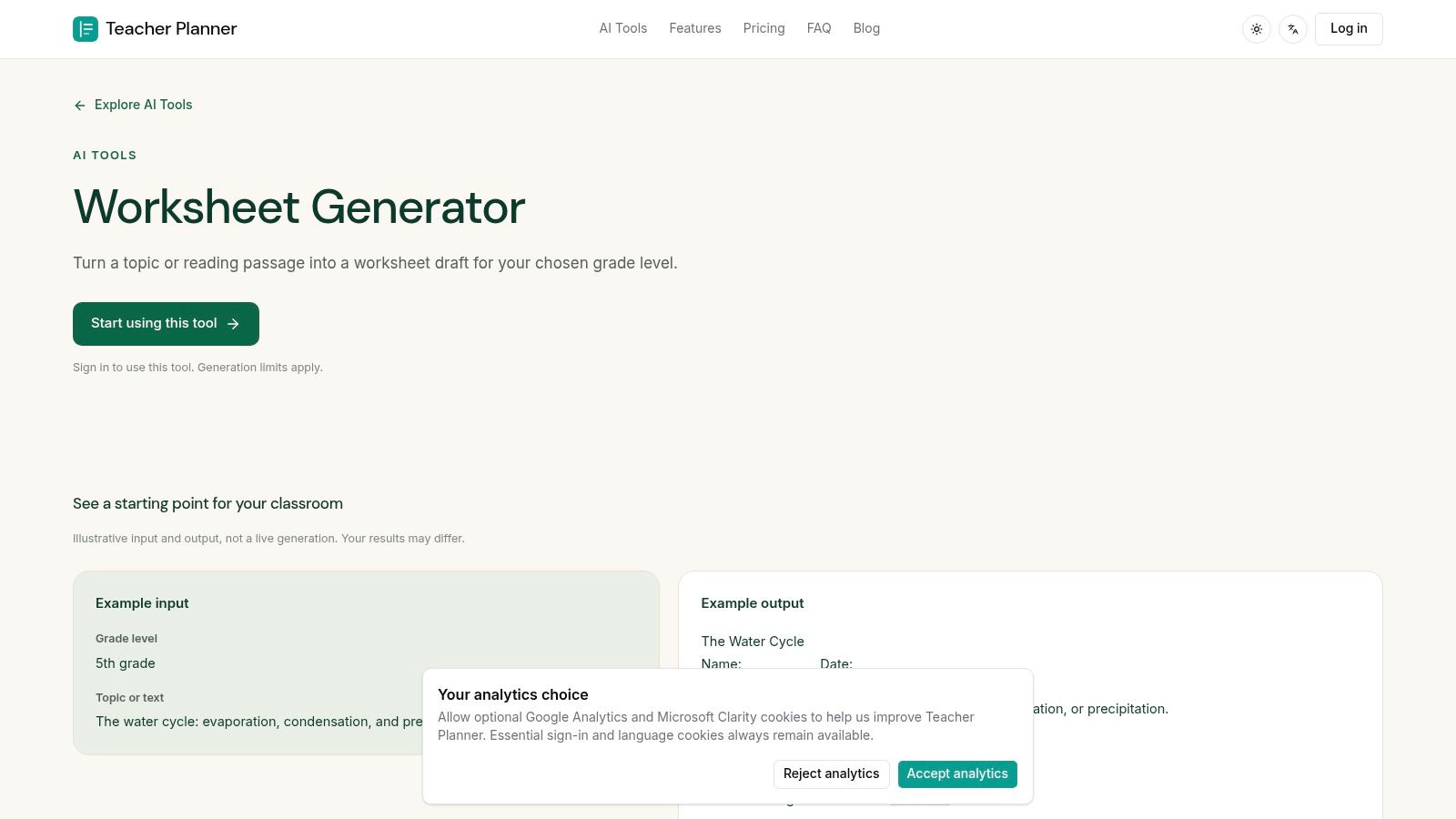
Teacher Planner is the strongest option when creating the worksheet is only one part of the job. Its Worksheet Generator produces printable math practice with answer keys, and the workflow connects the output to a browser-based planning environment rather than leaving the file isolated in a download folder.
Choose a grade level and division topic, then generate a draft for a morning task, homework page, substitute plan, or quick skill check. The tool supports single-digit division, long division, division word problems, and custom text input. That last option is particularly useful when a canned word problem doesn't fit your current unit. You can paste a classroom scenario and turn it into division practice that fits instead of rewriting every question manually.
Best fit for lesson-connected preparation
The practical advantage is reuse. Save generated worksheets to Teacher Planner resources, attach them to lessons, and print through Classic, Minimal, or Cards templates. The same environment also supports lesson plans, quizzes, and text rewriting, so a teacher can keep the worksheet near the lesson sequence instead of managing separate tabs and files.
The free starting point requires a sign-in, which is a low barrier for trying the workflow. Some advanced printing and export options require Pro or Lifetime access, and Teacher Planner isn't an LMS or gradebook. It's designed for planning and material preparation, not for collecting submissions or recording marks.
If your division worksheet needs to sit inside a lesson sequence, Teacher Planner is more useful than a standalone PDF generator.
Use it for a differentiated practice draft, a custom word-problem page, or a worksheet you expect to reuse during a unit. For a one-off drill with highly technical number controls, a specialist generator may be faster.
2. WorksheetWorks.com
WorksheetWorks.com is built for teachers who want dependable worksheet production across a wide range of math topics. Its division tools cover basic facts through long division, with controls for difficulty, number ranges, and page layout.
The interface is utilitarian, but that's part of the appeal. You don't have to work through a heavily visual design system before reaching the mathematical settings. Set the problem type, adjust the range, choose a layout, and create a printable PDF with an answer key. For repeated preparation, that direct workflow can matter more than decorative themes.
Where it works well
WorksheetWorks.com is a strong choice for a teacher building a progression from basic division facts to more advanced written division. The adjustable ranges help you isolate a skill rather than mixing every possible problem type on one page. Its long-division support is also more useful than a basic drill generator when students need consistent written formats.
The main trade-off is access. Full use requires a paid membership, so it's less convenient if you only need an occasional worksheet. The membership model can make sense for teachers who generate materials regularly, but occasional users may prefer a free tool.
The output is designed for classroom printing, and the workflow is quick once you know the settings. It doesn't provide the lesson-planning connection of Teacher Planner, nor does it try to replace one. Choose it when reliable generation and repeated PDF production matter more than resource organization.
Visit WorksheetWorks.com to review the current access and membership details before committing.
3. Math-Aids.com
Math-Aids.com is the practical free choice for teachers who need broad division coverage without creating an account or paying for generation. It includes division facts, remainders, word problems, and long division, so you can move from introductory practice to more specific remediation within the same site.
The worksheets are dynamically and randomly generated. That makes it easy to produce a fresh page for homework, a parallel version for a different group, or extra practice after reviewing errors. PDFs include answer keys, and the generation and printing workflow is available without a subscription.
Strong coverage, dated presentation
Math-Aids.com's strength is depth within the division category. A teacher who needs a remainder drill in the morning and a long-division page later can usually find a suitable worksheet type without switching platforms. The trade-off is presentation. Ads and an older interface make the site feel less polished than newer tools, and the typography and control experience may require more inspection before printing.
Use the site for free, repeatable practice, not for building a polished resource library. It's also useful when you want to generate several versions of a similar skill and don't need those files linked to a planbook.
For broader math worksheet evaluation, the same practical question applies when comparing related generators, especially whether the page's number structure matches the lesson rather than merely looking complete. The guide to comparing decimal worksheet tools offers a useful parallel for that decision.
Explore Math-Aids.com when unlimited free generation is more important than a modern interface or integrated planning.
4. Education.com Division Worksheet Generator
Education.com is a good fit for younger learners who respond well to visual presentation. Its division generator supports vertical and horizontal layouts, digit-range controls, regrouping options, and themed worksheet designs.
The workflow is approachable. Choose the settings, generate the page, and use the scramble or regenerate function to create a new set while retaining the same structure. That's helpful when you want a second version for make-up work or a small-group rotation without rebuilding the worksheet from scratch.
Best for approachable practice pages
The themes can make a basic drill feel less stark, particularly in elementary classrooms. The modern interface also makes quick customization easier for teachers who don't want to interpret a dense settings page. Answer keys are available with the worksheet, which keeps checking straightforward.
There are limits. Free users face a monthly creation limit, and an account is required to save and organize work. That makes Education.com less suitable for unlimited repeated generation than Math-Aids.com. It's also not the strongest option for a teacher who needs unusually precise long-division workspace or a complex intervention sequence.
Choose Education.com when visual appeal, simple controls, and younger-grade engagement are priorities. Use another tool when you need unrestricted production or specialist-level control over written division.
You can review the current generator at Education.com's division worksheet page.
5. Super Teacher Worksheets Division Generator
Super Teacher Worksheets focuses on the classroom handout itself. The division generator creates drills and long-division practice, with controls for divisors and quotients, optional remainders, and vertical or horizontal layouts.
It's especially useful when you need a readable page quickly. Basic generation works without a login, and the output is organized for printing rather than extended in-browser editing. The answer key is generated automatically, which removes a common source of preparation mistakes.
A dependable quick-print option
The remainder control is important for progression. You can exclude remainders while students establish the procedure, then introduce them when the class is ready to interpret what remains. The vertical and horizontal choices also let you match the sheet to the model students have seen during instruction.
The limitations are mostly about depth and reuse. Saving and additional features require a paid membership, and the formatting controls aren't as extensive as those in more specialized tools. If you need multiple differentiated levels with highly specific scaffolding, you may have to do more manual selection after generation.
Super Teacher Worksheets works well for class sets, homework, and sub plans where clarity matters more than customization complexity. Its straightforward handout workflow pairs well with a lesson plan that already contains the teaching sequence. For a broader planning structure, see this example of a lesson plan outline.
Open the Super Teacher Worksheets division generator when you want a clean page with minimal setup.
6. Common Core Sheets Create-A-Sheet
Common Core Sheets is designed for teachers who want division practice connected to standards and mixed review. Its Create-A-Sheet tool supports multiple question types, while the site also provides dedicated division drills and fact-family worksheets.
This makes it useful for a review page that includes more than one representation of division. You might combine fact practice with related multiplication or fact-family items, depending on the needs of the lesson. Many worksheets include a way to generate a new version, and creations can be saved to My Sheets and shared.
A better choice for mixed review
The main strength is flexibility within a standards-oriented system. Rather than treating division as one undifferentiated category, you can select material that supports a particular instructional target and then build a broader review around it.
The interface can feel dense, especially on a first visit. There's a learning curve, and not every division sheet supports the regenerate feature. That inconsistency matters if you're trying to prepare several parallel versions for absent students or different groups.
Use Common Core Sheets when alignment and mixed-item review are more important than the fastest possible click path. It's free and practical, but you'll get better results after testing the question types and checking whether the chosen sheet can produce a fresh version.
Start with Common Core Sheets Create-A-Sheet and save a working template once you've found a combination that fits your class.
7. The Math Worksheet Site
The Math Worksheet Site earns its place through detailed long-division coverage. It offers configurable generators for multiple division formats and difficulty levels, including special cases such as zeros in the quotient. That kind of control matters when students are making errors in a specific step rather than struggling with division generally.
A generic long-division page can hide the reason for an error. A carefully selected set can isolate whether students understand place value, know when to write a zero in the quotient, or can manage a remainder at the end. The Math Worksheet Site gives teachers more ways to create that targeted practice.
Best for procedural progression
The PDFs are print-ready and include answer keys. Formatting is consistent enough for photocopying, which is valuable when a class needs repeated written practice rather than a visually themed activity.
The service requires a paid subscription, and pricing details are less transparent at a glance because plan information is loaded behind site scripts. That can slow down the evaluation process for teachers who want to compare access before creating an account.
This is a specialist choice. It's less about lesson sequencing and more about deep control over long-division practice. Use it when students need a carefully staged progression or when common generators don't provide the specific quotient and layout conditions you're trying to teach.
For lesson-connected preparation, you can pair its output with a broader lesson plan generator, then keep the worksheet and instructional steps in the same planning routine.
Visit The Math Worksheet Site to assess whether its long-division controls justify a subscription for your workflow.
8. All Kids Network Division Worksheet Generator
All Kids Network offers unusually granular control for a free generator. You can set digit lengths and numerical ranges for the dividend and divisor, choose vertical, horizontal, or bracket formats, and decide how remainders appear.
That remainder choice is one of the tool's most useful classroom features. A teacher can create one version using “R,” another using decimals, and another using fractions, provided the students are ready for those representations. The tool also supports multi-page generation and a consistent seed option, which helps create a related set without making every page identical.
Fine control without an account
The workflow is quick and doesn't require sign-in. PDF output is immediate, making the tool suitable for a teacher who needs a class set during preparation time rather than a saved resource library.
The page does contain ads, and its navigation mixes worksheet content with crafts and other activities. The visual design is more basic than paid platforms, so inspect the preview and printed result before distributing it. It also focuses on worksheet generation rather than lesson plans, differentiation records, or resource organization.
Choose All Kids Network for number-range control and remainder formatting at no cost. It's a particularly good option when students need the same operation presented in different formats, or when a teacher wants to control the size of the numbers more precisely than a simple grade-level preset allows.
Try the All Kids Network division worksheet generator with a few sample settings before producing multiple pages.
9. AskMathGuru Division Worksheet Generator
AskMathGuru stands out because it can connect printed practice with digital help. Alongside customizable templates and answer keys, it offers an optional link to solutions feature that places animated, step-by-step solution links beside individual problems.
That changes the role of the worksheet. Instead of serving only as independent practice followed by teacher correction, it can support self-study or remediation. A student who gets stuck can use a device to access an explanation for the specific problem rather than waiting for the teacher to reach the desk.
Useful for remediation, with a device requirement
The generator provides preset templates and custom controls, and PDF creation doesn't require sign-in. Those features keep the production process quick. The explanatory links are the distinctive reason to choose it, particularly for tutoring, homework support, or a small group that needs guided review.
The feature also introduces a practical limitation. A printed link is only useful if the learner has access to a device and can use it appropriately. Branding and templates are utilitarian, so the output may not feel as polished as a themed worksheet from Education.com.
AskMathGuru is best for remediation and supported independent work, not necessarily for a silent timed drill. Tell students how and when to use the solution links, and decide whether the digital help supports the goal of the assignment or makes it too easy to bypass productive struggle.
Explore the AskMathGuru division worksheet generator when step-by-step digital support is part of your intervention plan.
10. TracerTutor Division Worksheet Generator
TracerTutor keeps the workflow deliberately small. It focuses on fast, print-ready division worksheets, with controls for one- or two-digit divisors and quotients, remainder options, simple difficulty presets, and an answer key on a separate page.
There's no account requirement, and the generator provides a preview before PDF creation. That makes it a strong choice for a teacher who has already decided what kind of practice students need and doesn't want to browse a large library or planning dashboard.
Fastest for routine handouts
The separate answer-key page is convenient for class distribution. You can print the student pages first, keep the key for checking, and avoid manually removing answers from a combined document. The grade-level guide and default settings also help when the goal is a quick warm-up rather than a carefully sequenced intervention set.
TracerTutor's simplicity is also its limitation. It has fewer deep formatting controls than legacy power tools, and its content library is smaller than broader worksheet sites. It won't replace a planning system, and it may not provide enough control for a detailed long-division progression or a multi-level differentiation plan.
Use it for morning work, exit practice, and last-minute class sets. If the task is routine and the default layout is appropriate, speed wins. If you need custom word problems, saved lesson resources, or complex number structures, choose a more capable environment.
Open TracerTutor's division worksheet generator when you need a clean PDF without an account or a cluttered setup process.
Top 10 Division Worksheet Generators, Feature Comparison
| Product | Core features | Target audience | Unique selling point | Price / Access |
|---|---|---|---|---|
| **Worksheet Generator | Teacher Planner (Recommended)** | AI-generated worksheets & answer keys; save to resources; print/PDF templates; integrates with lesson/unit views | Integrated with Teacher Planner's lesson planner & AI tools; custom word-problem paste; saves directly to planbooks | Free to start (sign-in); Pro/Lifetime unlocks advanced printing & unlimited planbooks |
| WorksheetWorks.com | Division drills, adjustable difficulty, instant PDFs & answer keys | Teachers who need clean, repeatable PDFs at scale | Affordable unlimited-generation membership | Low annual fee for unlimited use; limited free preview |
| Math-Aids.com | Extensive division topics (facts, remainders, word problems, long division); randomized PDFs & keys | Teachers wanting broad topic depth and unlimited generation | Completely free with wide topic coverage | Free (ad-supported) |
| Education.com – Division Worksheet Generator | Themeable templates; vertical/horizontal layouts; digit/regrouping controls; answer keys | Teachers of younger grades who want themed, polished worksheets | Modern UI and kid-friendly themes | Free tier with monthly limits; account required to save |
| Super Teacher Worksheets – Division Generator | Range controls, optional remainders, vertical/horizontal layouts, auto answer keys | Teachers needing clear, print-optimized classroom handouts | Basic generation works without login for quick use | Basic use free; saving/features behind paid membership |
| Common Core Sheets – Create-A-Sheet (Division) | Create-A-Sheet mixed-item tool; premade division sheets; save/share | Standards-focused teachers building mixed reviews | Standards-aligned content and save/share features | Free |
| The Math Worksheet Site | Deep long-division options; configurable settings; reliable PDF formatting & keys | Teachers requiring thorough long-division practice and special-case support | Very deep teacher-centric long-division controls | Paid subscription (pricing/details on site) |
| All Kids Network – Division Worksheet Generator | Digit-length & range controls; remainder format options; multi-page PDFs | Teachers wanting fine numeric control without accounts | Granular remainder/display options and no sign-in needed | Free (ad-supported) |
| AskMathGuru – Division Worksheet Generator | Custom templates, answer keys, optional per-problem animated solution links | Teachers and learners who need step-by-step remediation | Embedded animated solution links for each problem | Free; quick PDF generation (no sign-in) |
| TracerTutor – Division Worksheet Generator | One-click PDF generation; simple divisor/quotient controls; separate answer key page | Teachers needing a fast, low-clutter workflow for class sets | Very fast, ad-light generation with good defaults | Free / ad-light; no account required |
Design division problems that teach the intended skill
A worksheet should make one instructional decision visible. If students are learning basic division facts, keep the number structure narrow enough that they can focus on relationships and fluency. If they're learning long division, decide whether the page is for modeling, guided practice, independent work, or error analysis.
Avoid changing several dimensions at once. A page that combines larger dividends, unfamiliar divisors, remainders, dense formatting, and word problems may measure reading and endurance more than division. Generate separate versions when the class needs different levels of scaffolding.
Match the problem type to the lesson
Use basic facts for warm-ups and short checks. Use remainders when students are ready to explain what the remainder means in context. Use long-division layouts when the written procedure is the target, and use word problems when students must decide whether division is the correct operation and interpret the result.
The surrounding instructional method matters too. Division concepts can be developed through equal groups, repeated subtraction, bar models, and the inverse relationship with multiplication. A worksheet becomes more useful when it follows that teaching sequence rather than appearing as an unrelated page of symbols.
For example, after modeling equal groups, begin with straightforward quotients. Then add problems where students identify the missing group size. Later, include remainders or a short scenario that requires an interpretation. The generator supplies the page, but the teacher still controls the mathematical progression.
A worksheet isn't differentiated because it has fewer questions. It's differentiated when the numbers, representation, workspace, and expected reasoning match the learner.
Customize for differentiation and mixed-ability groups
Differentiation works best when students practice the same core skill through controlled changes. Create an intervention version with smaller ranges, familiar layouts, and explicit remainder choices. Keep the on-level version focused on the lesson target, then increase complexity for extension students without changing the underlying concept.
Parallel worksheets are especially useful. Students can work on comparable problems while avoiding identical answers, which supports independent effort and makes classroom management easier. Tools with random generation, regenerate functions, or consistent settings are better suited to this than static PDF libraries.
Build three versions deliberately
For intervention, reduce visual density and provide more workspace. Consider horizontal formats or related multiplication facts if students are still connecting division to the inverse operation. For on-level practice, use the representation taught during the lesson and include enough repetition to show whether the process is stable. For extension, add word problems, larger values, or a requirement to justify a remainder, but only when those changes serve the learning goal.
A planning environment adds another layer of usefulness. Teacher Planner lets teachers save AI-generated results to resources and attach them to lessons, while its Day, Week, Month, Unit Timeline, and Outline views help keep materials connected to the sequence. A standalone generator can still produce excellent practice, but the teacher must manage the naming, storage, and lesson connection separately.
Check accessibility before printing. Look for adequate contrast, readable type, uncluttered spacing, and instructions that don't depend only on color or decorative graphics. A visually attractive sheet can still be difficult for students who need larger writing areas or a less crowded page.
Print, inspect, and reuse the final worksheet
The print workflow is part of worksheet quality. Before producing a full class set, download or preview the page, check the margins, and confirm that brackets, quotient spaces, and answer lines survived the export. Long division needs particular attention because students must write intermediate steps, not just final answers.
Keep the answer key separate when students will work independently. Review it rather than assuming the generator is correct, especially after changing settings or combining problem types. A mismatch between the student page and key can undermine trust quickly.
Use a repeatable production pass
Name files by skill and group rather than by the generator's default title. A practical naming pattern might identify the operation, problem type, and version, such as “Division Long Form Remainders Group B.” Save the settings with the file when the tool allows it, or record them in the lesson notes so you can recreate a parallel page later.
For homework or sub plans, include concise directions and make the expected remainder format obvious. For guided practice, choose a layout that leaves space for annotations. For timed review, avoid unnecessary decorative elements and make the page easy to scan.
Teacher Planner is useful when those outputs need to remain near lesson plans and saved resources. Specialist tools such as WorksheetWorks.com or The Math Worksheet Site are better when the priority is deep mathematical control. Free options such as Math-Aids.com and All Kids Network reduce access barriers, but you'll need to take more responsibility for file organization and visual inspection.
Choose the Tool That Fits the Lesson
There isn't one universal winner because division worksheets serve different classroom jobs. The right division worksheet maker is the one that gives you enough control for the skill, produces a readable page, and fits the way you prepare and reuse materials.
Choose Teacher Planner when worksheet creation needs to connect with lesson sequencing, saved resources, and built-in print templates. It's the most suitable option when you're preparing a worksheet as part of a lesson, unit, homework plan, or substitute plan rather than as an isolated PDF.
Choose Math-Aids.com or All Kids Network when free generation matters. Math-Aids.com offers broad division coverage, including facts, remainders, word problems, and long division. All Kids Network is stronger when you need fine control over digit ranges, layouts, and remainder presentation without creating an account.
Choose The Math Worksheet Site or WorksheetWorks.com for deeper long-division practice. These tools make more sense when you're building a progression around written procedures, specific quotient structures, or consistent photocopy-ready formats. Their paid access requirements are a real trade-off, so they're most valuable for teachers who generate worksheets regularly.
Choose Education.com for themed materials and a more polished experience with younger students. Choose Super Teacher Worksheets or TracerTutor for quick classroom handouts when clear printing and minimal setup matter more than advanced controls. Choose Common Core Sheets for standards-oriented mixed reviews, especially when division needs to appear alongside related question types. Choose AskMathGuru when remediation benefits from linked, step-by-step digital support and students can access a device.
Use this workflow every time:
- Define the skill: Decide whether students need facts, remainders, long division, word problems, remediation, or review.
- Set the structure: Choose the number range, layout, difficulty, and remainder treatment before generating.
- Create a sample: Produce a small set and solve it yourself.
- Inspect the key: Confirm every answer matches the student page and the required response format.
- Check the page: Print or preview it at the intended size, then look for cramped workspace, unclear directions, and awkward page breaks.
- Save the final version: Store the worksheet with a useful name, attach it to the lesson when possible, and generate a parallel version only after the first page works.
A good generator speeds up production. A good teacher still decides what the page is meant to teach.
Teacher Planner combines a division Worksheet Generator with lesson planning, saved resources, and print templates, so your practice materials can stay connected to the lessons and units where you'll use them. Create a division worksheet for your next skill check, save it beside the lesson, and explore the workflow at Teacher Planner.