
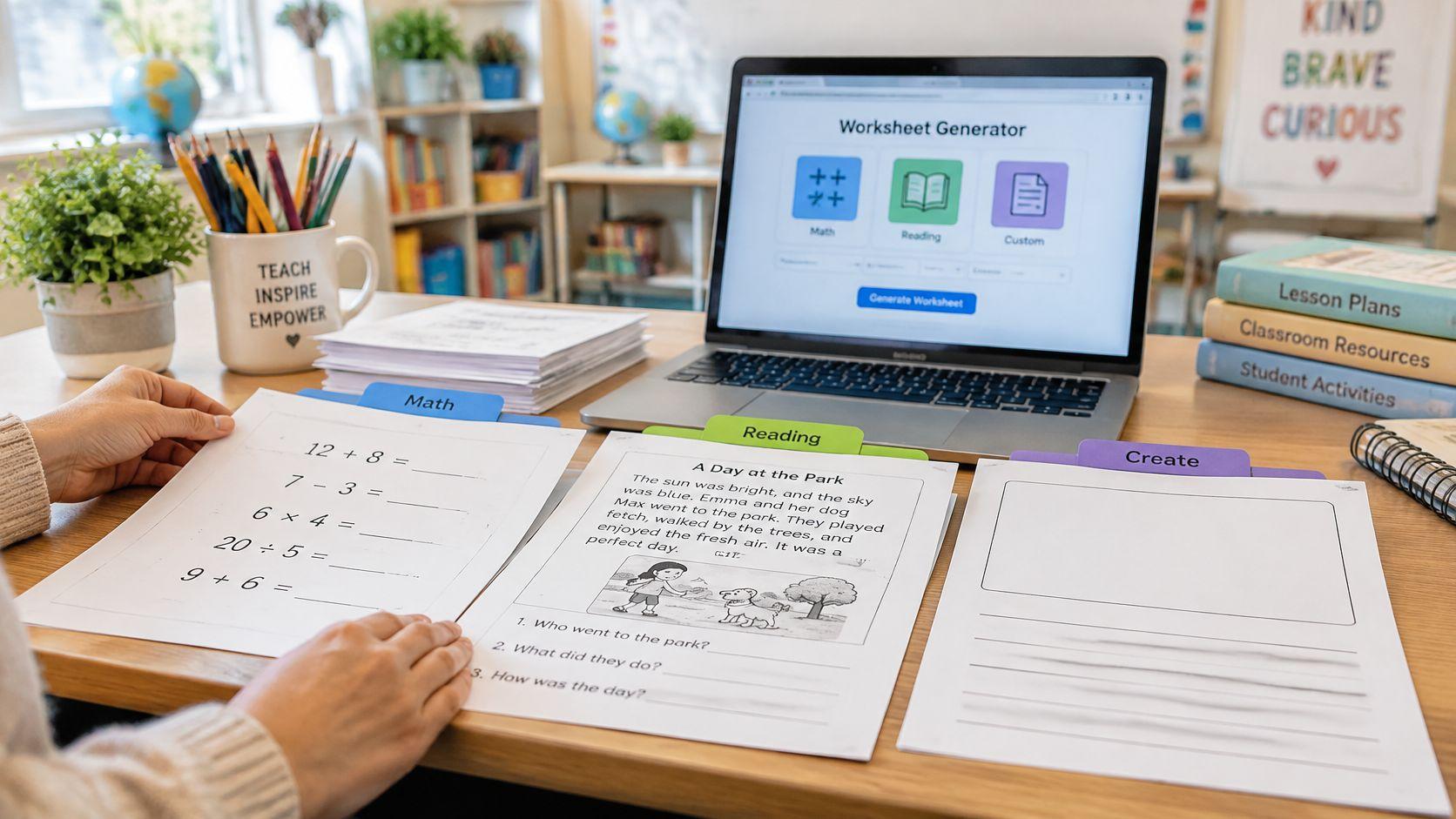
It's 8:40 on a Tuesday night. Tomorrow's sixth-grade lesson on thermal energy needs a handout, the copier queue starts at 7:15, and the planning period disappeared into a fire drill and two parent emails. Nothing on the desk fits, and building a worksheet from scratch isn't happening tonight.
Ten worksheet libraries and generators close that gap, and they divide by the job in front of you. Quick printables already exist and just need finding. Repeated skill practice needs a fresh version of the same skill every few days. Custom layouts need the page to look a specific way. AI drafts from your own material need the tool to start from your topic, your standard, or your reading passage.
The same question surfaces in homeschool groups comparing best homeschool programs ranked, where the printable materials often carry as much weight as the scope and sequence.
Here's the ten-minute path with an AI generator, using that thermal energy lesson:
- Type the objective, not the topic: "Students will identify conduction, convection, and radiation in three examples and explain one."
- Choose grade 6, then the question count and question type.
- Read the draft once for science accuracy and once against the answer key.
- Fix the item that's too easy and the one that's ambiguous.
- Print or save, then check page density against the class.
Before anything reaches students, run four checks: facts, answer key, difficulty, wording. A wrong key or a passage two grade levels too hard costs more class time than the worksheet saves.
1. Worksheet Generator | Teacher Planner
The shortest path from your own topic to a printable draft. Paste a topic or a reading passage, pick the grade level, and the tool returns a worksheet draft with questions and an answer key to review.

Grade levels run from Pre-K through 12th grade, plus university and adult education, and the public form at the Teacher Planner Worksheet Generator lets you choose 5, 10, or 15 questions with a type of Mixed, Short answer, Fill in the blank, or Matching.
Write the prompt from the standard
Most wasted time sits in the topic field. The TEAL lesson-planning guide from the U.S. Department of Education lays out the order that works: determine the lesson topic, derive the objective or desired result, then specify the knowledge or skills students should have by the end. Its WIPPEA sequence (Warm-up, Introduction, Presentation, Practice, Evaluation, Application) also places the worksheet in the Practice slot, not the whole lesson.
So instead of "fractions," type: "Students will solve four of five fraction-multiplication problems and explain one solution." The draft gets tighter and the answer key gets easier to verify.
Planning time is limited. Start with a precise learning objective, then choose a worksheet that supports it. A ready-made page can reduce authoring time, but every resource still needs a check for accuracy, difficulty, and alignment.
Practical rule: solve the answer key yourself before printing. Two minutes at the desk beats twenty minutes of correcting a wrong answer the class has already copied.
Three steps finish the job: check the draft and adjust wording or difficulty, then print, copy, or save to the resource library. Sign-in is required, generation limits apply, and AI output is a draft that needs a teacher's eye on facts, answers, and difficulty before it goes out.
2. EasyTeacherWorksheets
Reach for this one when the topic is ordinary. A fourth-grade lesson on cause and effect, a middle-school review of the water cycle, a holiday packet for the day before break: the odds are good the sheet already exists, already has an answer key, and already prints cleanly.
The library at EasyTeacherWorksheets covers preschool through high school, with the deepest coverage in elementary and middle grades. Resources are sorted by subject and topic, spanning math, English language arts, science, social studies, foreign languages, holidays, and graphic organizers, and the site says it adds new worksheets weekly.
Where a library beats a generator
A library can save authoring time because the questions already exist. Before printing, check the facts, solve the answer key, and confirm that the reading load and skill match your lesson. Ready-made materials still need proofreading and adaptation.
- Browse by skill, not grade label: a fifth-grade teacher can often use a sixth-grade sheet on the same skill if the reading load stays manageable.
- Check where the key lands: a separate answer page matters when you're printing double-sided.
- Print one copy first: these are fixed PDFs, so what you see is the page size you get.
The trade-off is fixed content. Nothing adapts to your wording, and the site's terms limit use to printed educational materials, prohibiting digital storage or redistribution, so a PDF parked on the class website isn't covered.
3. Worksheet Genius
The first sheet from a generator is never the point. The fifth one is. Worksheet Genius runs 58 generators across math and English, covering arithmetic, fractions, equations, telling time, handwriting, spelling, phonics, word searches, and precision-teaching probes, and it produces a clean new version of the same skill each time you press the button.
That regeneration habit matches how practice sticks. The IES practice guide on organizing instruction and study recommends spacing learning over time, using quizzes to identify content that still needs teaching, and reviewing key course content after a delay of several weeks to several months. Two sheets on Tuesday and a different version next week does that job better than one long sheet.
How to run it
- Pick the generator, not the unit title: choose the closest skill match and adjust from there.
- Set difficulty one notch low on the first pass: confidence matters more than ceiling on day one.
- Print the answer page with the sheet: most generators produce one, and hunting for it later wastes the prep block.
- Save the version you liked: regeneration won't reproduce yesterday's exact page.
Core generators are free and need no paid account. The site carries advertising, and an optional Plus membership is promoted for an ad-free experience. The main constraint is scope: you're choosing among preset generator types rather than describing arbitrary lesson content, so a worksheet on the causes of the Civil War isn't happening here.
4. Common Core Sheets
Math teachers get the most from this one, and the custom-creation tools are what separate it from a plain library. The site at Common Core Sheets organizes practice by grade and skill, then adds Create-a-Sheet, Create-a-Test, and review tools on top.

The build tools matter when a class is stuck on one step. Create a sheet with the answer column showing, project it, work three problems together, then print a clean version with the column off and let students finish the rest. Same page, two jobs.
Put the sheet inside the unit
Custom creation tempts you to build in the wrong order. The Curriculum Development Toolkit from the U.S. Department of Education notes that units typically span four to nine weeks depending on the school calendar, and recommends grouping learning goals into a unit overview, covering focused goals, conceptual understandings, essential vocabulary, connections, and an end-of-unit assessment, before individual lessons are written. Build the handout after that map exists, so Tuesday's sheet points at a goal you'll assess.
Check before you build: if you can't name the standard the sheet serves, it's a time filler with a nice font.
Options include modified sheets, answer columns, and multiple worksheet versions, plus spelling assignment tools and flashcards. Most resources are free and need no account. Breadth is the catch, since the site takes exploring when all you want is one page of two-digit multiplication, and math is clearly the strongest area, so science and social studies usually send you elsewhere.
5. Math-Aids.com
An older-looking site with deeper math coverage than most free generators. Math-Aids.com builds customizable printable practice across arithmetic, algebra, and geometry, from early number work through topics well past elementary, with answer keys for checking.

What it's good for
Differentiated extra practice on one named skill. When six students can't regroup across zeros, generate a ten-problem set for them while the rest of the class moves on, then generate a second set for Thursday. Repeated generation with answer keys is exactly the loop a small group needs.
For the layout itself, a division worksheet walkthrough covers the order that keeps a page usable: worked example first, guided items next, independent items last, with space to show work.
Two honest limits
More problems isn't the same as better access. Research on an AI-generated dyslexia-adapted worksheet found spacing and language simplification scored above the midpoint, while font readability and overall suitability for reading difficulties stayed only moderate (arXiv study on adapted worksheets). This generator gives control over numbers, not typography.
The site is math only, ad-supported, and its terms prohibit redistribution, including commercial redistribution. A generated set can't be packaged into anything you sell or post openly.
6. Education.com Worksheet Generator
The generator sits inside a much larger resource library, which changes how you use it. The Education.com Worksheet Generator builds customizable math and reading worksheets with answer keys, lets you personalize pages with your own content, and offers playful formats such as mazes and word scrambles.
Use this generator for its available puzzle and arithmetic formats. For a Friday vocabulary review, select words from the class reading, write suitable clues, and turn them into a crossword or matching activity. Choose related lesson resources separately; this workflow does not assume that pasting an anthology passage generates comprehension questions.
- Personalize with class vocabulary: enter words and clues you have selected and checked. Keep student names and other identifying details out of online inputs.
- Use puzzles as supporting practice: choose a word search, crossword, scramble, or matching list when it serves the learning goal.
- Check account access before preparing a unit: confirm which resources and downloads your current plan includes.
The generator is limited to its available worksheet types. A page that needs a specific layout or a custom table is a different job, handled by a design tool rather than this one.
7. Super Teacher Worksheets
Elementary depth, and plenty of it. Super Teacher Worksheets advertises more than 20,000 printable teaching resources, covering math, writing, phonics, spelling, grammar, science, and social studies, and it mixes a ready-made library with generators for math worksheets, puzzles, calendars, and quizzes.

Some Spanish translations and resources aligned with Common Core or state standards are included. An individual teacher can use resources under the applicable individual license. A grade-level team should choose the appropriate school or multi-user license rather than assume one personal subscription permits shared access.
The subscription math
Full access is paid, and licensing comes as individual membership or school-building licensing. A single teacher should confirm the specific generator they need sits inside the plan before buying for a grade level; the library is the main event and the generators are supporting tools.
Worth knowing: the elementary focus is real. A high-school biology teacher will find science resources here, but they're written for younger readers.
The practical workflow is to pick the unit, pull the packet, and check the answer key before the copier run.
8. Twinkl Create
A design tool, not a question writer. Twinkl Create is a browser-based editor: start from an editable template for worksheets, posters, labels, or classroom decorations, add Twinkl illustrations and educational fonts, or open a blank A4 canvas and build the layout yourself.
Reach for it when the content is ready and the page looks wrong. A vocabulary sheet with cramped columns, a lab safety handout that's a wall of text, a cover page for a sub folder. The tool won't supply the questions.
When design is the blocker
- Start from the closest template: then delete sections, rather than starting blank and rebuilding spacing by eye.
- Keep the illustration count low: one clear image per section beats six small ones, especially for early readers.
- Design for your printer: check greyscale before committing to a colour-coded page.
Twinkl Create is advertised as free to use with an account, and an account is required to create and save resources. Some separate Twinkl AI tools may require an Ultimate subscription, so don't assume the design tool and the AI generators sit on the same plan.
The honest trade-off: you're trading question-writing time for layout time. If the content isn't ready, this is the wrong first stop, and a library sheet would have been faster.
9. Edform AI Worksheet Generator
A page you already trust is the fastest raw material. Edform's AI worksheet generator accepts a topic or your own source material, meaning pasted text, a PDF, a Word file, a PowerPoint, or a photo of a textbook page, and drafts fill-in-the-blank, matching, true/false, and short-answer tasks with an answer key.
A ten-minute prep job: photograph the chapter review page on your desk, upload it, pick the task types, and you have a draft. The minutes saved go back into checking whether the questions test what you taught.
That pattern is now routine. In the 2024–25 school year, 33% of U.S. public K–12 teachers used AI at least monthly to create worksheets, assignments, projects, or activities, and 84% of teachers who used AI weekly said it saved them time producing worksheets or similar materials, per the Gallup survey of U.S. teachers.

Differentiation is the draw and the trap
Difficulty adjustments and three-level differentiation save the most prep time, and they are exactly where review earns its keep. RAND found that 53% of U.S. ELA, mathematics, and science teachers used AI to some extent for instructional planning or teaching in spring 2025, while only about 13% used it at least weekly and just 18% of principals said their school or district provided AI-use guidance during 2023–24 (RAND report on AI use in schools). The review step is yours by default.
Review every differentiated version, not only the middle version. Check that the intended thinking remains the same, then inspect reading difficulty, line spacing, font size, directions, and each answer key before printing.
Output prints, saves as a PDF, or downloads to Word, and a free Basic account includes 15 AI points. Online grading runs through a separate Edform activity workflow, so the printed sheet is not auto-graded. If a planbook is a better fit than a standalone tool, Teacher Planner takes the same topic-or-passage input and returns a grade-level draft with an answer key, and this AI worksheet generator overview covers that workflow in detail.
10. Free Worksheet Generator
No account, no watermark, no stated monthly limit. Free Worksheet Generator offers 23 generators, according to the site, for preschool and primary grades, covering math, spelling, handwriting, matching, fill-in-the-blanks, multiple choice, word searches, and crosswords.

Combine two activities on one page
The editing controls are the reason to use it over a plain printable. Individual questions can be edited or removed rather than accepted as generated, and different activities can be combined onto one sheet. A handwriting line plus three matching items fills a ten-minute center slot.
- Edit before downloading: the questions are editable in the tool, not after export.
- Test-print one page: a page that breaks across two sheets wastes an entire run.
- Keep it primary: the activity formats suit early grades, and secondary content isn't the target.
- Preview, then print or save the PDF: answer keys come with the download, which matters for a substitute folder.
The site says worksheet data is generated in the browser rather than uploaded, which is worth knowing if your school has rules about data leaving the building. Keep student names off generated sheets regardless.
If the deliverable is a word-list assessment rather than a practice page, a vocabulary worksheet walkthrough covers how to turn a term list and grade level into a quiz.
Quick comparison of worksheet sources and generators
Read this as a prep filter: pick the row by the job, the account friction, how close the output starts to your class, and the review pass it still needs.
| Resource | Type | Best for | Cost model | Grade focus |
|---|---|---|---|---|
| Teacher Planner Worksheet Generator | AI worksheet generator | Drafting an editable worksheet from a topic or reading passage, with questions and an answer key | Free plan available; generation limits apply | Pre-K through 12th grade, plus University and Adult education |
| EasyTeacherWorksheets | Printable worksheet library | Finding ready-made worksheets by subject and topic | Free access; printed educational use only | Preschool through high school; emphasis on elementary and middle school |
| Worksheet Genius | Worksheet generator | Creating repeatable math and English skill practice | Free core generators; optional paid Plus membership | Younger learners through some secondary math |
| Common Core Sheets | Worksheet library and creation tools | Finding or customizing practice sheets, especially for math | Many resources are free; account not required for many tools | Grade- and skill-organized; broad range |
| Math-Aids.com | Math worksheet generator | Creating additional or differentiated math practice with answer keys | Free; ad-supported | Multiple grade levels, from arithmetic to algebra and geometry |
| Education.com Worksheet Generator | Worksheet generator and resource library | Creating customizable math and reading worksheets alongside lesson resources | Limited free monthly downloads; paid Premium for unlimited access | Math and reading worksheets with answer keys |
| Super Teacher Worksheets | Printable resource library and generators | Recurring elementary classroom use across core subjects | Subscription-based; individual and school licensing | Primarily elementary |
| Twinkl Create | Worksheet and classroom-material design tool | Customizing worksheet layouts and visual designs | Advertised as free with an account; some separate AI tools require a subscription | Any grade; a layout tool rather than a grade-specific resource |
| Edform AI Worksheet Generator | AI worksheet generator | Turning topics or source materials into differentiated printable worksheets | Free Basic account with limited AI points | Set by the grade selected when generating |
| Free Worksheet Generator | Printable worksheet generator | Quickly creating and editing activity-based worksheets without an account | Free; no account required | Preschool and primary |
Choosing Your Worksheet Workflow and a Quick Review Checklist
Match the tool to the job and the ten-minute window stops being a problem. Existing printable fits the lesson: open a library such as EasyTeacherWorksheets or Super Teacher Worksheets and skip authoring entirely. Same skill needs a third pass: a preset generator earns its place, and Worksheet Genius, Math-Aids, or Common Core Sheets will give you alternate versions on demand. Content is ready but the page looks wrong: Twinkl Create handles layout, spacing, and illustrations. Nothing exists yet and your topic or passage is the starting point: an AI generator such as Teacher Planner's Worksheet Generator or Edform drafts the page, and you edit it.
Illustrative ready-to-use Grade 6 mini worksheet: Thermal Energy
Learning goal: identify conduction, convection, and radiation and explain the mechanism in a familiar example.
-
A metal spoon becomes warmer when one end rests in hot soup. Which heat-transfer mechanism moves energy along the spoon?
-
Warm water rises while cooler water sinks in a heated pot. Which mechanism is represented by this circulation?
-
Sunlight warms a student’s skin across the space between the Sun and Earth. Which mechanism transfers that energy?
-
Explain why circulation of water is an example of convection rather than heat transfer along a solid spoon.
-
A student says, “Radiation needs air to carry thermal energy.” Is this correct? Explain.
Teacher answer key: 1. Conduction: energy transfers through the spoon without bulk movement of the metal. 2. Convection: moving water transports thermal energy. 3. Radiation: electromagnetic waves transfer energy and can travel through a vacuum. 4. Convection involves bulk motion of a fluid; conduction along the spoon does not involve bulk movement of the spoon. 5. No. Thermal radiation can travel through a vacuum and does not require air.
Review note: real situations may involve several mechanisms. These questions identify the mechanism described in each example.
For a passage-based task, use an excerpt you have permission to use, select the grade and question count, and follow the review steps below.
- Paste a 200 to 250 word excerpt into the generator.
- Select grade 7 and a question count that fits the period, five for a warm-up, ten for independent work.
- Read the draft for factual accuracy against the passage, not against memory.
- Work the answer key yourself, item by item.
- Adjust wording on two items: one that's too easy, one that could be read two ways.
- Print or save, then check that the page doesn't spill onto a second sheet.
Run the same review pass whether the draft came from a generator or a colleague's shared folder.
- Facts: every statement traceable to the source text or the standard, with nothing invented to fill a question stem.
- Answers: the key solved by hand, checking for two defensible answers on multiple choice and for matching items with ambiguous pairs.
- Difficulty: the middle of the class can start within a minute, and the lowest-reader version still asks for the same thinking.
- Wording: directions read aloud once, since a confusing instruction produces wrong answers that look like content gaps.
Teacher concern about AI in class isn't fringe. In a 2025 teacher survey, 45.2% worried about pupils using generative AI, 51.4% were concerned about its effect on engagement, and roughly two-thirds said they needed more training, support, and resources (Cleveland.com report on AI in teaching). The checklist above is the practical answer to that gap: efficiency on the prep side, deliberate teaching on the student side.
A worksheet saves preparation time. It doesn't teach the reasoning, so pair it with a worked example, a discussion prompt, or a retrieval question or the page becomes an answer hunt.
Teacher Planner's Worksheet Generator covers that select, review, print sequence with an answer key, and the AI tools are included on every account, including the Free plan, with generation limits that apply. Teachers weighing a wider set of tools for teachers can treat the generator as one part of a prep workflow rather than a replacement for planning. Every AI draft stays a draft until a teacher checks the facts, answers, difficulty, and wording.
Teacher Planner's Worksheet Generator turns a topic or a reading passage into an editable worksheet draft for any grade from Pre-K through 12th, plus University and Adult education, with an answer key attached and print, copy, or save in the same workflow. It sits inside a browser-based planbook alongside the Lesson Plan Generator, quiz tools, and Text Rewriter, so the handout you just drafted stays next to the lesson it belongs to. Open a free Teacher Planner account and see whether the draft buys back a prep period this week.