

Which simple machines worksheet will help your students think, rather than merely circle the right picture? The best choice depends on the learner's grade, the cognitive task, and whether the page stands alone or supports a broader lesson. This comparison treats seven resources as parts of an instructional sequence, from quick elementary practice and differentiated packets to polished unit materials, inquiry-based lessons, multimedia learning, and teacher-created resources. Before downloading, check grade fit, answer keys, editable access, printability, and standards alignment. A worksheet can introduce vocabulary, assess classification, support discussion, or document an investigation, but rarely does all four well on its own. Teacher Planner offers an optional way to turn a selected topic into an editable lesson sequence, worksheet draft, or printable plan. Its AI outputs remain teacher-reviewed, so you stay responsible for accuracy, readability, and classroom fit.
1. Teacher Planner
How can a simple machines worksheet become part of a lesson rather than an isolated page? Teacher Planner helps teachers organize that progression. Its browser-based planbook offers Day, Week, Month, Unit Timeline, and Outline views, so a sequence can be adjusted when assemblies, absences, or schedule changes disrupt the week. The Bump Forward tool shifts an affected lesson while preserving the order of later lessons, which helps keep a hands-on investigation connected to the practice and assessment that follow.
The built-in AI generators create editable starting points for a lesson plan, worksheet, multiple-choice quiz, adapted text, or writing feedback. A teacher could begin with the six canonical machines, move to picture sorting and function matching, then ask students to explain how a ramp, doorstop, jar lid, scissors, or bicycle applies a simple machine. That sequence supports recognition before explanation, while leaving room to adjust vocabulary, visual support, and reading level for different learners.
Best use for sequencing and adaptation
Teacher Planner fits the planning and differentiation stages of a simple machines unit. Use it to place an introductory demonstration before identification practice, a comparison or design task afterward, and a standards-aware assessment at the end. The app can save AI results to resources, print them in Classic, Minimal, or Cards templates, and download or print plans through the browser. Pro and Lifetime access add advanced print options and Standards Tracker, which helps teachers check whether instruction includes recognition, application, and explanation instead of vocabulary alone.
Practical rule: Use the generator for a first draft, then check every example, answer, reading level, and standard before giving the page to students.
Teacher Planner has a Free tier with one planbook, basic printing, and AI tools. Pro costs $9.90 per month or $59.90 per year, includes a 7-day trial, and adds unlimited planbooks, Standards Tracker, and extra print features. A Lifetime option costs $299. These terms may change, so confirm them on the Teacher Planner website. The app is not a gradebook or LMS, and its timetable import supports fixed weekly grids and plain lists, not A/B rotations or whole-school formats. Elementary teachers, homeschool organizers, co-teaching teams, and instructional coaches can use it to reduce repetitive preparation while retaining responsibility for instructional decisions. The worksheet generator can produce a topic-specific draft at a selected grade level.
2. Super Teacher Worksheets
Need a printable practice page after introducing simple machines? The Super Teacher Worksheets' simple machines collection offers identification, matching, vocabulary, short readings, cut-and-paste tasks, and examples grouped by machine type. The materials target roughly grades 2 through 5, so they fit introductory science, reinforcement, homework, early-finisher work, and substitute plans.
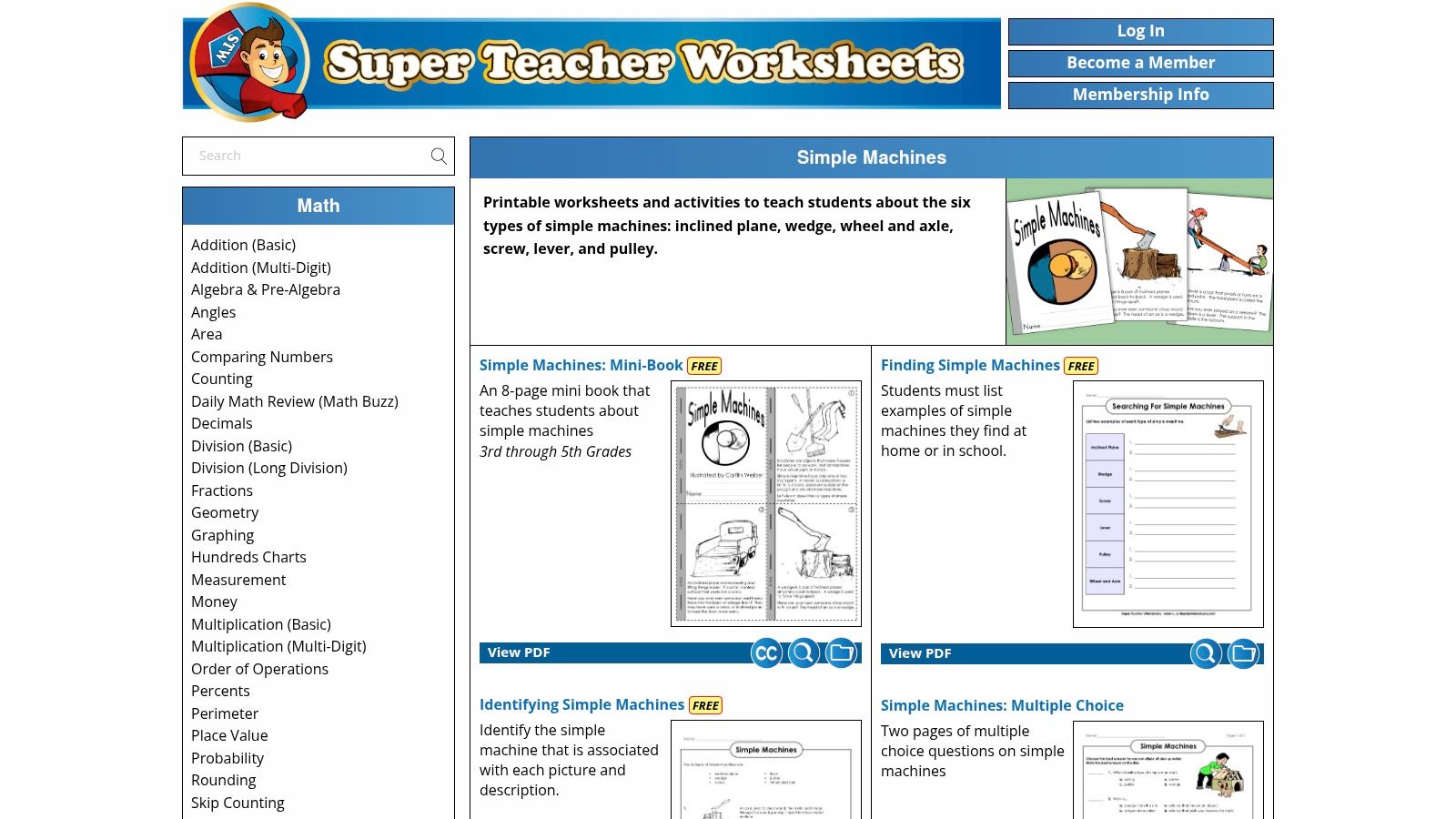
Consistency makes this collection easy to place in an instructional sequence. Students meet familiar page formats, while answer keys support quick checking. For example, a matching page can establish vocabulary for levers, pulleys, wedges, screws, ramps, and wheel-and-axle systems. A short reading can then move students from recognizing a term to explaining its meaning. These pages work best in the practice stage, after a demonstration or class discussion.
The trade-off is limited depth. The elementary focus may leave little room for explaining force trade-offs, comparing tools, or defending an uncertain classification. Older students will need a follow-up investigation or a more demanding written prompt. Full access requires an individual membership, though free samples are available.
Use the collection when clarity and quick preparation matter more than customization. For a targeted extension, draft a companion activity with an editable generator, then check its examples and reading level against the selected printable. This pairing keeps the ready-made page for core practice while supporting an advanced learner's explanation or an emerging reader's access to the same concept.
3. Education.com
How can one worksheet sequence serve students who need different entry points? Education.com's simple machines worksheet library helps teachers build that sequence through a searchable K–5 catalog. It includes sorting and matching tasks, reading passages with questions, identify-in-the-home activities, and printable projects. Filters for grade, subject, and standard let teachers move from vocabulary practice to application.
The formats support different stages of learning. A younger or less confident student might sort pictures into familiar categories. Another student could read an explanation, identify a machine at home, and describe how it changes motion or force. The NASA classroom connection offers a standards-aware content check. Its definition focuses on changing motion or reducing the force needed, while its six-machine framework reminds teachers to assess function as well as classification.
Education.com fits differentiated practice and homework choice particularly well. Students can work toward the same concept through different formats rather than receiving identical pages. Hands-on activities and printable projects also give teachers ways to connect paper practice with observation or making.
Basic accounts include free monthly downloads, while unlimited access requires Premium membership. Access conditions may change, so check the current page before planning a full unit. The trade-off is selection time. A large catalog reduces preparation, but teachers still need to review reading level, repeated skills, answer-key access, and whether a task asks students to identify an object or explain its category.
4. Twinkl USA
Twinkl's United States simple machines collection suits teachers who want a unit with consistent visuals and connected activities. Its packs commonly combine worksheets with matching tasks, mini-books, posters, reference displays, and assessments. Many files are editable, so teachers can adjust vocabulary, replace unfamiliar examples, or add accommodations without rebuilding each page.
Twinkl works best for concept development and classroom organization. A poster can stay visible while students complete a matching activity. A mini-book can support home review, and a later assessment can revisit the same terms and visual conventions. The collection covers individual and compound simple machines, helping students move beyond naming isolated examples. That distinction matters when an object, such as scissors, combines more than one machine function.
Best use for cohesive unit materials
Consistent design can reduce preparation time across several lessons. Editable resources also support differentiation. Teachers can enlarge labels, shorten directions, add sentence starters, or substitute examples from students' surroundings. Check United States spelling, grade expectations, and standards language before assigning a pack, because some materials may reflect another regional context.
A complete pack still needs careful sequencing. Choose a reference sheet for introduction, a sorting task for guided practice, an application page for independent work, and an assessment that asks students to explain function. This progression resembles a staircase: each page should prepare students for the next level of thinking.
Students should have to say more than the machine's name. Ask what the machine does, what task it supports, and what trade-off it creates.
Twinkl requires a paid subscription for full access, while free-account access is limited. Teachers who already use the platform may value the matching visual system across a unit. Those seeking one quick printable may find the larger collection more than they need. The Teacher Planner lesson plan generator can help turn selected pages into a sequence with objectives, discussion prompts, and review points. Edit the generated plan so its questions and activities match your students' grade level and the evidence you want them to produce.
5. TeachEngineering
What should students do after they can name a simple machine? TeachEngineering's simple machines lesson is designed for the next stage: connecting vocabulary with investigation, design, and evidence. The University of Colorado Boulder resource includes free lessons, printable worksheets, activity sheets, answer keys, teacher background, materials lists, assessment rubrics, and standards connections. It targets grades 3 through 5, with activities that teachers may extend for middle school learners.
The worksheet functions as one part of a lesson sequence. Students connect a machine to a real task, observe its effects, and communicate what the evidence shows. This approach fits the Hawaii Department of Education grade 3 STEM unit plan, which includes comparing machines, identifying all six types, giving examples, and describing function. The worksheet records learning, while the investigation gives students a reason to write.
Best use for inquiry and standards evidence
Use TeachEngineering when students need to explain rather than recall. A sorting page can check whether they recognize a wedge or inclined plane. A design prompt can show whether they understand how a machine supports a task. A rubric can assess reasoning, not only correctly labelled parts.
The trade-off is preparation time. The PDFs sit within full lessons, so this resource is less ready to print than a commercial worksheet hub. Its formatting is functional, and teachers need to read the lesson, gather materials, and select attachments that match the class.
That work supports a clear progression from background knowledge to activity, recording, and assessment. For a seasonal engineering context, teachers can use the science of Halloween lesson-planning ideas to shape a themed design challenge while keeping the simple machines objective explicit. Choose the TeachEngineering lesson when the worksheet should document thinking during a real science experience.
6. PBS LearningMedia
How can students observe a simple machine before they must define it? PBS LearningMedia connects videos with printable student work, including observation sheets, teacher guides, activity pages, and cross-curricular supports. Its broad K–5 coverage suits whole-group introductions, learning stations, literacy-linked science, and substitute plans that need more interaction than a static worksheet.
A video makes motion visible before students meet a written definition. They might watch a lever lift, observe a pulley redirect motion, or identify a machine in a familiar setting. An accompanying worksheet then asks them to record what happened. This order works like a bridge from experience to vocabulary, helping learners interpret a diagram or explain function in writing.
Best use for multimedia learning
PBS fits the introduction and observation stage of an instructional sequence. Before viewing, ask students to watch for what changes, what stays the same, and which object appears to make the task easier. Afterward, use prompts that require evidence from the clip rather than copied definitions. Students can sequence events, define vocabulary in context, or write a brief explanation with a sentence frame.
A short observation page can also support standards-aware discussion. For younger learners, ask them to name the machine and describe its action. Older elementary students can compare the observed motion with a diagram or explain how the machine supports a task. The worksheet records evidence, while teacher questioning develops the reasoning needed for later classification and written practice.
Print support varies by collection. Some resources focus mainly on video and offer only a light student page, so they may not provide enough independent practice for a full lesson. Search results may also show state-specific or station-specific versions. Check the grade level, intended use, spelling, and standards fit before saving materials for repeated use.
Free account access lets teachers save and organize resources. Use a short observation sheet during viewing, then assign a more detailed classification or explanation page from another source. This sequence places visual evidence before written practice and gives students who struggle with abstract terminology a clearer entry point.
7. K5 Learning
K5 Learning's simple machines worksheets work well as the practice step in a simple-machines sequence. The pages emphasize identification, classification, and familiar examples, with downloadable PDFs and answer keys. Their clean format suits early elementary learners, homework, extra practice, early finishers, and accommodations that benefit from predictable directions.
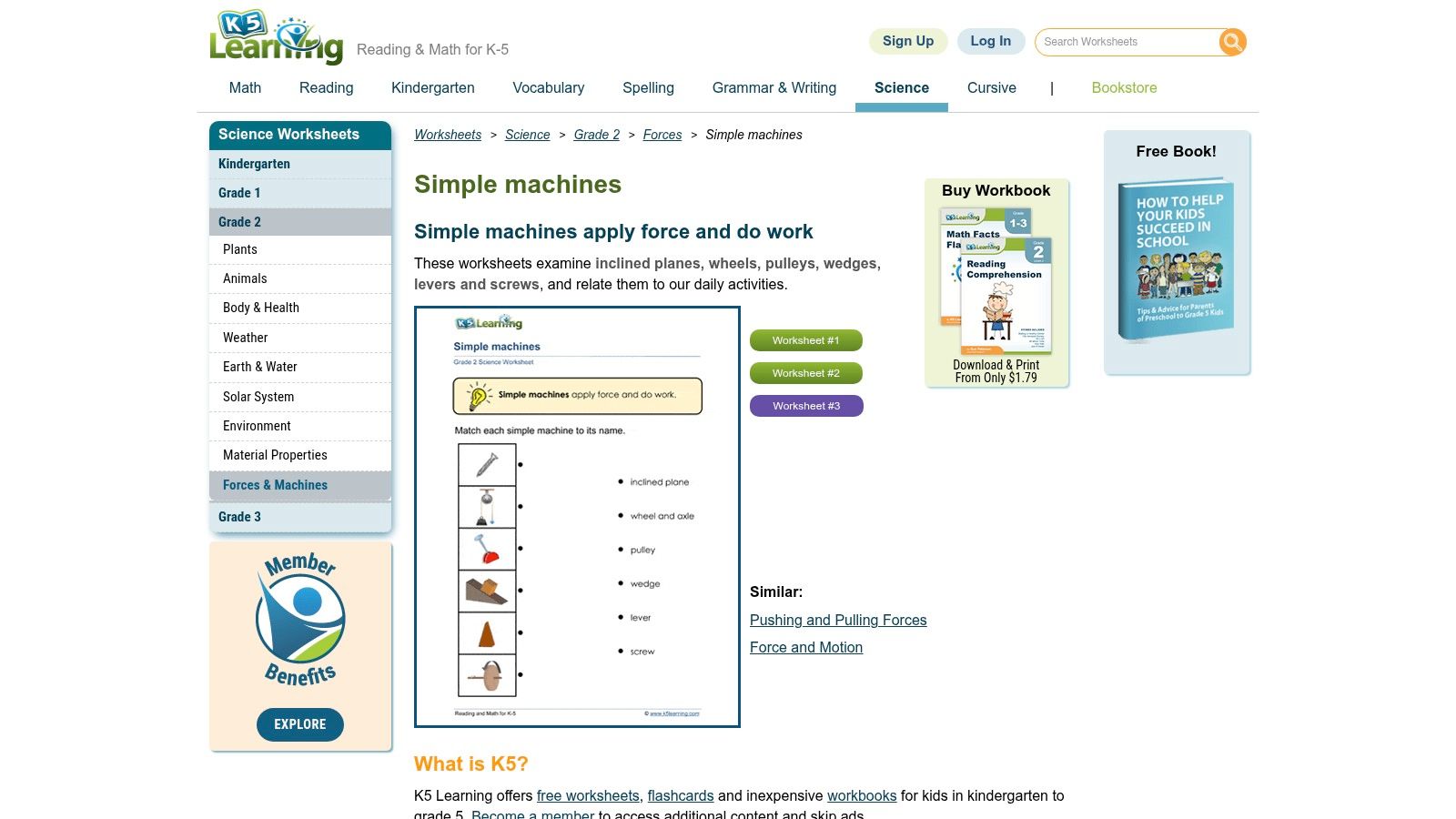
A student might identify a lever, match a pulley with its name, or sort objects into categories before writing a short explanation. These small tasks function like stepping stones: learners first recognize the machine, then connect it with an example and its use. That makes the worksheets suitable for the early practice stage, after a demonstration or multimedia introduction.
The collection is strongest in the lower grades. Compared with TeachEngineering, it offers less inquiry, compound-machine analysis, and design work. Its basic visual presentation also leaves room for teacher-added discussion, manipulatives, or a challenge question. Naming a ramp alone does not show whether a student understands how an inclined plane helps with a task, so pair the page with an oral explanation or quick classroom example.
Use one worksheet as a checkpoint rather than the whole lesson. Ask students to locate a simple machine in the room, describe its function, and compare it with another object. For standards review, teachers can check terminology against the NASA definition and six-machine list cited earlier, while keeping student tasks concrete and age-appropriate. Many pages are free; optional membership may add convenience and remove ads. Confirm current access before preparing a large packet.
Top 7 Simple Machines Worksheets Comparison
| Product | Implementation complexity | Resource requirements | Expected outcomes | Ideal use cases | Key advantages |
|---|---|---|---|---|---|
| Teacher Planner | Low–Moderate, browser setup, timetable import and AI tools | Browser, optional Pro/Lifetime subscription for advanced features, photo/PDF import | Faster lesson planning, editable AI drafts, easy rescheduling and printable plans | K–12 teachers, homeschoolers, co-teaching teams, instructional coaches who need planning efficiency | AI generators (included on Free), timetable import, Bump Forward, multiple planning views, standards tracker (Pro) |
| Super Teacher Worksheets | Very low, download and print ready materials | Low-cost annual membership for full access, printer | Immediate, printable elementary worksheets for practice and sub plans | Elementary teachers, substitutes, homeschoolers needing quick reinforcement | Fast to implement; consistent formatting; answer keys |
| Education.com | Low, searchable catalog and downloads | Free limited downloads or Premium subscription for unlimited access, printer | Large, differentiable sets for packets, homework and multi-grade use | Teachers building differentiated packets or homework across K–5 | Extensive searchable library; variety of worksheet and activity types |
| Twinkl (USA) | Low–Moderate, download and optionally edit resources | Paid subscription for full access, software to edit files, printer | Professionally designed, cohesive unit materials with editable files | Teachers creating unit displays, multi-grade units, or needing editable accommodations | High production value; editable resources; cohesive unit design and visuals |
| TeachEngineering (Univ. of Colorado Boulder) | Moderate, lesson integration and hands-on prep | Free access, materials for hands-on activities, planning time for inquiry lessons | Standards-aligned, inquiry-based units with assessments and teacher background | Science units (grades 3–5, extendable to middle school) emphasizing NGSS-aligned instruction | Free and rigorous curricular units; assessment rubrics; teacher background and materials lists |
| PBS LearningMedia | Low, pair media with downloadable pages | Free account, internet/video playback, printer | Engaging multimedia lessons with printable supports and cross-curricular ties | Stations, short lessons, sub plans, media-integrated instruction (K–5) | Free multimedia resources; teacher guides; cross-curricular supports |
| K5 Learning | Very low, direct PDF downloads | Mostly free PDFs, optional membership to remove ads, printer | Quick practice and independent work for early elementary grades | Early finishers, homework, classwork for K–2/early elementary | Fast access; consistent simple layout; answer keys |
Build a Better Simple Machines Worksheet Sequence
The best resource depends on the classroom job. Choose K5 Learning or Super Teacher Worksheets for accessible early practice and quick reinforcement. Use Education.com when students need different formats or levels of support. Select Twinkl USA when editable files, displays, mini-books, and assessments need to share a consistent design.
For engagement, PBS LearningMedia can introduce motion through video and give students an observation page to complete. For inquiry and standards-linked evidence, TeachEngineering offers the most complete connection between a worksheet, an activity, assessment, and engineering thinking. Teacher Planner serves a different need. It helps organize the sequence, draft editable materials, adjust plans after disruptions, and review standards coverage, but it doesn't replace the content judgment required from a teacher.
A useful sequence starts with concrete examples. Show students a ramp, lever, pulley, wedge, screw, and wheel-and-axle system, then ask what each object helps someone do. Follow with identification and matching, using a simple page from K5 Learning or Super Teacher Worksheets. Move into application with an Education.com activity, a Twinkl editable task, or a PBS observation sheet. Finish with a TeachEngineering investigation or design challenge that asks students to explain evidence and compare solutions.
Sequence before quantity: One worksheet that fits the lesson objective is more useful than a packet of disconnected pages.
Before printing, review the materials against this practical checklist:
- Confirm grade level: Check reading load, vocabulary, visual complexity, and the amount of writing required.
- Identify the target concept: Decide whether students should name machines, classify examples, describe function, or explain a force trade-off.
- Pair paper with action: Add a demonstration, object sort, discussion, or design task so students apply the idea beyond the page.
- Review answers and standards: Check every answer key and compare the stated objective with your local standards language.
- Adapt readability: Add word banks, sentence frames, enlarged images, oral directions, or extension prompts where needed.
- Save a consistent plan: Place the final worksheet, answer key, activity instructions, and assessment in one ordered lesson sequence.
Simple machines worksheets work best when they make student thinking visible. A page can record an observation, expose a misconception, or provide evidence of understanding, but the teacher decides what question the page should answer.
Teacher Planner helps you organize a simple machines unit, draft editable worksheets and quizzes, track the sequence, and print a consistent plan when the school week changes. Visit Teacher Planner to turn the resources you select into a practical, teacher-reviewed lesson sequence.