
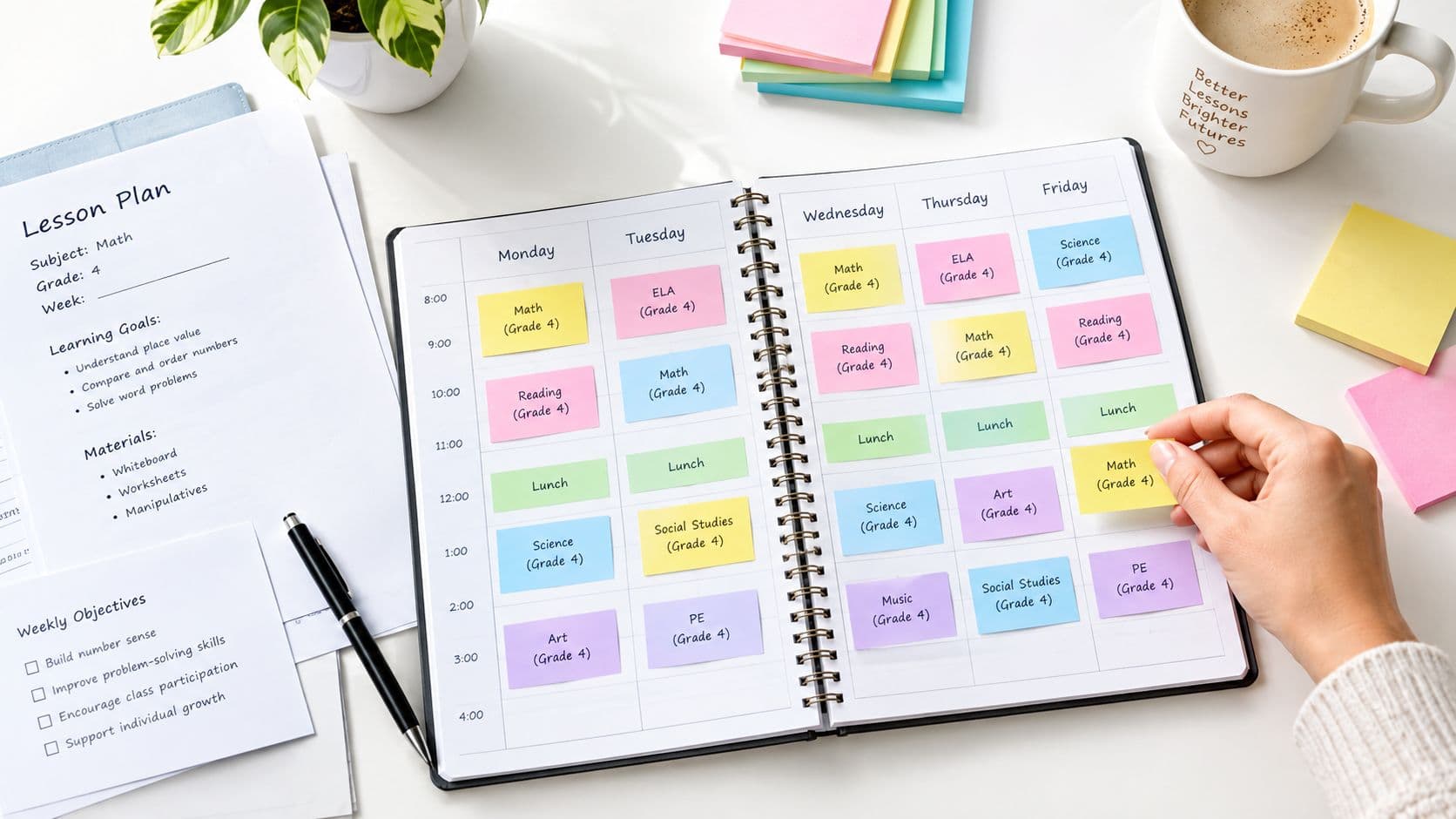
When a whole day or more is lost, reschedule by bumping the affected lesson forward while keeping all later lessons in order, not by rewriting each one from scratch. Mark the missed period, protect the prerequisite, shift dependent lessons, and then check the assessment, materials, and access arrangements before you publish the revised week.
The assembly notification usually arrives after the week is already planned. Monday's science investigation is cancelled, Tuesday's data lesson assumes students completed it, and Friday's quiz is still sitting on the calendar as if nothing happened. A quick date swap may look tidy, but it can leave students analyzing evidence they never collected.
That's why how to reschedule lesson plans is less about finding an empty calendar slot and more about recovering the learning sequence. The method below keeps the original objective visible, moves connected lessons together, and gives you a practical way to compress or adapt work without creating an end-of-term pileup.
Why Rescheduling Lesson Plans Feels Harder Than It Should
The Monday assembly takes one period. The planning problem lasts all week.
Teachers already report substantial preparation demands. In the OECD's TALIS 2018 survey, teachers reported 38.8 hours per week on school-related tasks, including 6.5 hours for planning and lesson preparation, which represented approximately 17% of total reported working time. Across participating education systems, reported preparation time varied from about 5 to 10 hours per week. Those figures make one point clear: a timetable change can disrupt a carefully built sequence and force repeated preparation if every lesson is manually rebuilt. (OECD analysis of teachers' time)

A cancelled lesson carries more than a title and date. It may include a prerequisite, a lab booking, a handout, homework, an exit ticket, and an assessment that depends on what students were meant to learn. Move only the visible calendar entry and you may preserve the schedule while breaking the curriculum.
Interruptions are part of classroom planning
School closures show how large the reconstruction problem can become. UNESCO reported that in 2020, schools worldwide were fully closed across all four education levels for an average of 79 teaching days, roughly 40% of the total instructional days averaged across OECD and G20 countries. Closures averaged 53 days in high-income countries and 115 days in lower-middle-income countries. (UNESCO on instructional disruption)
You don't need a closure to experience the same planning logic. A Providence study reported classrooms experienced about 15 interruptions per day, more than 2,000 across a school year, while high-school students lost the equivalent of roughly 10 instructional days. Schools with more interruptions also showed lower student achievement. (Education Week's report on classroom interruptions)
Practical rule: Treat a disruption as a sequence-recovery problem, not a calendar-editing problem.
How to Reschedule Lesson Plans Using Sequence Recovery
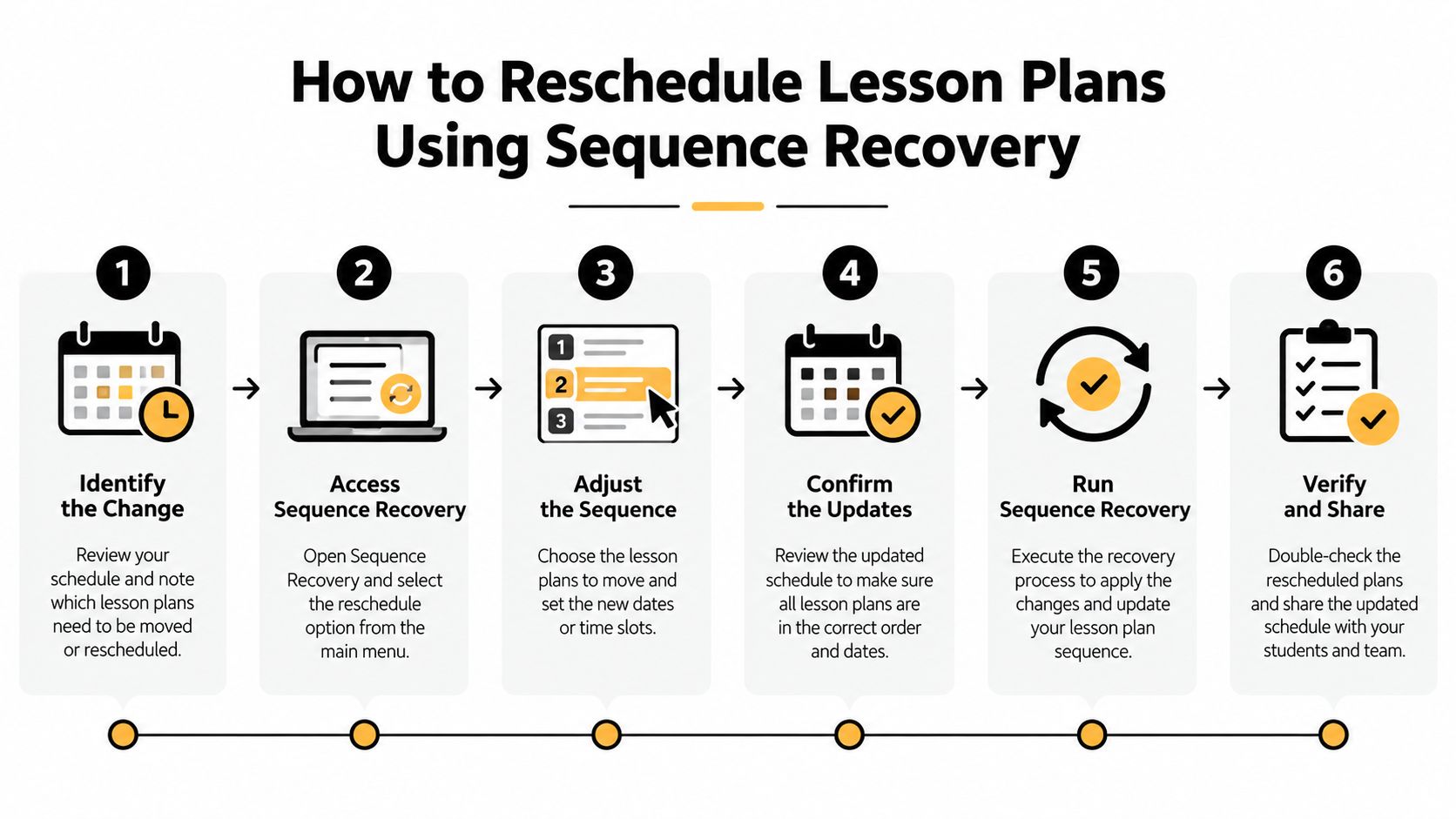
Start with the missed period, not the next available blank. Record the original objective, standard, prerequisite knowledge, materials, and evidence of learning. Then identify which later lessons depend on that learning before moving anything.
A reliable recovery workflow
-
Mark the missed lesson. Record the cancellation reason and the class period. This preserves the calendar fact and prevents confusion when several events affect the same week.
-
Protect the learning goal. Keep the objective and standard visible before changing the activity. CAST's Universal Design for Learning guidance recommends defining a specific, challenging goal first, then selecting methods, materials, and assessments that reduce barriers to reaching it. (CAST's UDL framework)
-
Check prerequisites and dependencies. Ask what students must know or do before the next lesson can work. Flag investigations, demonstrations, vocabulary instruction, readings, and practice that later tasks assume.
-
Move the sequence together. Put the missed lesson in the next suitable slot, then shift dependent lessons in their original order. In Teacher Planner, Bump Forward moves lessons in sequence. You still need to inspect each moved lesson because software can't know whether a lab, room, assembly, or assessment deadline has changed.
-
Review the consequences. Check the assessment date, available materials, room requirements, homework, standards coverage, and the amount of review time left before students are assessed.
-
Publish the revised version. Make the changed dates and adaptations visible to students, families, co-teachers, and substitutes who rely on the plan.
A five-day science example
Before the cancellation:
| Day | Lesson |
|---|---|
| Monday | Investigation and data collection |
| Tuesday | Analyze investigation data |
| Wednesday | Build an evidence-based explanation |
| Thursday | Revise and communicate the explanation |
| Friday | Quiz |
After Monday's assembly, moving only the investigation to Tuesday would leave Tuesday's data analysis without data. The recovered sequence becomes:
| Day | Revised lesson |
|---|---|
| Monday | Assembly, investigation cancelled |
| Tuesday | Investigation and data collection |
| Wednesday | Analyze investigation data |
| Thursday | Build and revise an evidence-based explanation |
| Friday | Communicate the explanation and complete a retrieval check |
| Next available class | Quiz |
The quiz moves because students need time to complete the prerequisite work. If Friday is the only available assessment window, shorten the communication activity rather than pretending the original data analysis happened. The right choice depends on the objective and evidence, not on keeping every original activity untouched.
Teacher Planner's browser-based planbook can help you review the revised day, week, month, and outline views, while its printing options make the updated sequence available on paper. AI-generated materials remain editable drafts, so review them before using them with students.
Designing Rescheduled Lessons So Every Learner Can Access Them
A complete calendar isn't automatically an equitable recovery plan. Catch-up work can widen gaps when it assumes every student can attend an extra session, use the same device, read the same format, or complete a larger assignment at home.
Keep the learning goal and success criteria stable, then adjust the route. CAST identifies three useful design areas, engagement, representation, and action and expression. A rescheduled lesson can offer flexible materials and different ways for students to show the same understanding. (CAST guidance on teaching and learning)
For a lesson on interpreting primary sources, provide the source as readable text and audio. Let students respond with a paragraph, a recorded explanation, or a structured graphic organizer. The response format changes, but the evidence you're looking for remains aligned with the objective.
Record access choices beside the new date
Add the accessibility adjustment directly to the revised plan:
- Representation: Note whether students receive text, audio, visuals, translated directions, or simplified language.
- Participation: Provide an asynchronous or printed route when attendance or connectivity is uncertain.
- Expression: Accept more than one response format when each demonstrates the same success criteria.
- Teacher support: Add a short check-in, retrieval prompt, or diagnostic question before the follow-up lesson.
Resources on strategies from Documind can help you think through multimodal delivery without turning every missed lesson into extra student workload.
Separate attendance recovery from mastery evidence. A student who can't join a makeup session should still have a low-bandwidth way to demonstrate the essential objective. The revised plan is successful when students can access the learning and show what they know, not merely when every original activity appears somewhere on the calendar.
Moving One Lesson Versus Bumping the Whole Sequence Forward
Moving one lesson is tempting because it creates the smallest visible change. It works when the lesson is self-contained, no later activity depends on it, and the original assessment remains valid. It fails when students need the missed experience, text, vocabulary, data, or practice before they can participate in what follows.
In the science example, placing Monday's investigation on Tuesday while leaving data analysis on Tuesday is not a reschedule. It's two incompatible lessons competing for one period. Bumping the sequence protects the dependency, but it may push a quiz, lab booking, or unit endpoint into another week.
Selective compression can be sensible when the displaced activity is enrichment, repeated practice, or a task whose objective is already demonstrated. It isn't sensible when compression removes prerequisite knowledge or leaves students with no opportunity to retrieve and apply the new idea.
| Situation | Best Approach | Risk if Chosen Wrong |
|---|---|---|
| The missed lesson is independent | Shift the single lesson | A later date may conflict with materials or assessment timing |
| A follow-up requires the missed lesson | Bump the sequence | The unit may extend into another planned assessment window |
| Two activities share the same objective | Combine or shorten activities | Students may lose needed practice if the overlap is assumed rather than checked |
| The lesson is enrichment or redundant practice | Compress or postpone it | Students may miss a useful extension, even if essential coverage remains |
| Several lessons are lost | Triage prerequisites and must-teach concepts first | Trying to restore everything can create rushed teaching and cognitive overload |
A concise explanation of how lessons fit into a larger instructional sequence appears in what is a unit plan in teaching. The key decision is not whether the calendar looks unchanged. It's whether students still have the knowledge and practice required for the next meaningful task.
Rescheduling Checklist and Template Entry
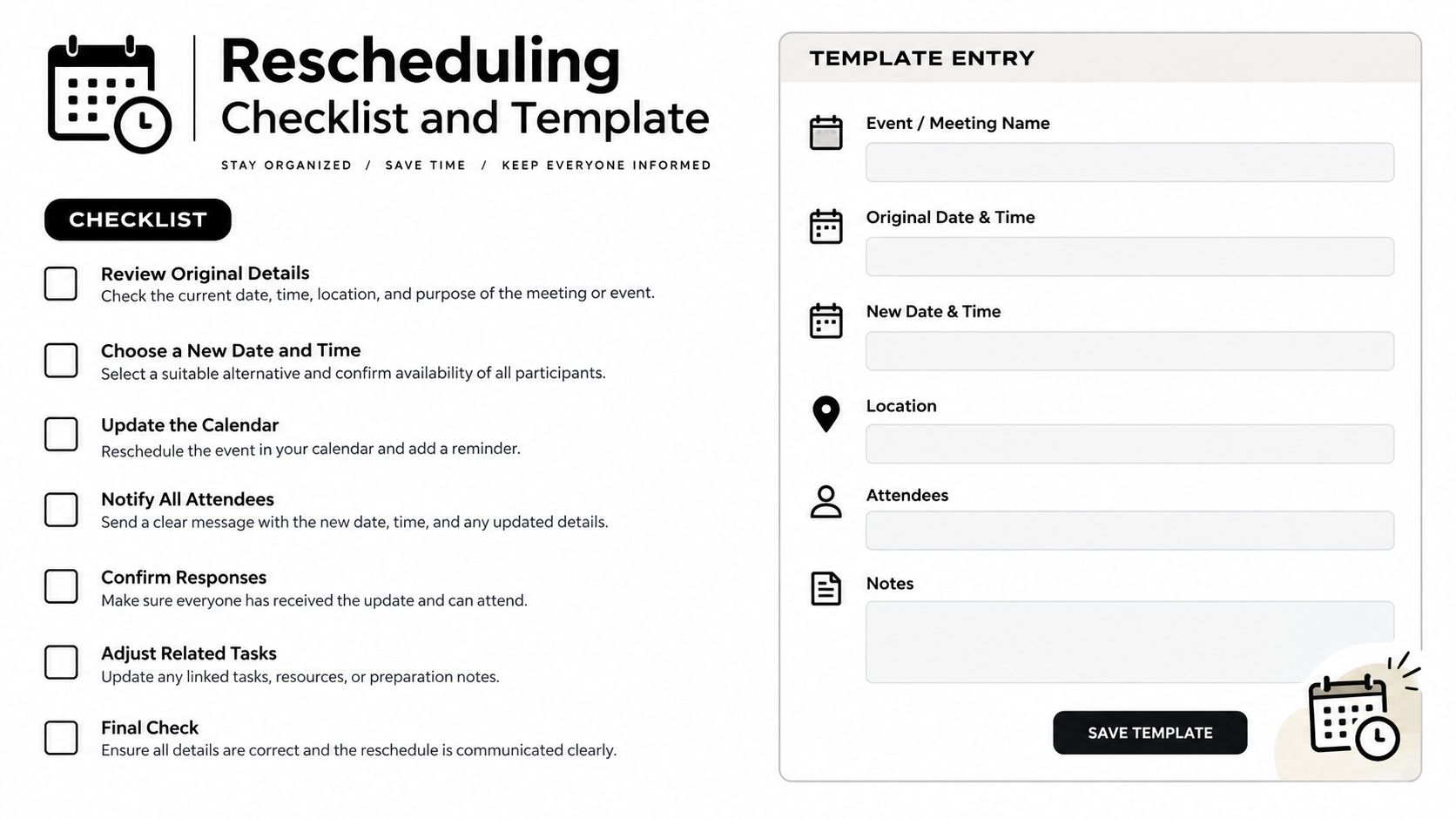
Use the checklist while the change is fresh. A substitute or co-teacher should be able to read the revised entry and understand what changed, what stayed fixed, and what students must produce.
The disruption checklist
- Original date and period: Record the class, day, and time.
- Reason for change: Note the assembly, field trip, closure, absence, testing window, or other disruption.
- New date and period: Confirm that the replacement slot exists.
- Learning goal or standard: Keep the original objective visible unless you intentionally revise it.
- Prerequisite status: State whether students completed the knowledge or task needed for the follow-up.
- Activity and materials: Confirm that texts, manipulatives, devices, lab equipment, and copies are available.
- Student evidence: Identify the exit ticket, explanation, completed problem set, discussion response, or other evidence students will produce.
- Follow-up lesson: Name the next lesson and verify that it still has enough teaching time.
- Assessment consequence: Move or adapt the quiz, test, rubric, or checkpoint only after checking what students have learned.
- Accessibility adjustment: Record printed, translated, audio, simplified, asynchronous, or alternative response options.
- Communication needed: Tell students, families, co-teachers, substitutes, or support staff about the change.
A usable template entry
Original: Tuesday, Grade 5 math, equivalent fractions.
Reason: Field trip.
New slot: Thursday, Period 2.
Goal: Compare fractions with unlike denominators.
Prerequisite: Multiplication review assigned Wednesday.
Activity: Fraction strips and exit ticket.
Follow-up: Number-line representation on Friday.
Assessment: Quiz moved from Friday to Monday.
Access: Visual model plus read-aloud directions.
Communication: Notify families of the revised quiz date.
Before saving, verify the new slot, materials, follow-up time, and assessment alignment. If students must complete an online response during a limited window, tools that let you configure form time windows can help coordinate availability, but the instructional plan still needs its own access alternative.
For substitute-facing detail, keep the revised entry alongside substitute teacher plans. Print the updated week only after checking the final dates, because an old paper copy can easily reintroduce the cancelled sequence.
Finishing the Week Without Starting Over
A disrupted week rarely ends with a perfect replica of the original plan. The practical aim is a workable recovery plan that preserves prerequisite knowledge, protects the essential objective, and gives students enough review before the next assessment.
Use a short retrieval check when a lesson has been compressed. If students can't recall the prerequisite, pause for targeted review instead of pushing them into the next activity because the calendar says so. If an enrichment task must go, label that decision clearly so you can return to it when the unit has room.
A weekly view is useful for immediate adjustments, while a longer planning view helps you see whether a moved assessment or unit endpoint creates a new conflict. A consistent weekly planner for teachers can keep the revised sequence visible without forcing you to retype every unaffected lesson.
The strongest rescheduling habit is simple: move the learning sequence, then inspect the consequences. That protects preparation time and gives students a coherent path through an imperfect school week.
Teacher Planner is a browser-based planbook with day, week, month, unit timeline, and outline views, plus Bump Forward for moving lessons in sequence. You can use its printing options to make the revised week visible, then review any editable AI-generated drafts before using them. Visit Teacher Planner to organize the next interrupted week without starting the plan from scratch.