
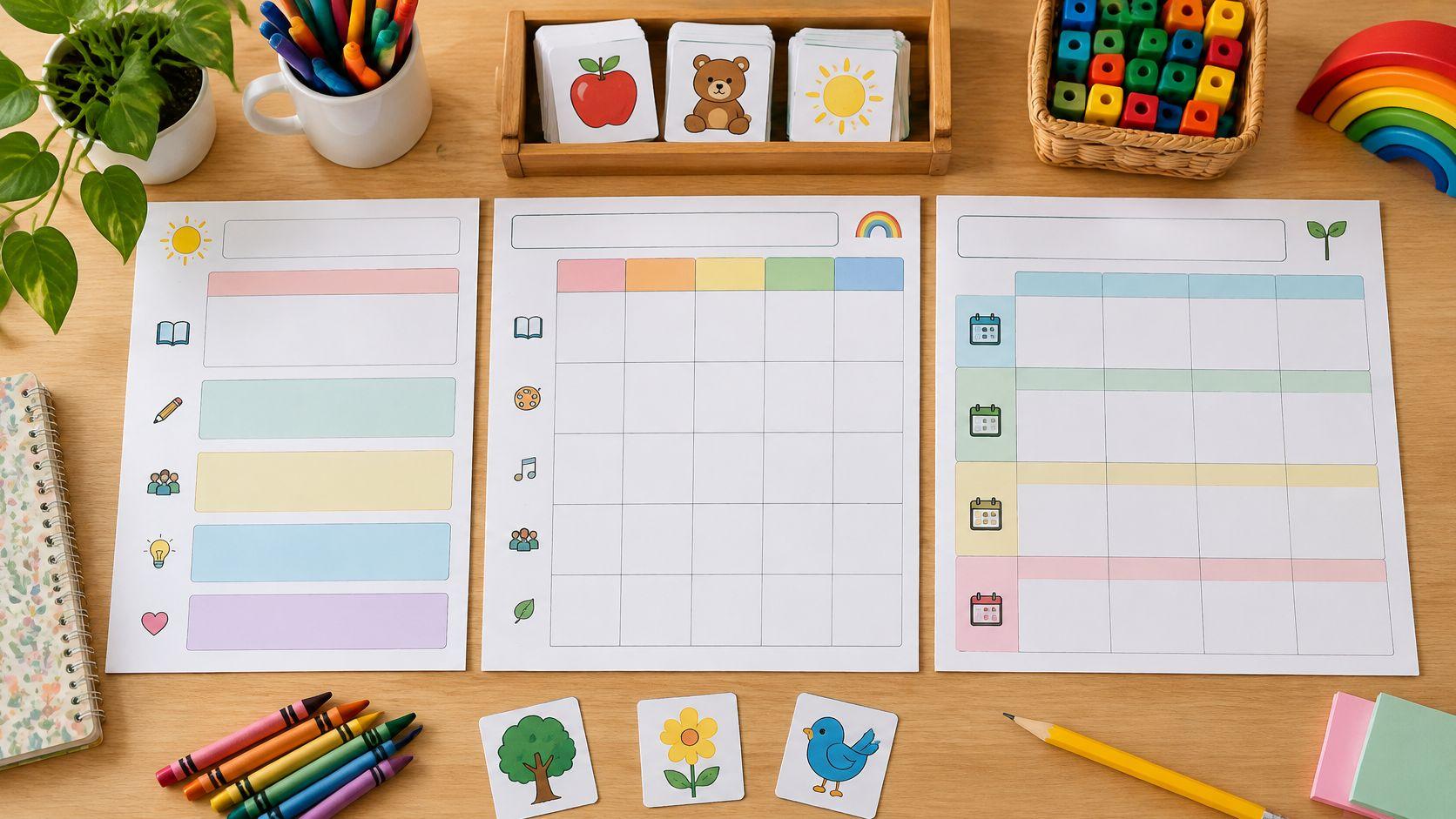
Monday night, and the letter-sound week still lives in a notebook margin. Say a kindergarten teacher is building an illustrative five-day unit on the sound /m/, with a morning literacy block, a short whole-group model, picture sorting, and centers. A single-lesson page will not show whether Thursday's small group still has materials, or whether Friday's check for learning was ever planned. The right kindergarten lesson plan forms match the planning horizon first.
Choose a daily form to document one lesson sequence. Choose a weekly form to balance subjects across five days. Choose a unit form to map a multi-week theme. After the horizon fits, check that the form has fields for objectives, materials, modeling, practice, and a check for learning. Add anything the school requires, such as a standards code, an accommodation, or a short family note. A polished layout that hides those fields costs more time than it saves.
A weekly grid with a literacy block is the match for that /m/ week. A unit map can sit behind it if the sound work continues into the next theme. Daily pages then capture only the lessons that need a step-by-step procedure. The ten forms below are grouped by how far ahead they look, with notes on adaptation, limits, and who each one suits. None of them replaces a required district template. Test the winner on one illustrative week, then keep a single master copy.
1. Teacher Planner
Horizon: day, week, and unit in one planbook. This suits a kindergarten teacher, a co-teacher, or a homeschool educator who needs the week visible and also wants one lesson written out before Monday.

Teacher Planner is a browser-based planbook for schedules, lessons, units, and standards. Import a fixed weekly timetable from a photo or PDF, review the classes and times it detected, then plan in Day, Week, or Month views. Unit Timeline maps a term. Outline lists every lesson in order without jumping between dates. Plans stay on the account, so the same week opens on another device.
When the week breaks
An assembly or a cancellation does not have to mean retyping Friday. Bump Forward moves the affected lesson and keeps the lessons after it in sequence. The rest of the week stays as written. A/B rotations and whole-school timetables are not part of the current import.
Built-in tools draft lesson plans, worksheets, quizzes, adapted text, and writing feedback. The Lesson Plan Generator drafts from a topic, objective, or standard, and the Vocabulary Quiz Maker generates word definitions after a free sign-in. Edit the result, save it to resources, or use the tool's copy, download, and print actions. Planbook printing is separate from those tool actions. Free includes basic Day, Week, and Month printing with the Minimal template. Pro and Lifetime add more print settings, including Outline printing. Classic, Minimal, and Cards are print-template names, and not every account shows every option.
The Free plan costs nothing, includes one planbook, and does not require a credit card. Pro adds unlimited planbooks, Standards Tracker, and expanded printing, and it starts with a 7-day trial. Lifetime is a one-time payment for those Pro planning features. Tiers are priced in USD.
Practical rule: Treat every AI draft as editable. Check facts, answers, difficulty, and wording before a child sees the page.
It does not take grades or student submissions. For the illustrative /m/ week, place the literacy block in Week view, draft Monday's model-and-sort lesson, then edit the objective so it names the beginning sound rather than a generic phonics label.
2. Georgia DECAL, Georgia's Pre-K Planning Templates
Horizon: weekly. These forms fit a teacher who plans by learning areas and small groups, then needs examples before filling a blank grid.

Georgia's Pre-K planning templates from the Department of Early Care and Learning include several weekly lesson-plan choices, plus separate small-group and assessment-planning forms, completed examples, and editing instructions. The set is built for Georgia's Pre-K, so a kindergarten class will often need different standards language and a local compliance check.
What works is the supporting paperwork around the grid. A teacher can see how a learning area, a small group, and an assessment note are supposed to talk to each other. That is more useful than a pretty empty week. What does not work is treating the state fields as universal. If the program does not use those labels, copying them creates a second plan that nobody reads.
For an illustrative literacy week, keep the weekly page and rename one learning area to the letter-sound block. Pair the small-group form with the children who still need picture support. Teachers comparing early math blocks with this style of area planning can also look at a preschool math curriculum write-up and borrow only the fields that match kindergarten, not the whole preschool day.
3. New York State Education Department, Kindergarten Unit-Planning Template
Horizon: unit, across multiple weeks. This is for the teacher mapping a theme, not the teacher who needs Tuesday's materials list tonight.

The New York State Education Department early-learning page includes a kindergarten unit-planning template aimed at interdisciplinary sequences. Prompts cover instruction, student interests, individual needs, read-alouds, group work, outdoor experiences, family involvement, and specialist connections. That whole-child spread is the reason to open it.
A unit form that never names materials, times, or evidence will not run Monday morning. Add those three fields, or pair this page with a weekly grid.
Use it when the /m/ work is really a three-week sound theme with a related read-aloud and a family rhyme. Skip it when the only job is documenting one literacy block. The template will not show a daily schedule, a materials bin, or a quick check unless those lines are added. Free and kindergarten-specific, it still is not a daily lesson page. Co-teachers can split the family and specialist prompts so one person is not rewriting the same theme in two places. For the stages a unit needs before any form gets filled in, see how to make a unit plan.
4. UFLI Literacy Institute, Kindergarten Reading Lesson Template
Horizon: a daily literacy lesson, with a sample five-day activity sequence. This suits the teacher whose reading block is scripted and whose other subjects already have a home.

The UFLI Literacy Institute lesson-structure page offers kindergarten templates in PowerPoint and Google Slides, sample activities, a completed lesson, and guidance for using the slides with UFLI lesson activities. Slides can be edited or shown on a screen, which helps a co-teacher follow the same steps.
- Keep it inside reading: The sample sequence is foundational literacy, not math, science, or the full day.
- Use the completed lesson as a model: Copy the step order, then swap in the class's actual sound, words, and materials.
- Do not stretch it into a weekly subject grid: Other blocks still need their own form, or the reading slides become a junk drawer.
An illustrative Monday slide might list the beginning sound /m/, picture cards, a teacher model, a guided sort, and one word each child identifies. That is a procedure, not a title. Teachers who do not use UFLI activities should not force the labels. Take the five-day rhythm and the completed example, then stop.
5. Louisiana Department of Education, Early-Childhood Lesson-Plan Forms
Horizon: one lesson or one week. These examples suit a teacher who plans by activity areas and must show accommodations without building a new file.

Louisiana Department of Education early-childhood materials include a single-lesson form and an example weekly form. The weekly layout uses activity areas such as literacy, science or sensory, creative arts, and motor skills, with space for goals, aligned objectives, activities, and accommodations. Examples include five-year-olds, but the pages are early-childhood samples, not a universal kindergarten editor.
The weekly view is the stronger of the two when several domains share one morning. A teacher can see that the motor task and the literacy task are not competing for the same ten minutes. The single-lesson page is the backup when one activity needs a fuller procedure. Both live inside a larger document, so there is no template editor and no shared revision history. Local curriculum names may need a rewrite before the form matches a report.
Illustrative use: on the weekly form, put the /m/ sort under literacy, note larger cards as the accommodation, and leave science blank rather than inventing a fake connection.
6. Canva, Kindergarten Lesson-Plan Templates
Horizon: daily, weekly, or a single subject, depending on the layout chosen. This suits a team that shares a visual plan and cares how the page looks in a meeting.

Canva's kindergarten lesson-plan templates are browser layouts with editable text, colors, graphics, and page arrangement. Daily, weekly, and subject-focused designs sit in the same collection, and plans can be shared or printed. Some designs or features may require a paid Canva plan.
Appearance is the trade-off. A roomy weekly poster can still omit standards, differentiation, and a check for learning. Before customizing colors, read the boxes. If a field is only a decoration, add a real line for the objective, the materials, and the evidence. Teachers comparing blank structures, rather than posters, can start from lesson planning templates and then decorate only the version the team will complete.
For an illustrative team plan, pick one weekly layout, delete extra clip art that steals writing space, and type the five literacy blocks first. If the boxes are too small for a procedure, this is the wrong form for that lesson. Use Canva for the family-facing or posted schedule, and keep the teaching detail somewhere with more room.
7. Teacher Created Resources, Lesson Planner
Horizon: weekly pages plus monthly calendars, on paper. This suits a teacher who thinks with a pen and does not need a co-teacher editing the same file.

The Teacher Created Resources Lesson Planner is a 112-page large-format book listed for preschool through grade 12. Weekly planning pages sit with monthly calendars, a student roster, substitute information, and standards reference material. The product page includes customer comments on the layout and the writing space. Price and stock can change, so check the page before ordering.
Handwriting a week is fine. Handwriting the same objective into observations and a family note is the part that wears teachers out.
The book is not a kindergarten form. Subject rows may look like upper-grade blocks, so centers, rest, and transitions need to be written into the margins or the standards pages ignored. Paper also fights last-minute assemblies. There is no shared edit and no search. Use it when one teacher owns the plan and a sub needs a roster in the same binder. For the illustrative /m/ week, pencil the literacy block only, and paper-clip a materials list so it can move when the schedule moves.
8. Kindergarten Teacher Resources, Free Word and PDF Template
Horizon: one lesson. This suits a teacher who wants a kindergarten-labeled page, either typed in Word or printed and filled by hand.

Kindergarten Teacher Resources posts a Word file for editing and a PDF for printing. Digital entry on the PDF depends on the file and the reader. The page also walks through objectives, materials, modeling, practice, support, and a check for learning, with a worked counting lesson as the model. It does not organize a term or track revisions.
Illustrative counting lesson, copied into the blank fields:
- Objective: Students count each object in a set once, up to 10.
- Materials: Ten larger counters and picture cards of sets.
- Model: The teacher touches and counts a set of five aloud.
- Practice: Pairs count a set of eight, one touch per object.
- Support and challenge: Gesture plus larger counters, or the child explains how the total is known.
- Check: A tally of who counted each object once.
That sequence is what the form is for. It will not hold five subjects across five days without becoming five separate files. Print the PDF when the plan is written at a table. Use Word when a co-teacher needs to type accommodations into the same lesson.
9. Tic Tac Teach, Editable Daily or Weekly Early-Childhood Form
Horizon: daily or weekly, in the browser. This suits a teacher who wants to rename rows without an account, then print or send the page to Docs or Word.

Tic Tac Teach's lesson-plan template starts from an early-childhood layout and includes a kindergarten row preset. Rows can be renamed, added, removed, or reordered. Optional fields cover objectives, materials, standards, assessment, and notes. The site says plans save in the current browser and are not uploaded. A plan opened in one browser may be missing on another device.
Change the starting rows before typing content. Preschool labels will not match a public-school literacy block. Add a row for transitions if the day keeps losing minutes between centers. Then print, or send a copy to Google Docs or Word so the plan is not stuck in one browser.
Teachers who want a paper week they can reprint without rebuilding rows can compare this with a printable weekly teacher planner. Use Tic Tac Teach when the row names change every month. Use a fixed printable when the schedule is stable and speed matters more than rearranging the grid.
10. Early Education Coach, Kindergarten Block-Plan Builder
Horizon: one printable day built from classroom blocks. This suits a teacher whose day is routines, phonics, reading, writing, math, and center rotations, not subject rows copied from grade 3.

The Early Education Coach kindergarten lesson-plan template is free, needs no account, and prints or exports CSV. Fields cover learning targets, activities, materials, and evidence of learning, plus an optional center-rotation table. The site calls it a general-purpose form, not an approved standards or licensing record. Standards have to be typed in, and local rules should be checked before the page is used as an official file.
Time boxes should stay short. The Texas Education Agency kindergarten schedule guidance says that, by the end of kindergarten, large-group sessions should occur two to three times a day and last no more than 15 to 20 minutes, and it describes small-group instruction as a short 10 to 15 minute period with hands-on materials rather than worksheets as the main tool.
An illustrative morning might read 8:30 to 8:45 morning meeting, 8:45 to 9:00 model the /m/ sound, 9:00 to 9:15 guided sort, then centers. Leave a line for handwashing and the walk to the rug. If that line is missing, the plan looks accurate and still runs long.
How the 10 kindergarten lesson plan forms compare
| Item | Cost | Best for | Main format | Main limitation |
|---|---|---|---|---|
| Teacher Planner | Free plan; Pro $9.90 monthly or $59.90 yearly; Lifetime $299 | Flexible planning with AI-assisted materials | Browser-based planner with printable plans | Not an LMS or gradebook; AI output needs review |
| Georgia DECAL, Georgia's Pre-K Planning Templates | Free | Georgia Pre-K weekly planning | Templates, forms, and completed examples | State-specific fields may need adaptation |
| New York State Education Department, Kindergarten Unit-Planning Template | Free | Multiweek kindergarten unit planning | Interdisciplinary unit-planning template | Not designed for daily lessons |
| UFLI Literacy Institute, Kindergarten Reading Lesson Template | Free | Foundational literacy lesson planning | PowerPoint and Google Slides | Focused on literacy, not all subjects |
| Louisiana Department of Education, Early-Childhood Lesson-Plan Forms | Free | Cross-domain early-childhood weekly planning | Single-lesson and weekly forms | Examples may need local adaptation |
| Canva, Kindergarten Lesson-Plan Templates | Free options; some designs or features may require a paid plan | Customizable, visually designed plans | Editable browser-based designs | Some layouts may lack instructional planning fields |
| Teacher Created Resources, Lesson Planner | Price and stock may vary | Handwritten weekly and monthly planning | 112-page paper planner | Not kindergarten-specific; less adaptable |
| Kindergarten Teacher Resources, Free Word and PDF Template | Free | Kindergarten planning with editable or printable forms | Word document and PDF | No dynamic system for organizing plans |
| Tic Tac Teach, Editable Daily or Weekly Early-Childhood Form | Free | Customizable daily or weekly planning | In-browser form with print and export options | Plans are saved in the current browser |
| Early Education Coach, Kindergarten Block-Plan Builder | Free | Planning kindergarten routines and center rotations | Browser-based builder with print and CSV options | Standards must be entered separately |
Build One Form You Can Reuse Every Week
Start with the horizon, not the layout. A daily page documents one sequence. A weekly grid balances the five days. A unit page holds the theme. Pick whichever matches the job in front of the class, then add only the fields the school reads: an objective, materials, a check for learning, and any accommodation. Boxes nobody uses just slow the week down.
Before copying the form across the year, test it on one illustrative week. Take the /m/ example: the weekly page should show the literacy block each day, Monday's model, and Friday's evidence. If those three things do not fit, the form is wrong, no matter how clean it looks.
Short review before the form becomes the master:
- Objective: A child action is named, not a topic label alone.
- Materials: Teacher materials and child materials are both listed.
- Time: Whole-group and small-group blocks are short enough to finish, with a transition written in.
- Practice: There is a hands-on or center step, not only a lecture.
- Check: The note shows what each child did, plus one scaffold or extension.
- Single file: Revisions live in one master, not in three half-updated copies.
The single-master habit pays off outside the planbook too. Teachers who send a weekly family note can keep one master lesson record and pull a short parent line from it instead of retelling the lesson in a second document, the same maintain-one-source principle behind how to revise your content calendar.
When the job is drafting and moving plans in one browser, Teacher Planner can import a fixed weekly timetable from a photo or PDF, move a disrupted lesson with Bump Forward while the following lessons stay in sequence, and draft materials the teacher reviews and edits. Every AI draft is a starting point, so check accuracy and fit for the children before anyone teaches from it. The tool organizes plans and preparation. It is not a gradebook, and it does not collect student submissions.
Teacher Planner keeps a kindergarten week, a single literacy lesson, and a longer unit in one browser planbook, with an Outline view that lists every lesson in order, then drafts lesson text and classroom materials that still need a teacher's edit. Import a fixed timetable, print the view that matches the planning horizon, and adjust the sequence when an assembly lands on the literacy block. Open Teacher Planner and build next week's form before the materials list gets rewritten a third time.