

You wake up sick, check the clock, and realize the substitute needs something usable before the school day starts. The lesson you understand from a few notes on your desk may make perfect sense to you, but a guest teacher still needs to know where students sit, how they enter, what to do when the projector fails, and which activity can fill an unexpected gap.
Effective substitute teacher plans solve that operational problem first. They give a non-specialist enough structure to keep students safe, engaged, and moving through meaningful work without requiring the substitute to reconstruct your classroom from fragments.
Why Most Substitute Plans Fail
A regular teacher carries the classroom in their head. You know which group can collect materials without arguing, which student needs a quiet reminder, where the extra copies are stored, and how much time a familiar activity usually takes. A substitute has none of that background. A plan that says “continue the reading lesson” transfers the hardest decisions to the person least equipped to make them quickly.
That gap matters because substitute coverage is a recurring part of school operations, not an unusual emergency. In the United States, about 600,000 substitute teachers cover more than 30 million K–12 teacher absences each year, and roughly one in five substitute requests went unfilled before the COVID-19 pandemic. A federal labor analysis also reported that 20% of substitute requests were unfilled during the pandemic, when schools needed substitute coverage for a significant share of the school year. The Bureau of Labor Statistics analysis of substitute teacher supply and demand shows why a plan has to work for whoever arrives, not just for the teacher who wrote it.
The hidden assumptions in ordinary plans
Academic lesson plans often lead with standards, objectives, and a sequence of activities. Those details have value, but they don't tell a substitute what to do at 8:07 when half the class is still unpacking, or at 10:42 when students finish early and start wandering.
The most common failures are practical:
- The plan names a resource but doesn't say where it is.
- The instructions assume students already know the routine.
- The activity requires a login the substitute can't access.
- The lesson introduces difficult content without a teacher present to correct misconceptions.
- There's no answer key, extension, or backup when the class moves faster than expected.
A study summarized by Brookings on substitute coverage and teacher absences found that teachers in a sampled district were absent about 11.8 days per year, while about 0.9 of those days remained uncovered by a substitute on average. The same research found failed coverage was much more common in schools serving higher shares of Black and Hispanic students. Separately, the Economic Policy Institute's teacher shortage reporting cites 20% of schools reporting substitute teacher vacancies and 95% of district leaders reporting pandemic-related substitute shortages.
Practical rule: Write for the person who has never entered your room, used your materials, or taught your current unit.
The strongest plans protect instructional continuity without pretending the substitute can replicate your teaching. They use familiar routines, self-contained tasks, visible time blocks, and clear choices. For a useful structure before you start, compare your notes with this lesson plan outline example, then add the classroom logistics that a normal lesson outline usually leaves out.
The Essential Substitute Plan Checklist
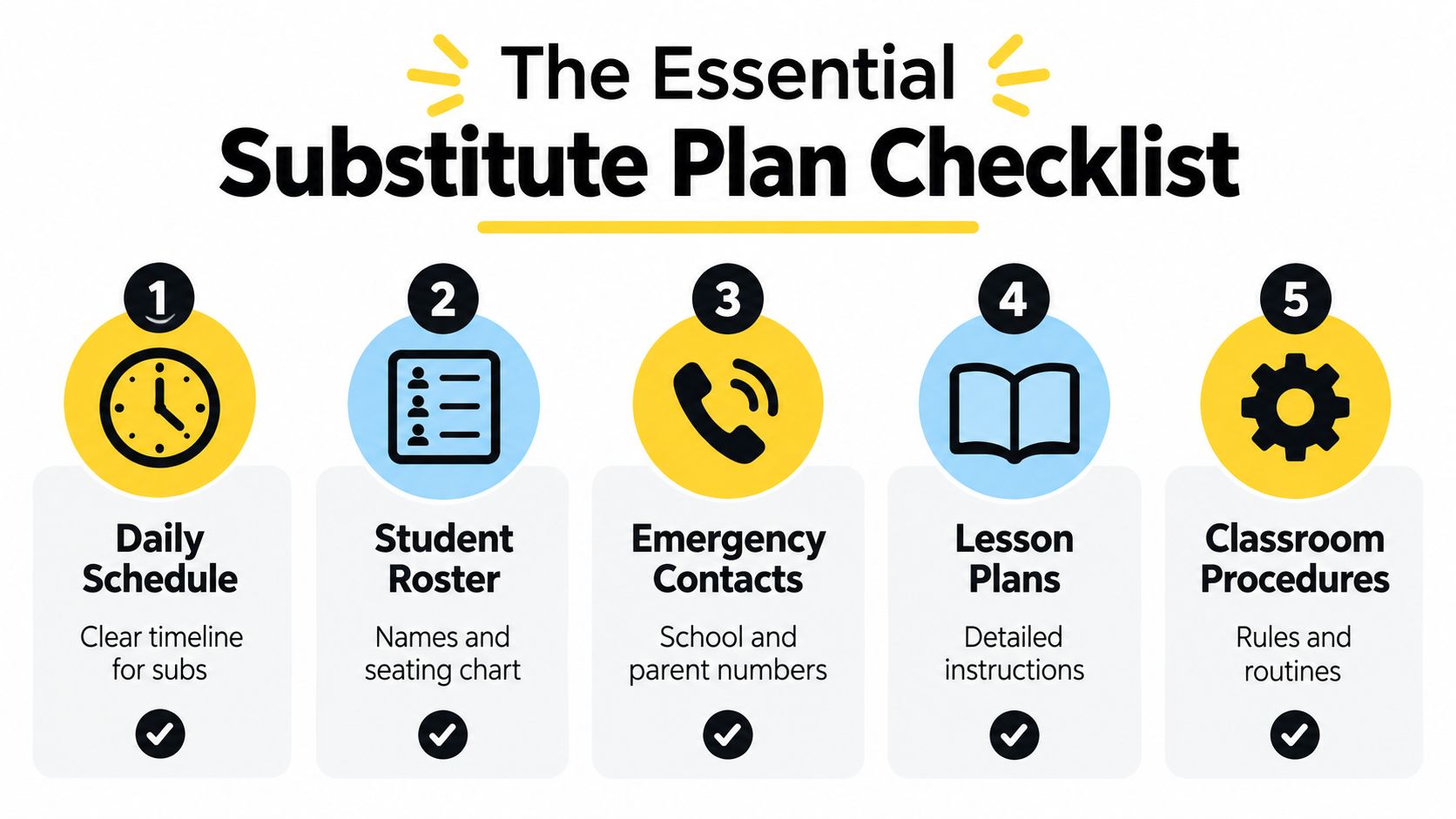
Build the plan so the substitute can open one folder and run the day in order. Don't make them search through separate files for the schedule, roster, lesson directions, and dismissal instructions. A binder on the desk can work, as can a clearly named digital folder, but the contents need to be current and arranged in the same sequence as the school day.
Start with the room, not the objective
Use this checklist when preparing or refreshing substitute teacher plans:
- Daily schedule: List every class or block, the start and end time, transition instructions, lunch, recess, specials, and dismissal. Include what students should do when they enter. A short starter activity of about five minutes is commonly recommended so students begin working at the bell, as described in Washoe County School District substitute procedures.
- Roster and seating chart: Provide a current class list and a labeled seating chart. Mark helpful student leaders, but don't identify students by sensitive needs in a document that may be widely visible. A substitute needs names for attendance, questions, and positive recognition.
- Classroom procedures: Explain the entry routine, attention signal, movement rules, pencil and supply procedures, partner-work expectations, restroom policy, and what happens when a student finishes early. Write the routine as an observable action, not a general value such as “maintain a positive environment.”
- Emergency and school contacts: Include the front office, neighboring teacher, nurse, evacuation route, lockdown or shelter procedure, fire drill expectations, and dismissal process. Follow school policy for storing parent or guardian numbers, and keep those details in the approved school system or physical emergency documentation rather than placing them in an AI prompt.
- Lesson materials: Put copies, books, manipulatives, answer keys, and extension work in labeled trays or folders. Name the exact location, such as “blue tray beside the small-group table,” rather than “materials are in the cabinet.”
- Technology directions: State whether devices are needed, what students should open, how to connect to the display, and what to do if the network or projector fails. Never leave a substitute dependent on a private password that school policy doesn't permit them to use.
- Behavior response: Give a short escalation path. For example, redirect privately, move the student to the designated seat, document the incident, and contact the office when the stated threshold is reached.
- Handoff page: Leave a space for attendance notes, completed work, student concerns, incidents, and questions for you. The substitute's observations can save time when you return.
Make the information scannable
Use bold labels, numbered pages, and one-page summaries. Put the emergency page near the front, not buried after a long explanation of the unit. If the substitute has to choose between reading a paragraph and following a labeled step, the labeled step will usually win during a busy transition.
Review the folder after schedule changes, seating changes, new technology procedures, or a change in dismissal arrangements. A polished plan with an outdated bell schedule is less useful than a plain plan that matches today's room.
A Complete Sample Day Schedule
The following is a fictional classroom example for a fourth-grade class. The times, names, questions, and materials are invented to demonstrate formatting. Adapt the blocks to your school schedule and replace the fictional content with your current unit.
Fictional plan at a glance
| Time | Segment | Student outcome | Materials |
|---|---|---|---|
| 8:00–8:10 | Arrival and starter | Identify the main idea of a short passage | Starter sheet, pencils |
| 8:10–8:25 | Morning meeting | State the day's learning target and routines | Board message |
| 8:25–9:15 | Reading | Identify evidence supporting a main idea | Passage, highlighters |
| 9:15–9:25 | Transition and snack | Reset materials and follow cleanup routine | Snack, timer |
| 9:25–10:25 | Mathematics | Solve and explain two-step problems | Problem set, counters |
| 10:25–10:40 | Recess transition | Record unfinished work and prepare to leave | Folders |
| 10:40–11:30 | Writing | Draft a paragraph with evidence | Writing sheet |
| 11:30–12:15 | Lunch and recess | Follow school procedures | No classroom materials |
| 12:15–1:00 | Science review | Classify observations from a fictional investigation | Cards, recording sheet |
| 1:00–1:20 | Independent reading | Read quietly and record a response | Books, log |
| 1:20–1:50 | Choice practice | Complete a backup task if needed | Puzzle folder |
| 1:50–2:20 | Social studies | Sequence events using transition words | Timeline cards |
| 2:20–2:45 | Finish and check | Complete, label, and submit work | Turn-in tray |
| 2:45–3:00 | Pack-up and dismissal | Return materials and follow dismissal routine | Checklist |
At arrival, the substitute should greet students at the door and say, “Put your belongings away, take the blue starter sheet, and begin silently. You have five minutes.” The fictional starter passage reads: “Maya tested three paper bridges. The bridge with folded sides held the most blocks. She concluded that folding the paper made it stronger.” Students underline the main idea and circle one supporting detail. The answer is the folded paper bridge held the most blocks, supported by the sentence stating that it held the most blocks.
At 8:25, the substitute says, “Read the passage once to yourself. Read it again and highlight two details that support the main idea. Then answer the three questions below.” The fictional answers are: main idea, Maya compared paper bridges and found that folded sides made one stronger; evidence, the folded bridge held the most blocks; vocabulary, tested means tried or examined. Students finish by writing one sentence explaining which detail was strongest.
For mathematics, students solve two fictional problems. Problem one says, “A library has 246 fiction books and 178 nonfiction books. Students borrow 95 books. How many books remain?” The answer is 329 books. Problem two says, “Four groups receive six counters each. The teacher adds nine more counters. How many counters are there?” The answer is 33 counters. Students must show an equation and a sentence, not just write the answer.
Protect the transitions
At each transition, state three things: what students should put away, where they should go, and what they should bring. Give a two-minute warning before cleanup, then have one student from each table check the floor and materials. If the reading lesson finishes early, students complete a second paragraph using the same main idea. If technology fails during the science review, the substitute uses the printed observation cards instead of stopping the lesson.
The emergency lesson planning guidance from Chalkie emphasizes the value of backup activities when an original plan is vague, incomplete, or impossible to execute. A substitute shouldn't have to invent core instruction, but they should always have a safe, purposeful option for an early finish or an unusable resource.
The teacher handoff note at the end of this fictional plan says: “Please leave the completed reading, math, and writing sheets in the green turn-in tray. Note students who were absent, any unfinished work, technology problems, and behavior incidents. The math answer key is clipped to the inside of the folder. Do not send unfinished work home.”
Building an Emergency Lesson Kit
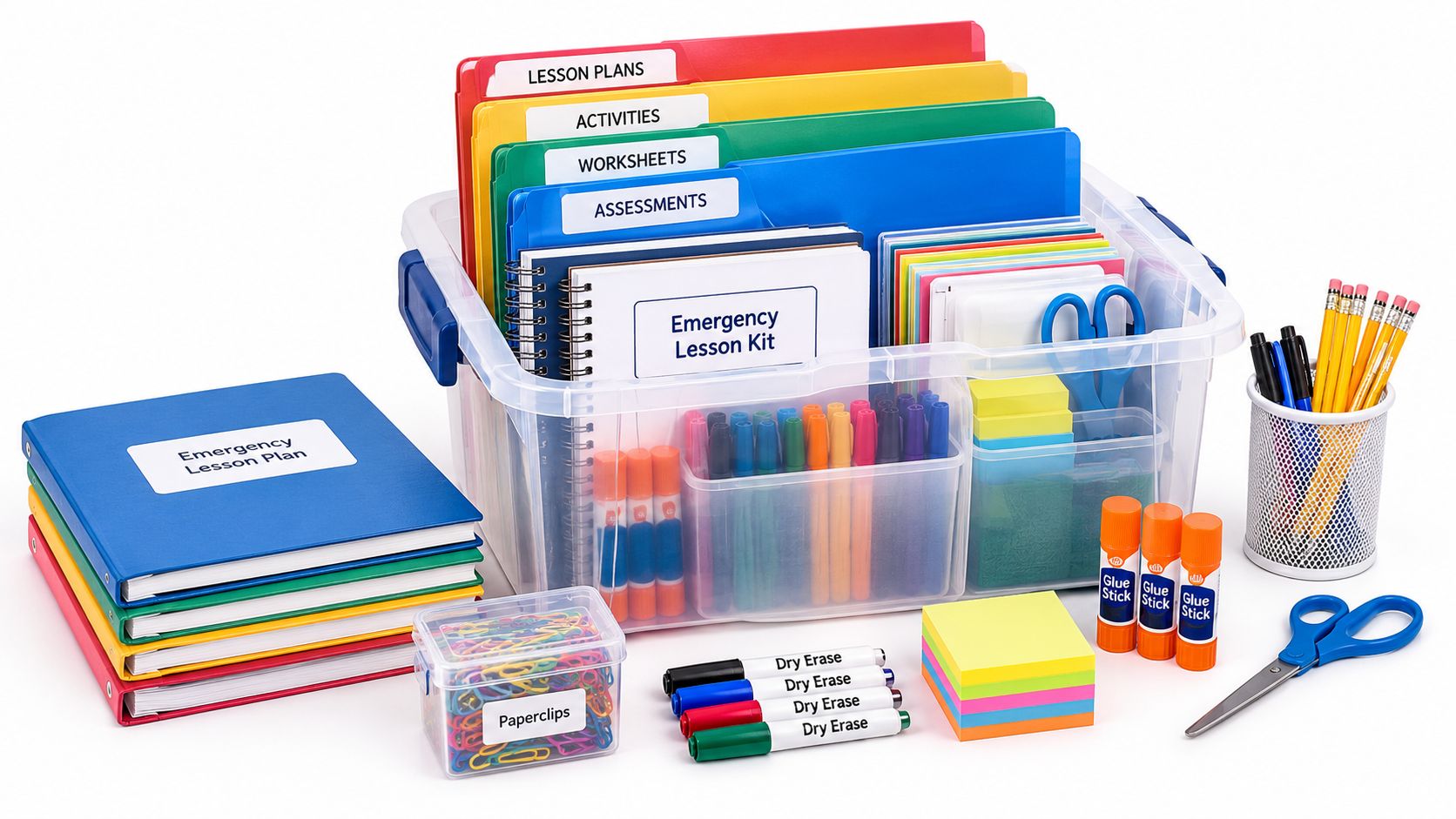
A custom plan isn't always possible. If you wake up ill before dawn, the emergency kit should already contain enough material for a substitute to run a coherent day without knowing your current lesson sequence. The kit works best when it combines a short set of evergreen lessons with clear operating information.
Keep a physical substitute tub or a dedicated digital folder with three labeled sections:
- Run-the-room materials: Put the bell schedule, roster, seating chart, attendance steps, procedures, emergency information, dismissal routine, and a simple welcome note at the front.
- Core learning folders: Prepare self-contained reading, writing, mathematics, and content-area tasks. Each folder should include the student page, teacher directions, materials list, answer key, and an extension.
- Time-fill options: Add independent reading responses, vocabulary practice, logic puzzles, drawing-and-writing prompts, and no-technology activities. These should be appropriate for students who finish early or for a block that loses time.
Expert guidance recommends preparing approximately three days of cover-ready plans, including bell schedules, seating charts, emergency procedures, dismissal routines, and step-by-step technology instructions. The case study on substitute-teacher experiences and emergency planning also supports evergreen lessons and a staffed backup pool as part of a resilient coverage system.
Choose activities that survive interruption
A good emergency activity has a clear starting point, a visible stopping point, and little dependence on teacher explanation. A reading passage with text-dependent questions is safer than a discussion that requires you to supply background knowledge. A multi-step math review is safer than a new concept that students may misunderstand without feedback.
Label every folder with the expected time and the fallback. For example:
- Reading folder: “Use for one class block. If students finish early, write a paragraph comparing the two characters.”
- Math folder: “Complete pages one and two. If copies run short, partners solve the problems on notebook paper.”
- No-tech folder: “Use if devices, internet, or display equipment fails.”
- Quiet finish folder: “Use during the final portion of the day or indoor recess.”
You can prepare printable practice quickly with the Worksheet Generator, but treat any generated material as a draft. Check reading level, directions, answer accuracy, cultural references, and alignment with what students have already learned before adding it to the emergency kit.
Don't place confidential student records, identifying information, medical details, or emergency contacts into an AI prompt. Keep the kit useful without making it a repository of sensitive data. Store approved contact and safety information according to school policy, and keep the academic materials separate from those records.
Drafting and Printing Plans Efficiently
A practical workflow separates drafting, classroom editing, and printing. Start with the lesson you already intend to teach, then add the details a substitute needs. Don't ask an AI tool to decide your classroom routines or infer student information. Give it a topic, grade level, learning goal, materials you have approved, and the type of independent work students can complete.
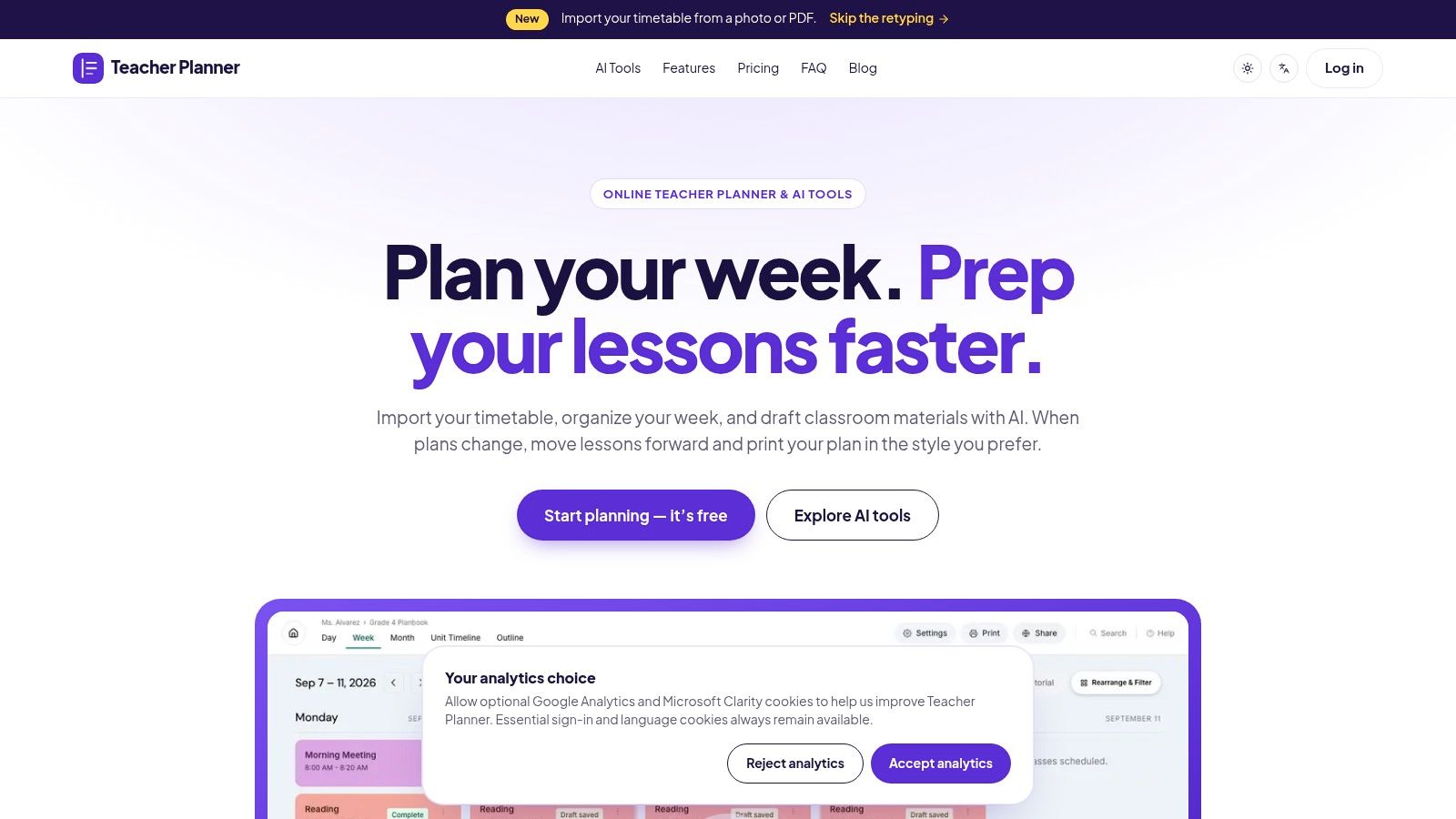
The browser-based planbook and its Lesson Plan Generator can produce an editable starting draft. Review the draft for factual accuracy, age appropriateness, timing, differentiation, and realistic materials. Then add the operational layer yourself: what the substitute should say, where the copies are, how students transition, and what happens if the main activity cannot run.
A repeatable preparation sequence
- Open the current lesson: Confirm that the date, class, unit, and lesson order match what students will see.
- Draft the academic portion: Use the Lesson Plan Generator with a precise goal and constraints. Ask for teacher language, student actions, materials, checks for understanding, and an early-finisher task.
- Edit for substitute use: Replace vague verbs such as “review” or “discuss” with observable directions. Add the answer key, seating reference, technology fallback, and cleanup instructions.
- Save the supporting materials: Resources can be saved, copied, downloaded as text, or printed from the relevant AI tool. Review every page before distributing it.
- Print the planbook view: The planbook's Classic, Minimal, and Cards templates format day, week, month, or outline views for printing. Choose the view that gives the substitute enough context without burying the daily instructions.
- Assemble the desk copy: Place the printed schedule, lesson directions, student pages, answer key, and handoff note together in the order they will be used.
The AI tool's print action and the planbook's printing templates serve different purposes. The AI print option is for the generated resource itself, such as a worksheet or draft lesson. The planbook templates print the schedule and planning views. Don't assume an AI-generated worksheet will automatically appear inside the planbook or synchronize with a lesson unless the current workflow explicitly supports that action.
If a school event shifts the sequence, use the planbook's Bump Forward feature to move affected lessons while keeping later lessons in order, then reprint the revised day or week view. AI tools are available across account tiers with generation limits, so plan around review and preparation rather than assuming a paid tier removes those limits.
Navigating the Substitute Shortage
A substitute teacher plan can't solve a staffing shortage, but it can reduce the number of decisions that fall on a person arriving with little context. That matters in districts where requests go unfilled and in classrooms where rotating coverage makes consistency difficult. Coverage is also an equity concern because students should receive structured instruction even when the available adult changes.
The operational standard is straightforward: prepare enough material for a substitute to begin immediately, continue without guessing, and recover when the original activity fails. A timed schedule, labeled materials, seating chart, safety procedures, answer keys, and a genuine backup task do more for continuity than a long paragraph about instructional philosophy.
Keep student privacy out of AI prompts. Remove names and identifying details, use fictional examples when drafting, and store emergency information only in approved school systems or physical documents. Review generated drafts as carefully as any other classroom material, because editable output still requires teacher judgment.
Treat substitute teacher plans as part of your regular planning workflow, not as paperwork you create only after calling in sick. Organize the existing lessons in a browser-based planbook, print a clear day view, and keep an evergreen emergency kit ready for the morning when you can't write anything new.
Teacher Planner combines a browser-based planbook with editable AI drafts for lessons and classroom materials, plus printable day, week, month, and outline views. Visit Teacher Planner to organize an existing planbook and prepare clearer substitute coverage materials before the next unexpected absence.