
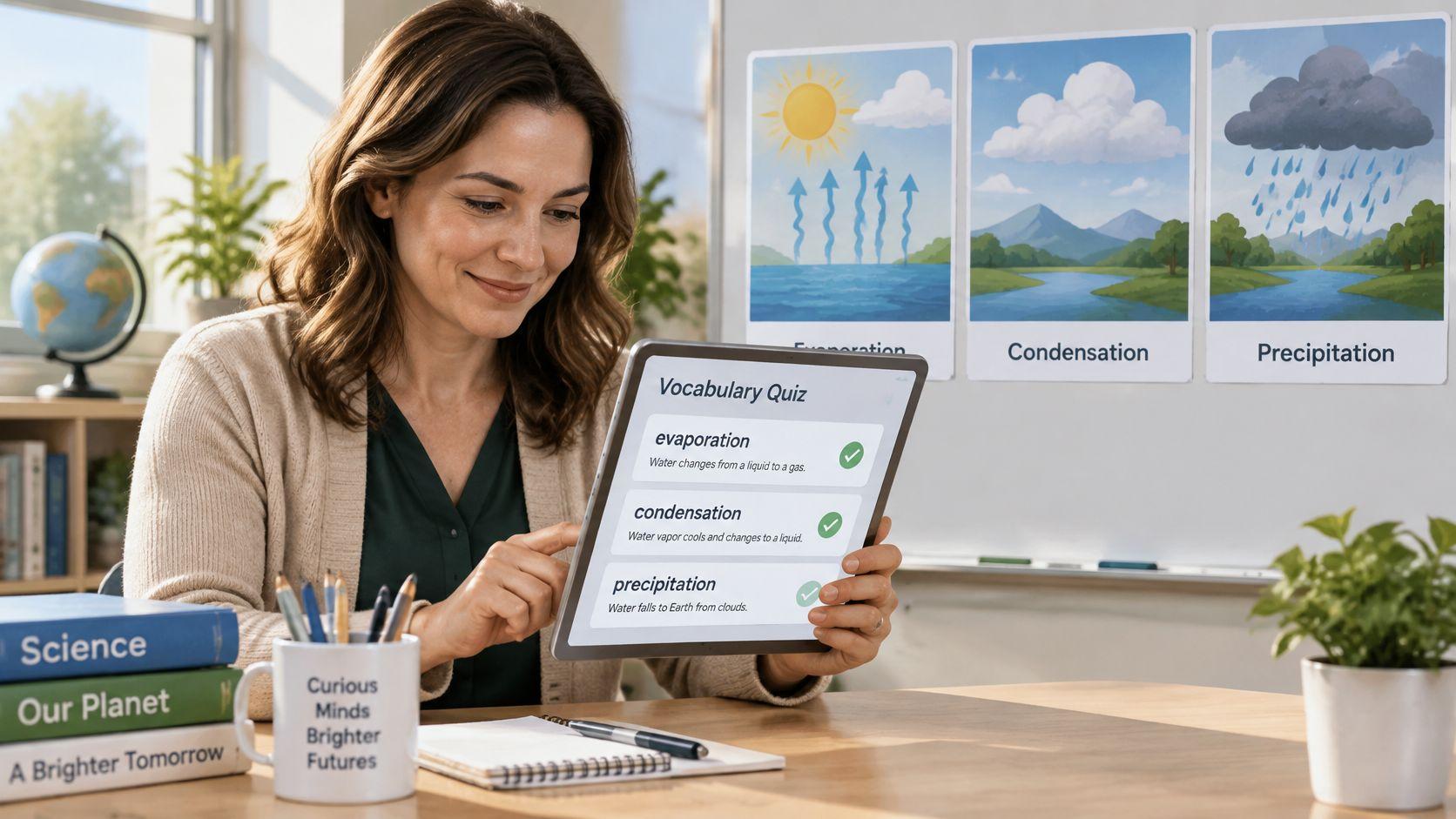
Friday's unit check is two days away, the planning period is down to twenty minutes, and twelve domain-specific terms still need a fair assessment. A vocabulary quiz generator turns a teacher's word list into draft definitions, multiple-choice stems, and answer keys in minutes, but the quiz only becomes classroom-ready after a teacher checks every definition against the unit and edits weak distractors.
Teachers already lean on AI to speed up prep work. In 2025, 53% of U.S. English language arts, math, and science teachers reported using AI for school-related work, according to a RAND research report. Treating a generated vocabulary quiz as an editable draft rather than a finished handout is what separates a reliable measure of student learning from a confusing worksheet.
How to Generate a Vocabulary Quiz Step by Step
The quality of a generated quiz is set before a single question exists, because the tool drafts items from the exact terms entered into it. A tight list pulled from the current unit beats an open-ended topic prompt every time. For word-list vocabulary assessment, start on the dedicated Vocabulary Quiz Maker instead of a general topic quiz tool. Its public demo follows an Input, Review, Quiz workflow built around checking definitions before any question gets written. To write the quiz by hand instead, the guide to making a vocabulary quiz from a word list covers the manual workflow, and this roundup compares vocabulary quiz tools if you are choosing between several.
That word-list discipline has solid precedent. The National Center for Education Statistics describes vocabulary topic maps as detailed word lists that guide both instruction and assessment across subjects like history, geography, and biology, and the project developed middle-school assessments measuring both breadth and depth of vocabulary knowledge. Tie every quiz term to a specific instructional unit and decide up front what students need to show about each word: recognition of a definition, correct use in context, or both.

Five Steps From Word List to Printable Draft
Before typing into any AI tool, keep student privacy clean. Enter only target words and the grade level, never student names or identifying details, because inputs are processed by AI services and generated outputs can retain text from the original entry.
- Enter the unit's target words and grade level. Pull terms directly from the lessons students studied this week. Asking the generator to invent a list for a broad chapter produces items disconnected from actual instruction.
- Sign in free to generate definitions. Generation limits apply and the tool page shows current usage, so batch a full unit's terms into logical groups instead of spending generations on one or two words at a time.
- Review and edit every generated definition. Each quiz item is built directly from these definitions, so confirm that every wording matches the sense and part of speech taught in class. When a multi-meaning term resists clean kid-friendly phrasing, test alternative explanations with an AI mentor on Edvdo, then settle the final wording against your classroom curriculum guide.
- Create the quiz from the reviewed definitions. Once the definitions reflect classroom instruction, trigger quiz creation so the stems and answer choices stay anchored to those exact meanings.
- Inspect the draft, then copy, download, or print. Read every question, check that the distractors hold up, and verify the answer key before using any of the tool's copy, download, or print actions.
A Sixth-Grade Science Example
An illustrative sixth-grade science unit on the water cycle carries three target words: evaporation, condensation, and precipitation. Entering those terms at grade 6 returns draft definitions for review.
Suppose the draft defines "evaporation" loosely, as something disappearing quickly or leaving a room. That gloss fails the unit. Edit it to state that liquid water changes into water vapor, then apply the same pass to "condensation" (water vapor cooling into liquid droplets) and "precipitation" (water falling from clouds as rain, snow, sleet, or hail). Two minutes of editing here keeps the answer key tied to the science students learned.
Ready-to-check benchmark: A solid first draft includes each target word exactly once, ties every correct answer to a reviewed unit definition, and arrives with an answer key the teacher has personally verified.
Printing straight from word entry saves two minutes and can cost a full period of reteaching when a polysemous word tests a sense the class never covered. Lock the definitions in first, and every downstream question stays anchored to the instruction students received.
Check Every Definition Against Your Unit
Definition review happens before quiz generation because a quiz built on the wrong sense of a word measures the wrong construct. Students can master a unit's vocabulary and still miss questions if a definition wanders into a dictionary sense they never studied.
Research behind the Academic Vocabulary Test in a TESOL Union journal study highlights how deliberate form-meaning separation protects test validity. One described form uses a written multiple-choice form-meaning matching design sampling 57 target lemmas alongside 57 distractor lemmas, separating tested words from competing options rather than relying on vague, isolated glosses.
In a classroom quiz, teachers apply that same discipline on a smaller scale by asking three questions about every generated definition:
- Student-ready language: Does the definition use words students can read and understand without needing a second dictionary?
- Unit alignment: Does it capture the specific meaning taught in this lesson rather than an alternate everyday sense?
- Boundary clarity: Could another target word on the same quiz also fit this exact phrasing?
Take an illustrative seventh-grade history quiz featuring the term primary source. A draft definition reading "information about history" is far too broad, because a textbook or encyclopedia entry fits that description just as well. Tightening it to "an original artifact or firsthand record from the period being studied" separates the term from "secondary source" on the same page.
Part of speech deserves equal attention. When a unit teaches "conduct" as a verb (to carry out an experiment) but the generator outputs a noun definition (behavior in a setting), any sentence-completion item built from that entry will confuse students who know the word.
Running the Definition Review Table
Use these five checks to audit a generated word list before creating the quiz questions.
| Review check | What to confirm | Example fix |
|---|---|---|
| Intended sense | Definition matches the meaning taught in this unit | Replace everyday "evaporation" meanings with water changing to vapor |
| Reading level | Students can understand every word in the definition | Replace technical terms in the definition with plain words |
| Scope | Definition is specific enough to separate the word from neighbors | Replace "information about history" with an original artifact or firsthand record |
| Part of speech | Definition and form match how the word appears in the unit | Rewrite the definition as a verb when the target is used as a verb |
| Distinct meaning | No other word on the list fits the same definition | Reword one of two overlapping definitions |
Edit definitions in a strict three-step order so changes don't undo earlier work. Fix the intended sense first, then simplify the wording to match the class's reading level, and finish by scanning the full list to confirm no two words share an overlapping definition.
Fix Distractors That Give Away the Answer
Even spotless definitions fail if the wrong answer choices hand students the key for free. Generated multiple-choice items routinely pair one sensible target word with three unrelated filler words, letting sharp test-takers score high through elimination without knowing the vocabulary.
Work on automatically generated multiple-choice cloze items in a 2024 arXiv paper on distractor generation breaks each item into three parts: a sentence stem with a blank, one correct answer called the key, and several incorrect distractors. Its design rules state that strong distractors share the key's part of speech, sit at a similar difficulty level, stay reasonably close in length, and avoid synonym pairs among the choices.

A Before-and-After Elementary Edit
Look at an illustrative elementary sentence stem: "The desert plant can ___ for months without rain." The key is survive.
- Weak generated options: survive, measure, whisper, decorate. A third grader doesn't need to know "survive" to rule out plants whispering or decorating.
- Edited classroom options: survive, wait, grow, bloom. Every choice is a base-form verb that fits the grammar and sounds plausible until the student checks the meaning against "without rain."
For broader item-writing patterns across subjects, our multiple-choice question design guide walks through additional stem and option structures. On vocabulary quizzes specifically, run every generated question through five quick edits.
| Edit test | What to confirm | Example fix |
|---|---|---|
| Grammar fit | Every option fits the blank's part of speech and form | Change "surviving" to "survive" so the verb form matches |
| Plausibility | Each distractor could fit the blank until meaning is considered | Replace "whisper" with "wait" so the distractor is grammatical |
| Length and specificity | The key is not longer or more specific than the options | Shorten "survive without water" to "survive" |
| Synonym pairs | No two options mean nearly the same | Remove "endure" when "survive" is the key |
| Key uniqueness | No distractor also completes the sentence | Remove "store" if it also fits the blank |
The Read-Aloud Test Before Printing
Read the sentence stem aloud four times, dropping a different option into the blank each time. Your ear catches unmatched verb tenses, awkward articles ("a" versus "an"), and overly long keys faster than silent skimming does.
A vocabulary distractor should stay believable right up to the moment the student thinks about meaning.
Finish with a fast pre-print sweep:
- Cut duplicate keys: Delete any distractor that could defensibly complete the sentence, even if it isn't the word you had in mind.
- Trim giveaway length: Shorten any correct answer that carries extra qualifying phrases none of the distractors include.
- Match word forms: Keep all four choices in the same tense, number, and part of speech so grammar cues never solve the item.
Add Context Items to Test Word Use
A quiz built strictly from multiple-choice and matching items shows whether students recognize a definition on sight, not whether they can pull that word from memory and apply it. When the goal is durable word knowledge that shows up in student writing and reading comprehension, recognition alone leaves a blind spot.
A review of vocabulary assessment research indexed on ERIC groups multiple-choice and matching as recognition-based formats and notes that they are generally easier than gap-fill and word-formation tasks. In a study comparing all four formats, participants found multiple-choice and matching easier to understand and answer, whereas gap-fill and word-formation items proved more difficult.
| Format | What it checks | Relative difficulty | Best use |
|---|---|---|---|
| Multiple choice | Recognition of a word's meaning | Easier | First check of meaning for a full list |
| Matching | Recognition of word-definition pairs | Easier | Quick review before a unit test |
| Gap-fill | Retrieval of the word from a sentence | Harder | Three to five key words after a recognition check |
| Word formation | Productive use of word forms | Harder | Advanced students or a late-unit check |
Pairing Recognition With Recall
A two-stage classroom workflow keeps grading fast while testing deeper mastery. Start with multiple-choice or matching questions as an accessible first check across the whole word list, then tack on a small set of context-based prompts where students retrieve the term on their own.
Say a teacher generates a ten-word definition quiz for a middle-school unit. After verifying those ten multiple-choice items, the teacher selects three high-priority words and writes three sentence-completion items at the bottom of the page with no answer choices visible. Students spend only a few extra minutes on the quiz, and grading stays nearly as quick as an all-choice sheet.
If your unit vocabulary lives inside an anchor text rather than a standalone word list, pairing this approach with strategies for making a quiz from a reading passage helps keep context sentences grounded in authentic syntax.
Before finalizing the answer key for any gap-fill item, test whether another common word fits the blank. Each context sentence needs enough surrounding clues to point toward one defensible answer, or student errors will reflect a vague prompt instead of missing vocabulary knowledge.
Adapt One Word List for Different Learners
Almost every K-12 classroom holds emerging readers, multilingual learners, students with disabilities, grade-level readers, and advanced students working on the same unit. That reality raises two practical questions: how can one word list produce valid quiz versions across readiness levels, and how can teachers avoid penalizing an English learner for grammar or spelling when the target is meaning?
A harder-looking vocabulary quiz isn't automatically a better assessment. Complex stems and tricky distractors often end up measuring reading stamina, decoding speed, or test-taking habits instead of word knowledge. Research in an ASEE conference paper also observes that automated questions can lack depth and precision, making teacher-led scaffolding essential when adapting items across proficiency levels.
Matching Supports to Learner Needs
Instead of watering down the unit's vocabulary for some students, keep the exact same target words and change how students access the prompt and show their understanding.
| Learner need | Adjustment | What the quiz still measures |
|---|---|---|
| Emerging readers | Add pictures and a word bank | Meaning of the word, not decoding |
| Multilingual learners | Add a bilingual gloss or sentence frame | Word meaning, not grammar or spelling |
| Students with disabilities | Reduce choices or allow an oral response | Vocabulary knowledge, not the test format |
| Receptive-only knowledge | Use recognition items before production items | Whether the word is understood |
| Advanced students | Add context sentences or word-formation items | Depth of word use |
Consider a student who recognizes a new science term when hearing or reading it but can't yet spell or produce it independently in a blank. Placing recognition items ahead of production prompts lets that learner demonstrate receptive understanding before attempting expressive recall, giving the teacher cleaner instructional data on what to teach next.
Differentiation rule: Duplicate the word list, adjust the scaffolding, and hold the target vocabulary constant across every group.
Teachers looking for broader grouping and scaffolding moves beyond vocabulary sheets can pair these adjustments with practical ways to differentiate instruction across the rest of the lesson. When a unit assessment shifts away from a word list toward standards-aligned or topic-based questions, move to the Multiple Choice Quiz Generator so the tool matches the assessment task.
Approve the Quiz Before Students See It
Treat every generated vocabulary quiz as a working draft, never a finished assessment ready for immediate distribution. Evidence synthesized in a Postgraduate Medical Journal systematic review reports error rates on AI-generated assessment items ranging from below 1% to 45%, concluding that current evidence doesn't support unsupervised use for summative assessment. In a 2025 study cited in that review, 12% of AI-generated questions were excluded and 31% required modification.
Because AI output may contain factual mistakes, weak distractors, or mismatched phrasing, teachers need a deliberate sign-off step before handing copies to a class.

Final Five-Point Approval Pass
Run this quick confirmation pass right before exporting your quiz:
- Unit meanings confirmed: Every definition matches the sense taught in class.
- Distractors vetted: Wrong answers sound plausible without doubling as a second right answer.
- Answer key verified: Each item has one clear, accurate key that matches the prompt.
- Class level matched: Reading load and item difficulty fit the learners taking this version.
- Inputs kept clean: No student names or personal identifying details were entered into the tool.
Draw a firm line between low-stakes practice and graded assessment. A reviewed draft works well for quick formative checks, bell ringers, or partner review, while any graded quiz calls for a full read-through and explicit teacher approval.
When the draft passes inspection, export it using the quiz tool's own copy, download, or print action, since printing a planbook is a separate action. Copied quiz output isn't automatically graded or pushed into an LMS, so plan to log scores in your gradebook as usual and keep the finalized quiz alongside your unit sequence in Teacher Planner so the word list and assessment stay organized together.
Teacher Planner brings a browser-based planbook together with editable AI drafting tools, including its dedicated Vocabulary Quiz Maker, so K-12 teachers can turn unit word lists into reviewed quizzes without losing track of their weekly schedule. Try building and refining your next unit's vocabulary check by visiting Teacher Planner today.