

A Monday morning can expose the difference between owning a planner and having a planning routine. The color-coded printable is ready, but last week's fire drill displaced the final lesson, the assembly has taken Friday morning, and you can't remember whether the next class should model the skill or move into practice.
A useful weekly planner for teachers must answer more than “where do I write this?” It must preserve lesson order, connect each day to a unit goal, and leave enough flexibility for the interruptions that will arrive. The routine below starts with decisions, then uses the grid and printable view to record them.
Why a Weekly Planner Routine Beats a Pretty Template
A template shows where to write. A routine decides what deserves to be written there.
That distinction matters because planning is a recurring workload, not a decorative task squeezed around teaching. Across OECD systems, teachers reported spending about 23 minutes planning per hour of teaching during the preceding week, with reported figures ranging from about 10 minutes in Turkey to 32 minutes in Japan (OECD workload analysis summarized by NCTQ). A weekly grid can make that work visible, but it can't make sequencing decisions for you.
I've seen the same five-day form produce two very different weeks. In one classroom, every box contains an isolated activity, so a missed lesson creates confusion. In another, each box names an objective, a lesson role, and the evidence that will determine the next step. The second teacher isn't necessarily using a more attractive planner. They're making pacing decisions before filling the page.
Practical rule: Plan the sequence first. Use the format to preserve and communicate it.
Start by identifying the unit position, then place the learning targets across the available days. Only after that should you add worksheets, links, grouping notes, or decorative labels. This order prevents the common mistake of choosing an engaging activity and then trying to retrofit it into the curriculum.
The guide to using a teacher planner can help you think through views and recurring planning information, but the central habit is simpler: every weekly entry should tell you what students are learning, why it belongs on that day, and what happens if the schedule changes.
The printable page is an output. The weekly routine is the work.
Setting Up Your Five-Day Planning Grid
Build the grid in the order that reflects how the week actually operates. Start with rows for class periods or subjects, then add Monday through Friday as columns. Finish with a narrow reserve column labelled Flex, Catch-up, or Reserve. That final space gives displaced work a visible destination instead of forcing you to squeeze it into an already full day.
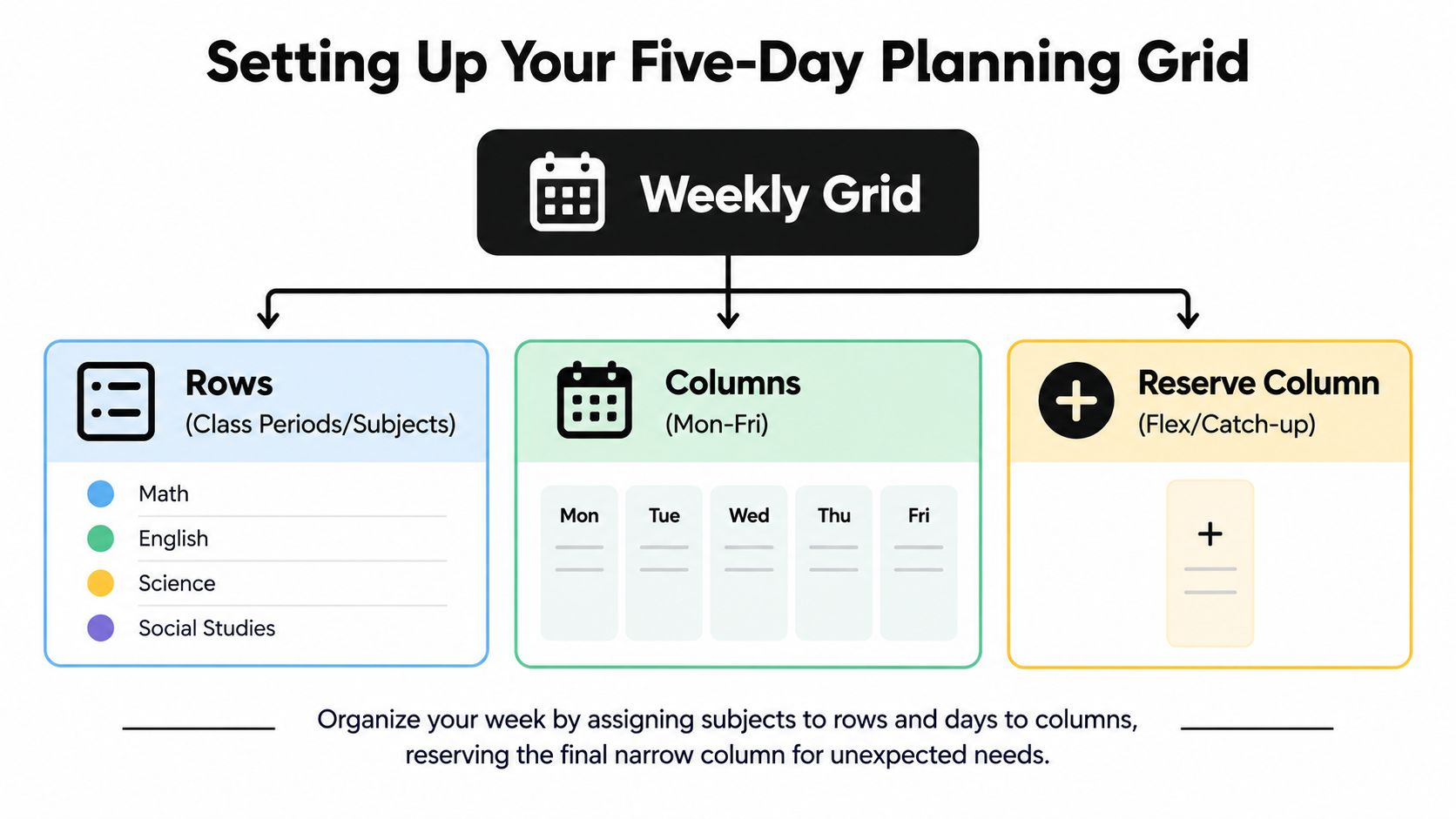
Add a header band above the grid with three pieces of information:
- Unit name: Identify the larger sequence, not just the week's activity.
- Unit position: Record the week number or sequence position so the page has context.
- Targets and standards: List the objectives that the week must advance.
Then block the items you can't move. Put assemblies, scheduled assessments, recurring meetings, duties, early dismissals, and known trips into the grid before adding instruction. This exposes the actual teaching space and prevents an attractive but impossible plan.
Add capacity for ordinary disruption
I leave two ten-minute buffers, one around the middle of the week and one on Friday. These aren't empty spaces to fill with extra content. They absorb a discussion that runs long, a technology problem, a late transition, or a short reteach.
Mark differentiation directly in the lesson cell. A note such as “teacher table, vocabulary support” or “extension paragraph for early finishers” is more useful than a separate list that you may not consult during a busy period. Add a small preparation marker beside materials that must be ready the previous day, such as printed source texts, manipulatives, or grouped folders.
The grid is the skeleton, not the finished plan. A teacher planner overview can help distinguish the weekly view from daily notes and printable layouts, but the planning decision remains yours. If the grid looks full before you've added objectives, it's already telling you to reduce, combine, or defer something.
Placing Objectives and Lessons Across the Week
Place the objective before the activity. Then choose the lesson that moves students toward it. Materials and grouping come third.
Consider a middle-school persuasive writing unit. The week's broad aim is for students to develop a claim supported by relevant reasons and evidence. That aim becomes manageable when each day has a distinct role instead of five unrelated writing tasks.
| Day | Objective | Lesson Focus | Time Breakdown | Materials & Grouping |
|---|---|---|---|---|
| Monday | Identify the parts of an effective persuasive claim | Diagnostic hook, analyse a short model, surface prior knowledge | Bell work 5 minutes, hook 10, model analysis 20, independent annotation 15, closing 5 | Model text, annotation tools, individual work, then brief pairs |
| Tuesday | Write a precise claim for a stated audience | Direct instruction on claim and audience, followed by guided drafting | Bell work 5 minutes, instruction 15, guided practice 20, draft 10, closing 5 | Claim examples, document camera, teacher-led group and independent writers |
| Wednesday | Select reasons and evidence that support a claim | Sort evidence, connect reasons to the claim, revise weak matches | Retrieval 5 minutes, modelling 10, evidence sort 20, independent work 15, closing 5 | Evidence cards, support group, extension set |
| Thursday | Organise reasons into a coherent argument | Build a paragraph plan, complete a short check, identify reteaching needs | Bell work 5 minutes, modelling 10, guided planning 20, check 10, closing 5 | Paragraph frame, checklist, teacher conference group |
| Friday | Apply the sequence in a short persuasive response | Draft, peer review, and complete a low-stakes check | Retrieval 5 minutes, drafting 20, peer review 15, reflection 5, closing 5 | Writing prompt, peer-review guide, individual drafting and pairs |
The order matters. Monday reveals what students already understand. Tuesday gives them a controllable skill. Wednesday adds evidence, Thursday organises it, and Friday asks students to use the complete process. If Thursday's check shows that students can state claims but can't connect evidence, annotate the grid with “reteach evidence connection Monday” rather than carrying the gap forward.
Make the time add up
A lesson cell should account for the actual class period. Bell work, transitions, direct instruction, independent work, checks, and closing all compete for the same minutes. If they don't fit on paper, they won't fit in the room.
Use the lesson plan outline example when you need to expand a weekly cell into a teachable sequence. The weekly view should remain brief enough to scan, while the detailed outline holds prompts, examples, questions, and assessment notes.
For each day, ask three questions before moving on:
- What must students be able to do by the close?
- Which lesson action gives them the best chance to do it?
- What evidence will determine the next lesson?
That third question keeps the week responsive without making it improvised.
Connecting the Week to Your Unit Timeline
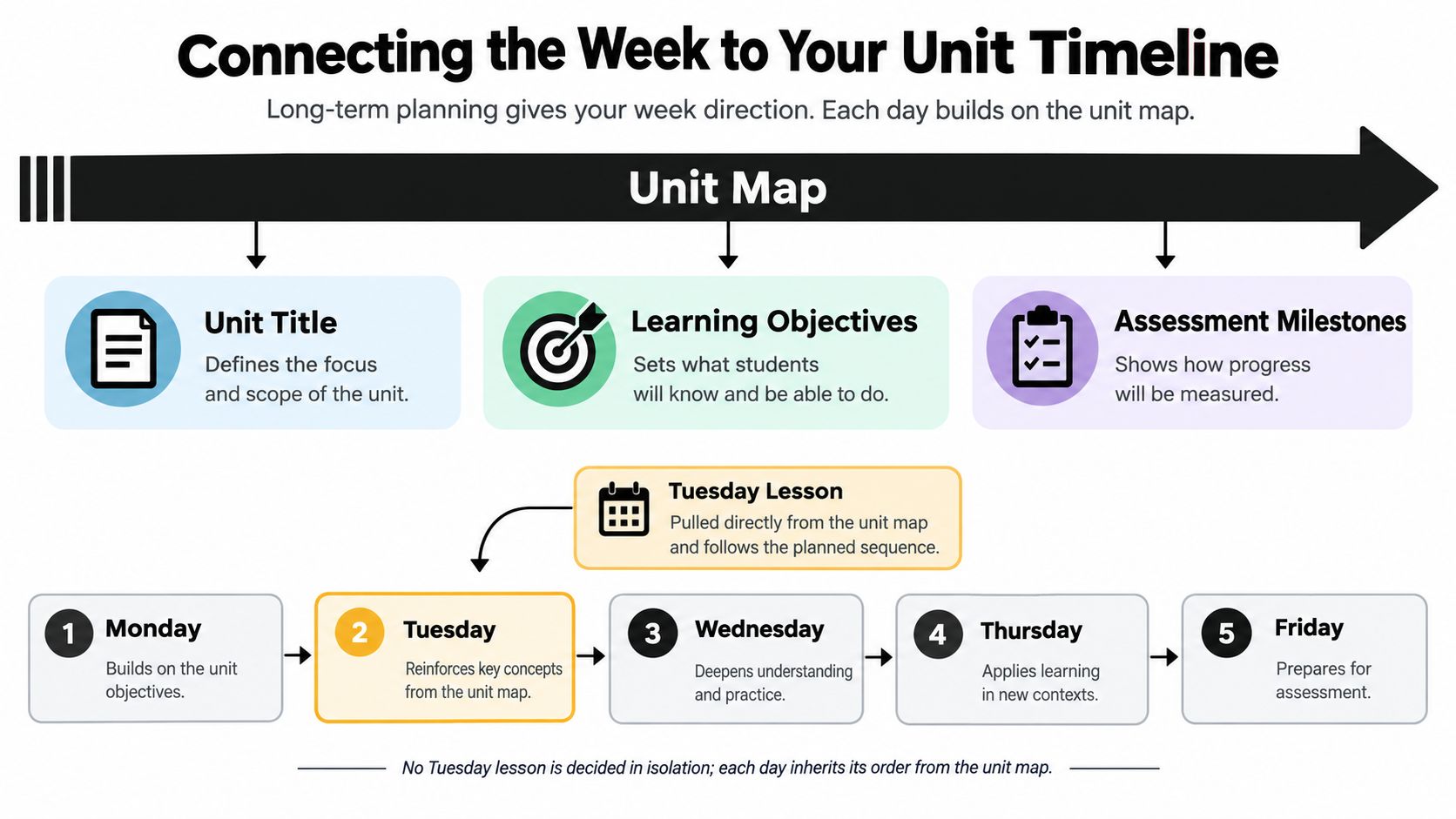
A five-day schedule shouldn't be planned in isolation. It inherits its order from the unit map, which contains the unit title, sequence of learning targets, summative assessment, and total instructional days available.
Suppose the unit has ten instructional days. Back-map the sequence before filling either weekly grid:
- Days 1 and 2: Entry, diagnostic work, and introduction.
- Days 3 through 5: Core instruction and modelling.
- Days 6 and 7: Application and supported practice.
- Days 8 through 10: Revision, consolidation, and assessment preparation.
Those roles then become visible on the weekly page. A Tuesday lesson might be labelled “model,” while Thursday is “guided practice.” The labels make it harder to place an attractive but premature independent task into the schedule.
Use three alignment checks
Before you regard the week as finished, test the plan against the longer sequence:
- Trace upward: Every daily objective should connect to a unit learning target.
- Check the endpoint: The assessment date should sit in the final planned slot, not appear as an afterthought.
- Protect the buffer: Place recovery and pacing capacity before the assessment, when it can still help students.
This approach also changes how you respond to lost time. If Wednesday disappears, you don't invent a replacement activity. You identify the unit role that was lost, preserve the dependency between lessons, and use the available flex space to recover it.
The UK Department for Education's workload synthesis recommends planning lesson sequences rather than writing every lesson in full, alongside purposeful planning blocks and fully resourced schemes of work (workload research summary). That principle fits the weekly view: decide the progression at the unit level, then give each day enough detail to teach and adjust it.
Handling Interruptions Without Losing Lesson Order
Treat the schedule as elastic, not fragile. Assemblies, fire drills, early dismissal, staff meetings, student absences, and technology failures are not unusual exceptions. They're conditions the plan must be able to absorb.
Before the week begins, tag each lesson with one of three flex labels. The labels separate instructional importance from convenience, so you can make a quick decision when the bell schedule changes.
| Flex Label | Meaning | Typical Use | Response if Period Is Lost |
|---|---|---|---|
| Anchor | Essential new content that protects the unit sequence | Introducing a concept, modelling a process, or teaching a prerequisite | Keep it in place or move it to the next suitable full period |
| Trim | A lesson that can become a short checkpoint | Retrieval, a brief application, or a formative review | Reduce it to a 15-minute check and record the result |
| Shift | Valuable work that can move without breaking the sequence | Independent practice, extension, or a resource-based task | Move it to another open slot and update the grid |
Say a Friday assembly removes a class period. If the labels were set in advance, the response is already decided: use the trim lesson as a short checkpoint where appropriate, hold the anchor lesson for the next full period, and slide the shift lesson into the next available slot. The labels preserve the relationship between lessons even when the calendar changes.
Build recovery into the known disruption
For a scheduled interruption, I add a 30-minute standing buffer on the following day. That space can hold review, reteaching, make-up work, or the anchor lesson if the lost period created a genuine sequence problem. It's more reliable than pretending the interruption won't affect pacing.
Absences require a similar distinction. A student may miss the anchor lesson, but the class shouldn't stop while every absent student receives a separate version of the week. Put the essential explanation, model, or resource in a clearly identified location, then use the next planned checkpoint to see who needs a short catch-up.
The goal isn't to keep every original date unchanged. The goal is to keep the learning order intact while changing the route.
Ending the Week With a Short Review
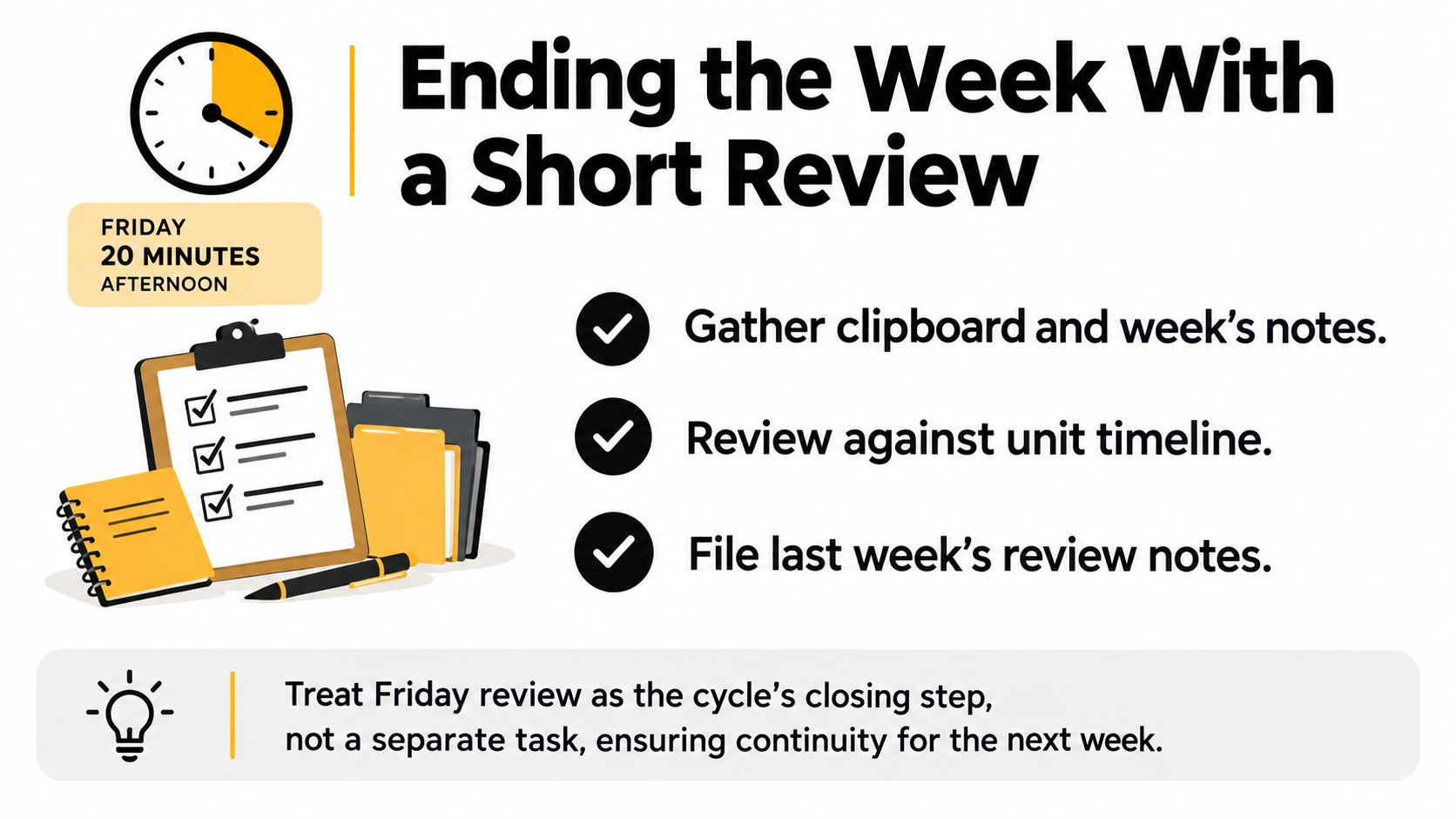
Friday review is the closing step of planning, not another administrative task to postpone. I use a fixed 20-minute block with a clipboard, the unit timeline, and the completed weekly grid. The materials matter because the review should compare intention with evidence, not rely on memory.
For each day, write one short line under three questions:
- Did students meet the objective?
- Did the lesson finish within the planned time?
- What evidence supports that judgement?
Evidence might be an exit ticket, an annotated paragraph, a brief observation, or the quality of responses during guided practice. A short note such as “most students identified a claim, but evidence selection remained weak” gives Monday a starting point. “Ran long because the model needed another example” tells you to adjust the next lesson's opening.
Look for patterns, not isolated annoyances
One late lesson may be normal. Several late lessons in the same sequence suggest that the plan needs changing. Revisit the unit timeline and move the pacing buffer earlier if more than one day ran long.
The review should end with one sentence that states what Monday must accomplish. For the persuasive writing example, that sentence might be: “Monday will reconnect students with claim and evidence before the next drafting task.” That line turns Friday's notes into Monday's first decision.
File the review with the week rather than leaving it on a loose sticky note. The next planning session should begin with evidence of what happened, including unfinished work and successful explanations.
Your Repeatable Weekly Planning Checklist
Run the checklist in the same order every week. The consistency keeps planning from becoming a fresh design exercise each time.
- File last week's review notes. Put the evidence where you'll see it before planning the new grid.
- Lock the current unit position. Identify the unit target, the lesson sequence, and the role this week plays.
- Block fixed commitments. Add assemblies, duties, fixed meetings, assessments, trips, and early dismissals.
- Place the objectives. Put each target into the lesson slot where it belongs, rather than starting with materials.
- Add the lesson focus. Name the action students will take, such as model, practise, revise, apply, or assess.
- Estimate the time. Account for bell work, instruction, independent work, transitions, checks, and closing.
- Mark the midweek checkpoint. Decide what evidence will tell you whether the sequence is holding.
- Label flexibility. Mark lessons as anchor, trim, or shift so a lost period has a planned response.
- Prepare materials and groups. Flag what must be copied, opened, sorted, or prepared the day before.
- Schedule the Friday review. Protect the short closing block before the week starts.
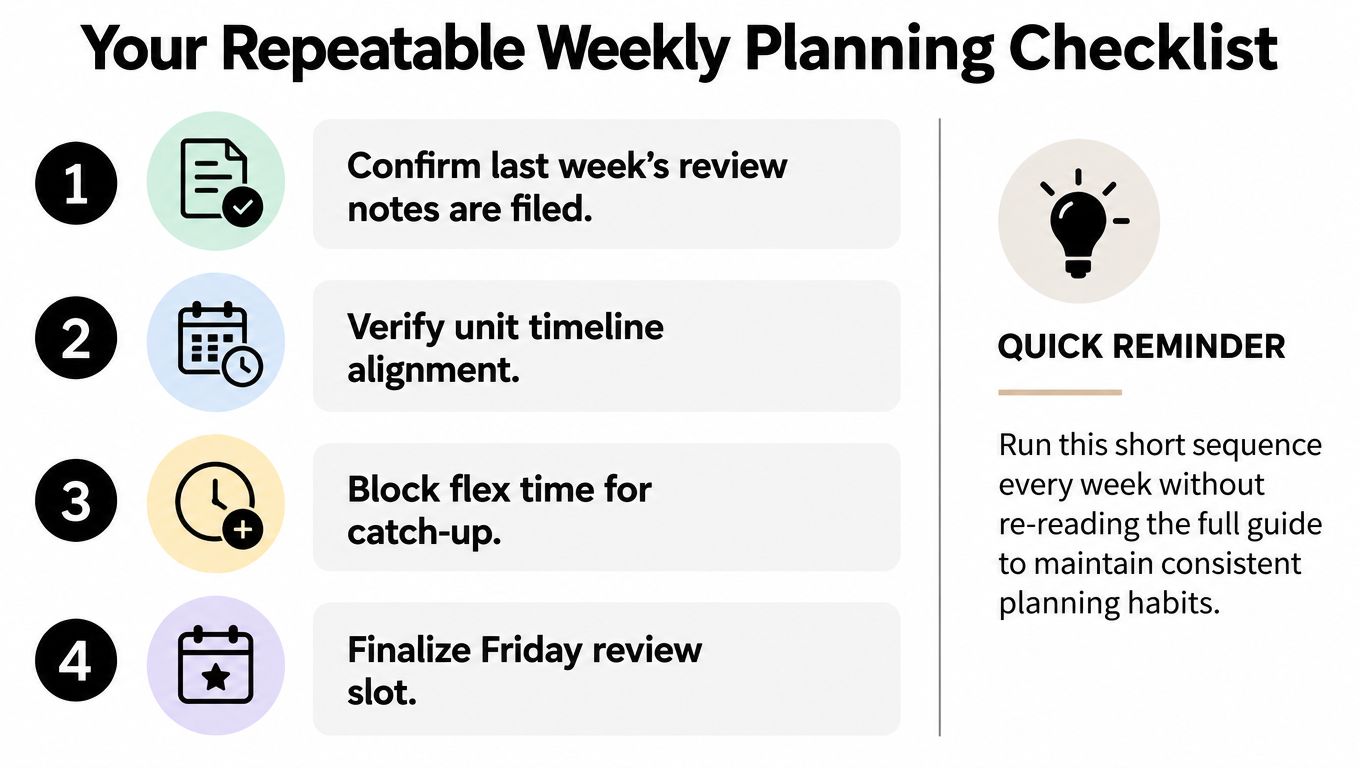
The checklist is deliberately more useful than a blank template because it tells you what to decide before you write. A printable plan can then serve as a quick reference for the classroom, a shared record, or a substitute plan, but it shouldn't dictate the sequence.
Run this checklist next Monday before opening any template. Let the planning process lead the page, so the printable form records a coherent week instead of hiding a fragmented one.
Teacher Planner offers a browser-based planbook with day, week, and month views, a Unit Timeline, Outline view, timetable import with user review, and Bump Forward for moving lessons while keeping their sequence. It also includes editable AI drafts for lesson plans, worksheets, quizzes, text rewriting, and writing feedback, which you can review, save, copy, download, or print. Visit Teacher Planner to organise your next five-day sequence.